


Are you looking to boost your website’s SEO without spending hours on complicated tools? The right Chrome extensions can make your work faster, easier, and more effective.
Imagine having powerful SEO insights just a click away while you browse. Whether you want to analyze keywords, check backlinks, or track your rankings, these extensions can save you time and help you get better results. Keep reading to discover the best Chrome extensions that will take your SEO game to the next level—your website deserves it!
Credit: medium.com
Top Chrome Extensions For Seo
Chrome extensions make SEO tasks easier and faster. They help check websites quickly. These tools save time and give useful data. Many extensions are free and easy to use. Choose the right ones to improve your SEO work.
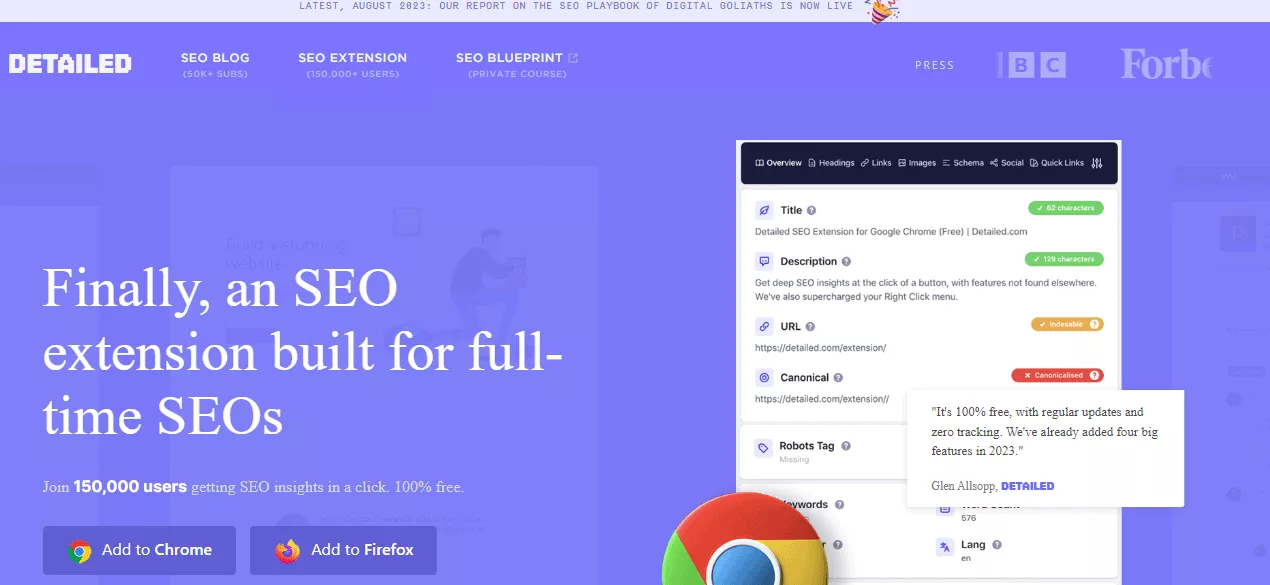
Ahrefs Seo Toolbar
Ahrefs SEO Toolbar shows key SEO metrics on any webpage. It displays backlinks, keywords, and traffic data. Use it to analyze competitors and find new keywords. The toolbar is simple and clear for beginners.
Keywords Everywhere
Keywords Everywhere gives keyword data directly in Google search. It shows search volume, cost per click, and competition. The extension helps pick the best keywords for your content. It works well for quick keyword research.
Seoquake
SEOquake provides an overview of SEO health for any page. It shows metrics like page rank, Alexa rank, and social shares. The tool also audits pages for SEO errors. Use it to spot problems and improve your site.
Mozbar
MozBar offers instant SEO insights while browsing websites. It shows domain authority, page authority, and link data. The extension helps compare sites and check backlinks. MozBar is useful for link building and site analysis.
Lighthouse
Lighthouse audits website performance and SEO factors. It gives detailed reports on page speed and accessibility. Use it to fix technical SEO issues. Lighthouse is built by Google and easy to use.
Credit: meetanshi.com
Keyword Research Tools
Keyword research is a key part of SEO. It helps find the best words to use in your content. These words bring more visitors from search engines. Chrome extensions make keyword research fast and easy. They work right in your browser. No need to open many tools or websites.
With the right extensions, you can find new keywords and check their popularity. You can also see what keywords your competitors use. This helps you plan your content better. Below are two main types of keyword research tools in Chrome extensions.
Extensions For Keyword Discovery
These extensions help find new keywords for your content. They show popular search terms and related words. You can see how many people search for these words each month. Some extensions also show trends and seasonality.
Examples include tools that suggest long-tail keywords. Long-tail keywords have less competition and attract targeted visitors. You can save time by getting keyword ideas directly on search pages. This makes your research smooth and quick.
Analyzing Competitor Keywords
These extensions let you check what keywords your competitors use. You can see which words bring them traffic. This helps you find gaps in your own content. You can also discover new keywords to target.
Some tools show keyword rankings and traffic estimates. They reveal which keywords are working well for others. This insight helps you plan your SEO strategy. You can create content that competes better in search results.
On-page Seo Analyzers
On-page SEO analyzers help check and improve website content for better search rankings. These tools scan your pages and show what works well and what needs fixing. They make SEO tasks faster and easier. Good on-page SEO means search engines understand your content better. This leads to higher visibility and more visitors.
Checking Meta Tags And Content
Meta tags tell search engines what your page is about. Titles and descriptions must be clear and include keywords. On-page SEO analyzers quickly check these tags. They find missing or duplicate titles and descriptions. Some tools also analyze content length and keyword use. They show if your text matches search intent. This helps improve relevance and ranking.
Improving Page Speed
Page speed is crucial for user experience and SEO. Slow pages lose visitors and rank lower. On-page SEO analyzers measure how fast your page loads. They highlight issues like large images or slow scripts. These tools suggest fixes to make pages load faster. A fast website keeps visitors happy and improves search results.
Backlink And Link Analysis
Backlinks and link analysis play a key role in SEO success. They help you see which sites link to your pages. This shows your site’s popularity and trust. With the right tools, you can track these links easily. Also, you can check if links are good or bad for your SEO. Chrome extensions make this process simple and fast.
Tracking Backlinks
Tracking backlinks shows which websites link to yours. Chrome extensions can display this data quickly. They provide a list of all backlinks for any site. You can check new and lost links in real time. This helps you keep your link profile strong and healthy. Staying updated on backlinks helps you act fast on changes.
Evaluating Link Quality
Not all backlinks have the same value. Some links improve your SEO, while others can harm it. Chrome extensions help analyze link quality easily. They show metrics like domain authority and spam score. This helps you find strong, trustworthy links. Avoid links from low-quality or spammy websites. Quality links boost your rankings and site trust.
Technical Seo Helpers
Technical SEO is the backbone of any website’s success. It helps search engines understand your site better. Chrome extensions can make this task easier. They offer quick checks and detailed reports. These tools save time and improve your site’s health.
Crawling And Indexing Insights
Crawling and indexing are key to SEO. Extensions show how search engines see your site. They reveal which pages get indexed or missed. You can spot errors like noindex tags or blocked pages. This helps fix problems before they hurt rankings. Some tools simulate Googlebot’s view. They highlight slow pages or duplicate content. This insight guides you to improve site structure and speed.
Identifying Broken Links
Broken links harm user experience and SEO. Extensions scan your site for dead links fast. They list all broken URLs in one place. Fixing these links keeps visitors happy and search engines crawling. Some tools check both internal and external links. They also find missing images and redirect chains. Regular checks prevent loss of traffic and boost trust.
Content Optimization Extensions
Content optimization extensions help improve your SEO by making your writing clearer and more effective. These tools analyze your text and suggest changes to enhance its quality. They save time and boost your chances of ranking higher on search engines.
These extensions focus on making content easier to read and better suited for search engine features. They guide you to create content that attracts more visitors and keeps them engaged. Using these tools can make your SEO efforts more precise and efficient.
Enhancing Readability
Readability is key for user experience and SEO. Extensions check sentence length and word choice. They highlight complex words and long sentences. You get suggestions to make your text simpler.
Clear content reduces bounce rates and increases user interaction. Some tools show reading grade levels. This helps match content to your audience’s understanding. Easy-to-read content ranks better on search engines.
Optimizing For Featured Snippets
Featured snippets bring extra traffic from search results. Extensions help identify snippet opportunities in your content. They guide formatting for questions and answers. Structured data and lists get better visibility.
These tools analyze your content to match snippet patterns. They help create concise, clear answers. Well-optimized snippets increase clicks and improve site authority. Focus on snippet-friendly content to stand out in search results.
Rank Tracking And Analytics
Rank tracking and analytics are key for SEO success. They help you see how your website performs in search engines. Tracking your keyword positions shows if your SEO efforts work. Analytics reveal visitor behavior and traffic sources. Both tools guide your strategy and improve results.
Monitoring Keyword Positions
Keyword position tracking shows where your site ranks on Google. It helps spot trends and changes over time. Chrome extensions can track many keywords at once. They update data regularly and show clear reports. This makes it easy to check progress and act fast. You can find which keywords need more work.
Integrating With Analytics Platforms
Connecting Chrome extensions to analytics platforms gives deeper insights. Data from Google Analytics or other tools merges with rank tracking. This shows how visitors find your site and what they do next. You can see which pages perform best and which need help. Integration saves time by combining data in one place. It helps make smart SEO decisions quickly.
User Experience And Accessibility Tools
User experience and accessibility tools help make websites easy to use for everyone. These tools check how well your site works on mobile devices. They also ensure people with disabilities can access your content without trouble.
Good user experience keeps visitors on your site longer. Accessibility tools improve your site’s reach and compliance with web standards. Both are essential for SEO success.
Assessing Mobile Usability
Mobile usability is crucial for SEO. Many users browse on phones and tablets. Chrome extensions can test how fast your site loads on mobile. They show if buttons and links are easy to tap. These tools highlight problems like small text or broken layouts. Fixing these issues improves mobile user experience. Search engines rank mobile-friendly sites higher.
Improving Accessibility Standards
Accessibility tools check if your website works for all users. They scan for issues like missing alt text or poor color contrast. These extensions simulate how screen readers interpret your content. They point out navigation problems for keyboard users. Fixing these errors helps disabled visitors use your site. Accessible sites meet legal standards and gain trust. Search engines favor sites that are easy to access.
Tips For Choosing The Right Seo Extensions
Choosing the right SEO extensions is crucial for better website ranking. These tools help analyze data, track keywords, and improve content. Picking the best ones saves time and boosts your SEO efforts.
Not all extensions fit every user’s needs. Some work better with specific browsers or tasks. Understanding what to check before installing helps avoid problems later.
Evaluating Features And Compatibility
Start by listing the features you need. Keyword research, site audit, or backlink tracking? Pick extensions that offer these options clearly. Check if the extension supports your browser version.
Read user reviews to learn about real experiences. Updates and developer support matter. Avoid tools that haven’t been updated for a long time. They might not work well or can cause errors.
Balancing Performance And Usage
Too many extensions can slow your browser. Choose tools that use less memory and load fast. Test extensions one by one to see their impact on speed.
Use only what you need. Remove extensions that duplicate features. A clean, fast browser improves your work efficiency. Keep your SEO tools simple and effective.
Credit: blog.skillwaala.com
Frequently Asked Questions
What Are The Best Chrome Extensions For Seo Beginners?
The best Chrome extensions for SEO beginners include Keywords Everywhere, MozBar, and SEOquake. These tools provide keyword data, site analysis, and SEO metrics, making SEO tasks easier and more efficient for novices.
How Do Chrome Extensions Improve Seo Performance?
Chrome extensions enhance SEO by offering real-time data, on-page analysis, and competitor insights. They save time and help optimize content, backlinks, and technical SEO elements effectively.
Can Chrome Extensions Help With Keyword Research?
Yes, many Chrome extensions like Keywords Everywhere and Ubersuggest assist with keyword research. They provide search volume, competition, and related keywords directly within the browser.
Are Chrome Seo Extensions Free Or Paid?
Most Chrome SEO extensions offer free versions with basic features. Premium plans unlock advanced tools, detailed reports, and additional functionalities for professional SEO use.
Conclusion
These Chrome extensions help improve your SEO work daily. They save time and make tasks easier to handle. Use them to check keywords, analyze websites, and track rankings. Small tools can bring big changes in your SEO results. Try a few and see which fit your needs best.
Consistent use leads to better website visibility and traffic. Keep learning and adapting with these handy extensions. Your SEO journey becomes smoother and more effective this way.