


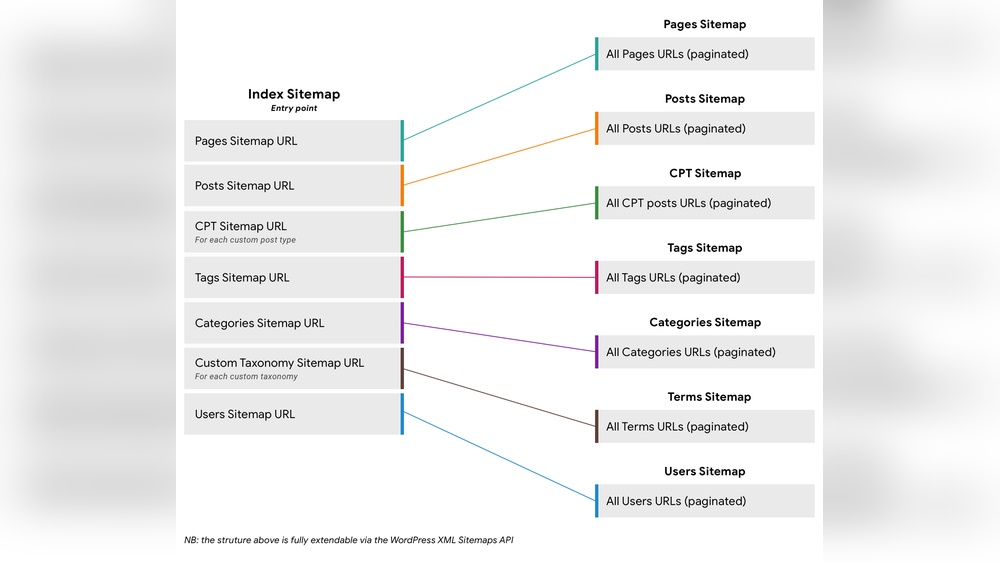
If you want your website to be easily found by search engines, understanding sitemaps is a game changer. A sitemap acts like a roadmap, guiding search engines through your site’s pages so nothing important gets missed.
Without one, your hard work might stay hidden in the shadows. You’ll discover exactly what sitemaps are, why they matter for your website’s success, and how you can create one that boosts your visibility. Keep reading to unlock the secret to making your site shine online.
What Are Sitemaps
Sitemaps are files that help search engines find and understand your website. They act like a map, showing all the important pages on your site. This makes it easier for search engines to crawl and index your content.
Without a sitemap, some pages might be missed or found late. A sitemap improves your site’s visibility in search results. It also helps search engines know which pages are new or updated.
What Is A Sitemap?
A sitemap is a simple file listing your website’s URLs. It tells search engines about your site’s structure. This helps search engines find all your pages quickly and easily.
There are two main types of sitemaps. XML sitemaps are for search engines. HTML sitemaps are for website visitors. Both help navigation but serve different purposes.
How Sitemaps Help Seo
Sitemaps improve SEO by making your site easier to crawl. Search engines find your pages faster and index new content quickly. This can increase your site’s ranking in search results.
Types Of Sitemaps
Sitemaps help search engines find and understand your website’s pages. They come in different types. Each type serves a unique purpose. Knowing these types helps you choose the right sitemap for your site.
Xml Sitemaps
XML sitemaps list all important pages on your website. They help search engines discover new and updated content fast. These sitemaps are designed for search engines, not for website visitors. They include metadata like last update date and page priority.
Html Sitemaps
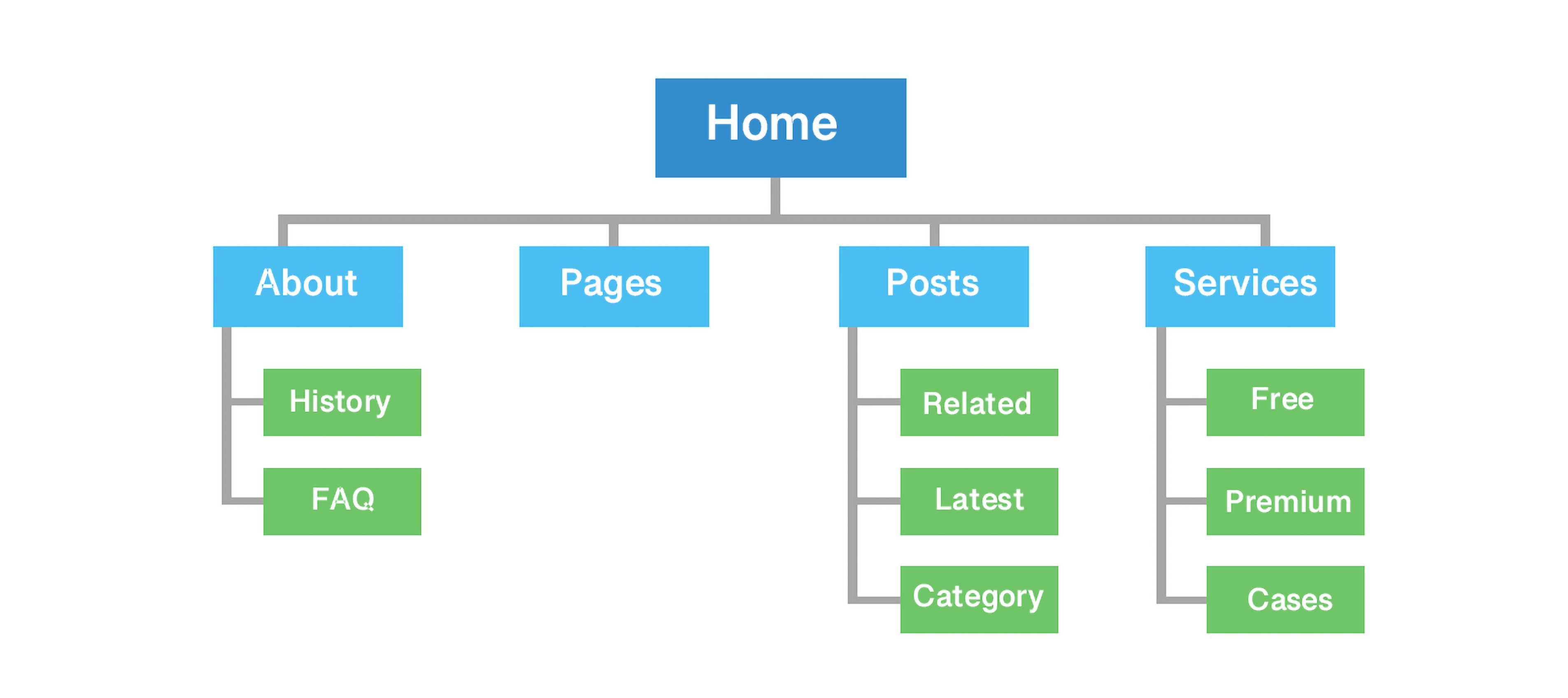
HTML sitemaps are made for people. They show a simple list or map of your website pages. Visitors use them to find information easily. HTML sitemaps improve user experience and site navigation. They also help search engines crawl your site better.
Image And Video Sitemaps
Image and video sitemaps focus on media files. They tell search engines about photos and videos on your pages. This helps media content appear in search results. These sitemaps include details like file type, title, and license. They boost visibility for your visual content.
Benefits For Seo
Sitemaps help search engines understand your website better. They list all important pages, so nothing is missed. This can boost your site’s SEO by making sure search engines find and rank your content correctly.
Improved Crawling
Sitemaps guide search engines through your website. They show which pages are available for crawling. This helps search engines avoid missing new or updated content. Better crawling means your site stays fresh in search results.
Faster Indexing
Search engines find and add your pages to their index more quickly. Sitemaps highlight new pages or changes right away. Faster indexing lets your content appear in search results sooner. This is key for timely updates and news.
Enhanced User Experience
Sitemaps indirectly improve user experience by making your site easier to find. When search engines index pages well, users find relevant content faster. Clear navigation also helps visitors explore your site smoothly. Happy users often return and share your site.
Creating Effective Sitemaps
Creating effective sitemaps helps search engines find and index your website pages faster. It guides crawlers through your site structure clearly. A well-built sitemap improves your site’s visibility in search results. It also helps highlight important pages to prioritize for indexing.
Focus on the right format, key URLs, and update settings to make your sitemap useful. These steps ensure search engines understand your site better and crawl it efficiently.
Choosing The Right Format
XML is the most common sitemap format. It works well with all search engines. XML sitemaps are easy to read for crawlers. HTML sitemaps help visitors navigate your site but do not replace XML for SEO. Use XML for SEO purposes and HTML for user experience. Keep your sitemap simple and clean for faster crawling.
Including Important Urls
List only your key pages in the sitemap. Include pages with valuable content and good traffic potential. Avoid adding duplicate or low-quality pages. Focus on main categories, product pages, and blog posts. Exclude pages like login, admin, or thank-you pages. This keeps the sitemap focused and effective.
Setting Priority And Frequency
Assign priority levels to show page importance. Use values between 0.1 and 1.0, with 1.0 being highest. Set change frequency to tell search engines how often pages update. Use options like daily, weekly, or monthly. Update these values as your content changes. This guides crawlers on how often to revisit pages.
Submitting Sitemaps To Search Engines
Submitting sitemaps to search engines helps them find your pages faster. It improves how search engines crawl and index your website. This step is important for better visibility in search results.
Search engines provide special tools for sitemap submission. These tools also show sitemap status and any errors found. Use them to keep your sitemap updated and healthy.
Using Google Search Console
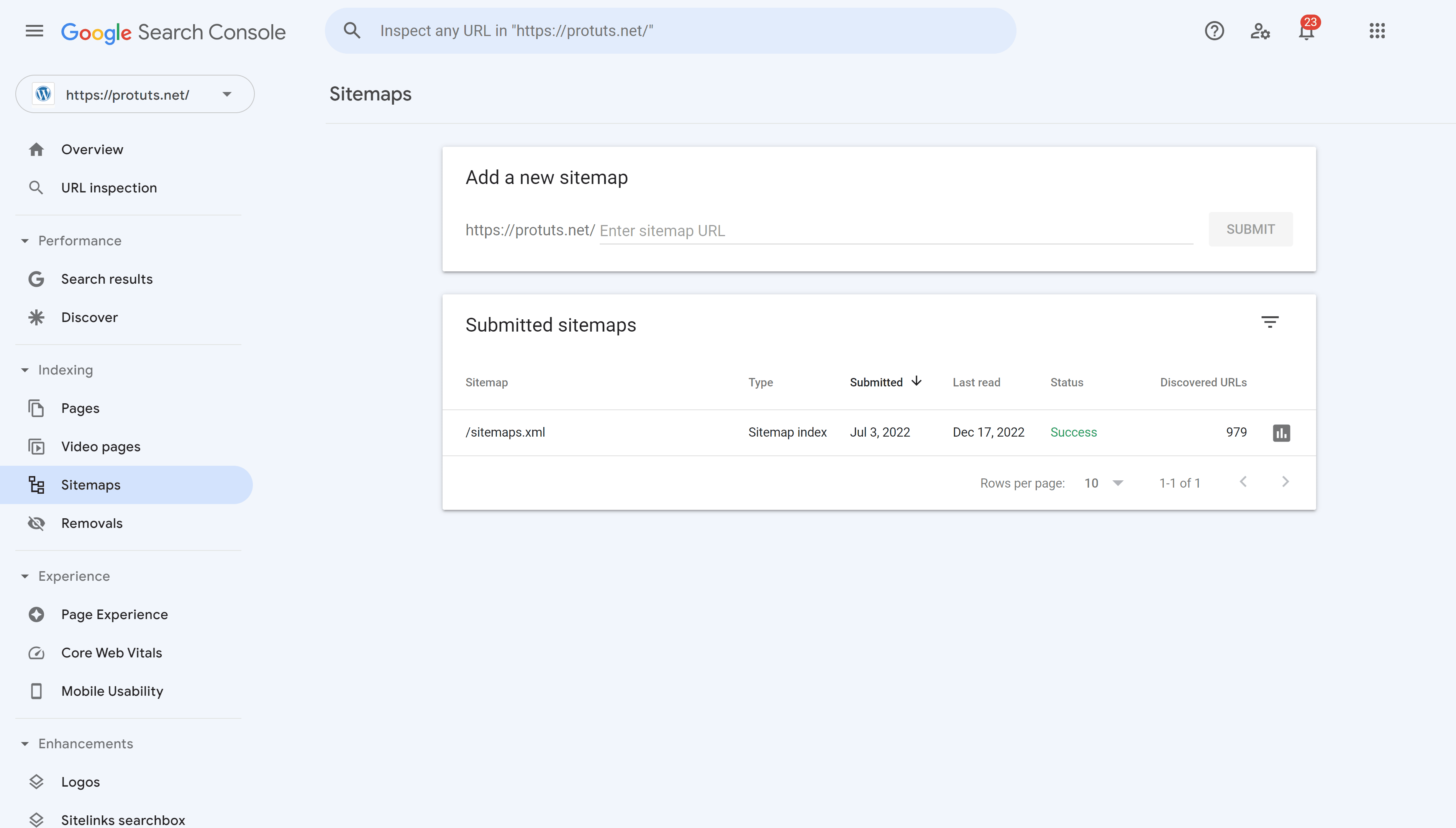
Google Search Console is the main tool for sitemap submission. First, sign in to your account. Select your website from the dashboard. Go to the “Sitemaps” section.
Enter your sitemap URL in the “Add a new sitemap” box. Click “Submit” to send it to Google. The tool will check your sitemap and report issues. Check this area regularly for updates.
Submitting To Bing Webmaster Tools
Bing Webmaster Tools also accepts sitemaps to improve indexing. Log in and select your site. Find the “Sitemaps” option in the menu.
Type your sitemap URL and click “Submit.” Bing will analyze your sitemap for errors. Use this tool to monitor how Bing reads your site. Submit sitemaps here to reach a wider audience.
Credit: www.seopress.org
Common Sitemap Mistakes
Sitemaps help search engines find and index your website pages. They improve your site’s visibility online. Many website owners make simple mistakes with sitemaps. These errors can hurt your SEO and reduce traffic. Understanding common sitemap mistakes helps keep your site healthy and easy to find.
Broken Links
Broken links in a sitemap confuse search engines. They waste crawl budget and lower your rankings. Each URL should work and lead to a live page. Check your sitemap regularly to fix broken links. Use tools to find and remove dead URLs fast.
Excluding Important Pages
Leaving out key pages stops search engines from indexing them. Important pages include product pages, blog posts, and services. Make sure all valuable content is in the sitemap. This helps search engines show your best pages in results.
Ignoring Sitemap Updates
Sitemaps must reflect the latest site changes. New pages, deleted pages, or moved pages need updates. An old sitemap misleads search engines and hurts rankings. Update your sitemap every time you change your site structure.
Tools For Sitemap Generation
Creating a sitemap is key for better website indexing. Many tools help generate sitemaps quickly. These tools save time and reduce errors. They fit different needs and skill levels. Choose the right tool for your website size and type.
Online Sitemap Generators
Online sitemap generators are easy to use. Just enter your website URL, and the tool scans pages. It creates a sitemap file ready to upload. These tools work well for small to medium websites. No software installation needed. Examples include XML-Sitemaps.com and Screaming Frog’s free version.
Cms Plugins And Extensions
Content Management Systems like WordPress offer plugins for sitemaps. These plugins create and update sitemaps automatically. They fit well with blogs and business websites. Popular plugins include Yoast SEO and Google XML Sitemaps. Using plugins simplifies sitemap management inside the CMS dashboard.

Credit: slickplan.com
Monitoring Sitemap Performance
Monitoring sitemap performance helps keep your website visible on search engines. It shows how well search engines understand your site. Checking the sitemap regularly avoids problems that block pages from appearing in search results. Simple steps can improve your site’s indexing and ranking.
Tracking Indexing Status
Tracking the indexing status tells which pages search engines have added. Use tools like Google Search Console to see indexed URLs. This data shows if your sitemap helps pages get found online. Missing pages might need sitemap updates or content fixes. Regular checks keep your site fresh and easy to find.
Analyzing Crawl Errors
Crawl errors stop search engines from reading your pages correctly. These errors appear when URLs are broken or blocked by robots.txt. Finding these issues lets you fix them quickly. Use reports in webmaster tools to spot errors fast. Fixing crawl errors improves your site’s search visibility and user experience.
Credit: happyaddons.com
Frequently Asked Questions
What Is A Sitemap In Seo?
A sitemap is a file listing all website pages. It helps search engines crawl and index content efficiently. Sitemaps improve site visibility and ranking by guiding search bots to important pages quickly.
How Do Sitemaps Improve Website Ranking?
Sitemaps enhance ranking by ensuring search engines find all pages. They help index new or updated content faster. This leads to better site coverage and higher chances of appearing in search results.
What Types Of Sitemaps Exist?
Common sitemaps include XML sitemaps for search engines and HTML sitemaps for users. XML sitemaps list URLs and metadata, while HTML sitemaps provide a navigational structure for visitors.
How Often Should I Update My Sitemap?
Update your sitemap whenever you add, remove, or modify pages. Regular updates ensure search engines have the latest site structure. This keeps indexing accurate and timely.
Conclusion
Sitemaps help search engines find and index your website pages. They improve your site’s visibility and ranking. Creating a clear sitemap makes your site easier to explore. This can bring more visitors to your pages. Keep your sitemap updated as your site grows.
It supports both new and old content. A good sitemap benefits both users and search engines. Use sitemaps to keep your website organized and easy to find. Simple, clear, and current sitemaps make a big difference.