


Are you struggling to turn visitors into loyal customers? A squeeze page might be exactly what you need.
It’s a simple, powerful tool designed to grab your audience’s attention and get them to take action—usually by sharing their email address. Imagine having a page that works hard for you, collecting leads while you focus on other parts of your business.
You’ll discover what a squeeze page is, why it’s so effective, and how to create one that truly converts. Keep reading, and you’ll learn how to boost your sales and grow your audience faster than you thought possible.

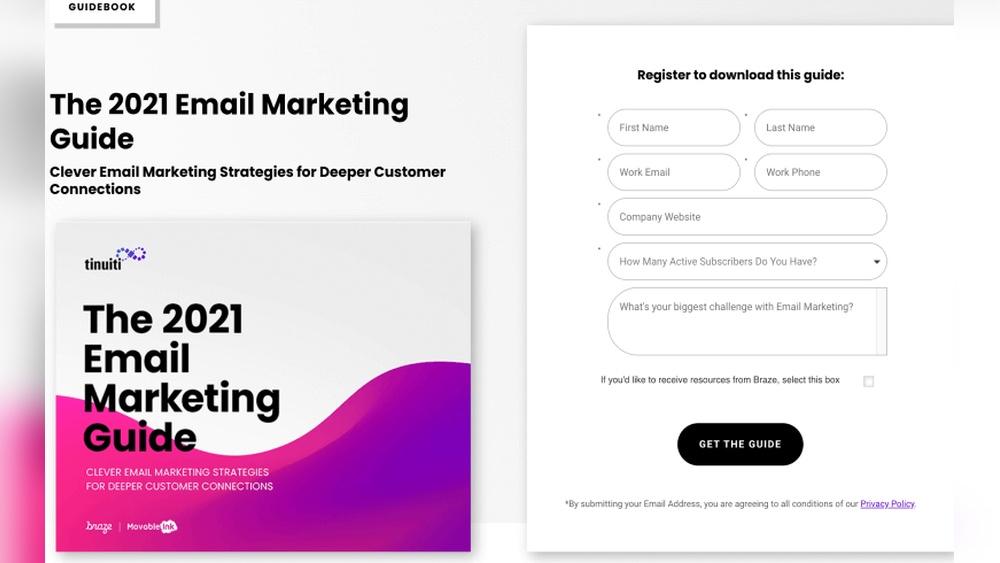
Credit: getwpfunnels.com
What Is A Squeeze Page
A squeeze page is a simple web page designed to get visitor information quickly. It usually asks for an email address or contact details. The main goal is to build a list of leads. These leads can later become customers.
Squeeze pages have minimal content. This helps keep visitors focused on the offer. They often offer a free item like an ebook or a discount. Visitors give their information in exchange for this offer.
Purpose Of A Squeeze Page
The purpose is to collect contact details from visitors. Marketers use these details to send emails or offers. It helps build trust and start a relationship. This page is a key step in many online sales funnels.
Key Elements Of A Squeeze Page
A good squeeze page has a clear headline. It tells visitors what they get. The page includes a simple form with few fields. A strong call to action invites visitors to sign up. The page avoids distractions like extra links or menus.
How Squeeze Pages Work
Visitors see the squeeze page after clicking an ad or link. They read the offer quickly. If interested, they enter their email or contact info. After submission, they often receive a free gift or more information. This starts ongoing communication with the business.
Key Elements Of High-converting Pages
High-converting squeeze pages have a few key elements that grab visitors’ attention. They guide users toward taking action quickly. Every part plays a role in convincing visitors to sign up or buy.
Focus on clear, simple messages. Remove distractions. Build trust with proof. Use strong calls to action. These elements work together to boost conversions.
Compelling Headlines
Headlines are the first thing visitors see. They must be clear and direct. Explain the benefit quickly. Use simple words that anyone can understand. A good headline sparks curiosity and interest. It sets the tone for the rest of the page.
Effective Call-to-actions
Call-to-actions (CTAs) tell users what to do next. Use short, action-focused text like “Get Started” or “Join Now.” Make buttons easy to find. Bright colors help CTAs stand out. Place them near important information. Clear CTAs guide visitors toward the goal.
Trust Signals And Social Proof
Trust signals help visitors feel safe. Use testimonials, reviews, or logos of known brands. Show real customer names or photos if possible. Security badges or guarantees also build confidence. These signals reduce doubts and increase sign-ups.
Minimalist Design
Keep the design clean and simple. Use plenty of white space to avoid clutter. Limit text to the essentials. Use one or two colors for a neat look. Simple layouts help visitors focus on the message. Minimalist design improves user experience and conversion rates.
Crafting Irresistible Offers
Crafting irresistible offers is key to a successful squeeze page. The offer must catch attention quickly. It should feel valuable and easy to get. Clear benefits help visitors decide fast. Simple, direct offers work best. Focus on what your audience really needs.
Lead Magnets That Work
Lead magnets attract visitors by offering free value. Examples include ebooks, checklists, or guides. These freebies solve a small problem. They show your expertise and build trust. Keep lead magnets short and useful. Easy to download and read. This encourages more sign-ups on your squeeze page.
Exclusive Discounts And Bonuses
Discounts and bonuses create urgency and excitement. Limited-time offers push visitors to act fast. Bonuses add extra value without extra cost. Bundle products or services to increase appeal. Make sure discounts feel special and rare. Clear terms help avoid confusion. These tactics increase conversions significantly.
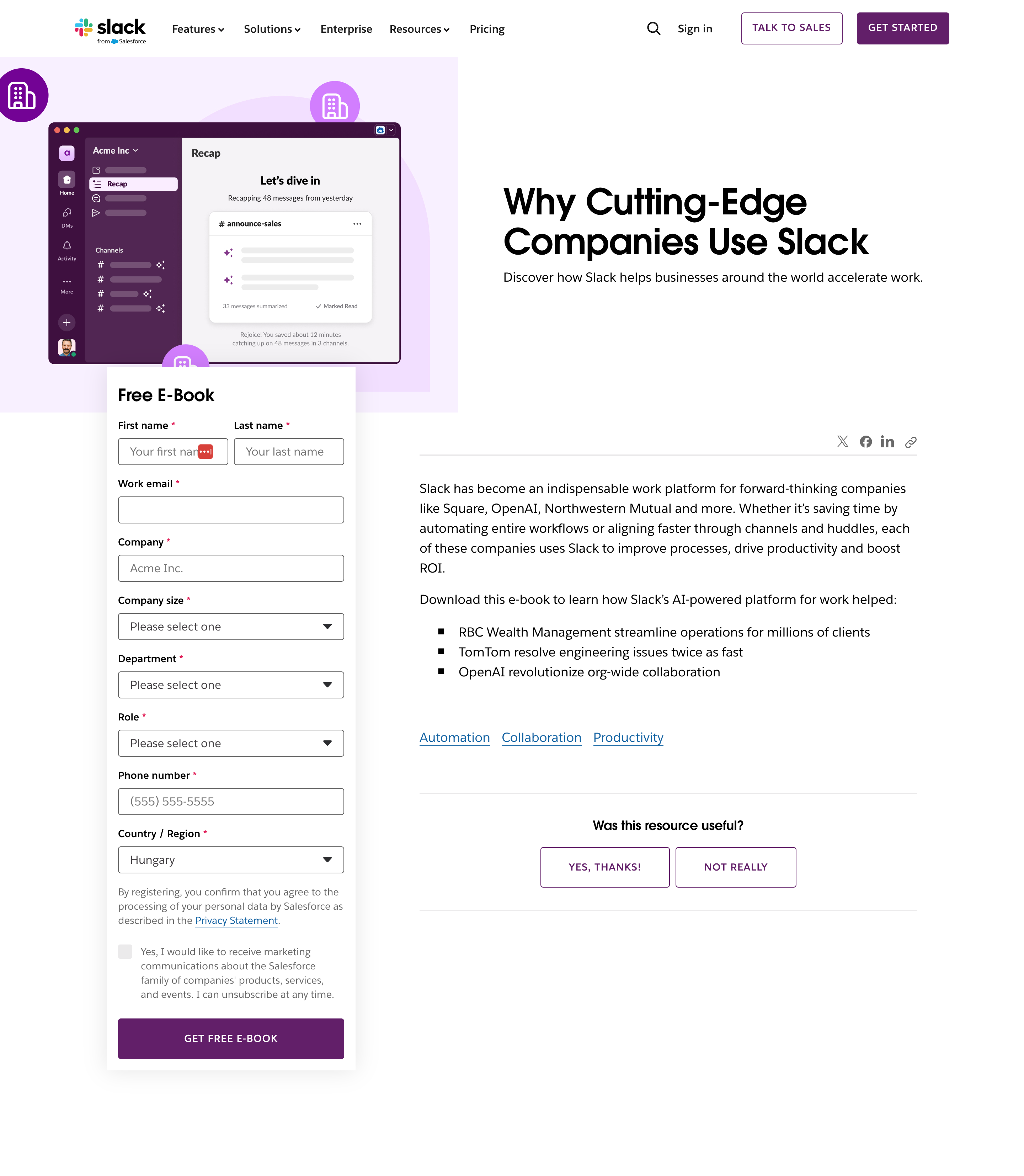
Credit: www.optimonk.com
Optimizing Page Speed And Mobile Experience
Optimizing page speed and mobile experience is key for a successful squeeze page. Fast loading keeps visitors on your page. A smooth mobile experience helps capture leads easily. Both factors improve user satisfaction and boost conversions.
Focus on these aspects to make your squeeze page quick and mobile-friendly. Small changes can have a big impact on visitor engagement and results.
Reducing Load Time By Compressing Images
Large images slow down your page. Compress images to reduce file size without losing quality. Use tools like TinyPNG or ImageOptim for easy compression. Smaller images load faster and keep visitors interested.
Using Responsive Design For Mobile Devices
Responsive design adjusts your page to fit any screen size. It makes text readable and buttons easy to tap. A good mobile layout keeps visitors engaged and lowers bounce rates. Test your page on phones and tablets regularly.
Minimizing Scripts And External Resources
Too many scripts make your page slow. Limit the use of extra plugins and widgets. Combine CSS and JavaScript files to reduce requests. Faster pages improve the chance of visitors filling out your form.
Implementing Fast Hosting And Caching
Choose hosting with fast server response times. Use caching to save page versions for quick loading. Caching reduces server load and speeds up repeat visits. Speedy hosting creates a better experience for your audience.
A/b Testing Strategies
A/B testing is a smart way to improve your squeeze page. It helps find what works best by comparing two versions. You can test many parts of your page. This makes your page better at getting visitors to sign up or buy.
Testing Headlines
Headlines grab attention first. Small changes can make a big difference. Try different words, lengths, or styles. See which headline gets more clicks or signups. Clear and simple headlines often work well. Avoid confusing or long sentences. Test one headline at a time for accurate results.
Experimenting With Layouts
Layout affects how visitors see your page. Change button positions, images, or text blocks. Test a clean, simple design against a busy one. Notice which layout keeps visitors longer. A good layout guides eyes toward the call to action. Test layouts that are easy to read and navigate.
Analyzing User Behavior
User behavior shows how visitors interact with your page. Use tools to track clicks, scrolling, and time spent. Watch where visitors stop or leave the page. This data helps find weak spots to fix. Analyze patterns and adjust the page to keep visitors engaged. Understanding behavior leads to better page decisions.
Using Psychology To Influence Visitors
Using psychology in a squeeze page helps guide visitors to take action. It taps into basic human feelings and thoughts. This makes the page more effective at capturing leads or sales. Small psychological triggers can change a visitor’s mind quickly.
Scarcity And Urgency
People want things that seem rare or limited. A squeeze page that shows limited spots or time creates urgency. Visitors feel they must act fast or lose out. This pushes them to sign up or buy right away. Words like “only a few left” or “offer ends soon” work well. This taps into fear of missing out, a strong motivator.
Reciprocity And Commitment
When you give something free, visitors want to return the favor. Offering a free guide or checklist builds trust. Visitors feel more willing to share their email. After giving their email, people want to stay consistent. This leads them to agree to future offers. This two-step approach builds a relationship and increases sign-ups.
Tools And Software For Building Squeeze Pages
Building a squeeze page can be simple with the right tools. These tools help create pages that capture leads and grow your email list. They offer easy ways to design, customize, and publish squeeze pages quickly. No need for coding or complex software.
Many tools come with templates made for squeeze pages. This saves time and ensures your page looks good on all devices. Some software also integrates with email services, so you can collect and manage leads easily. Choosing the right tool depends on your needs and budget.
Html Editors For Custom Squeeze Pages
HTML editors let you build squeeze pages from scratch. They give full control over design and layout. Tools like Adobe Dreamweaver or Visual Studio Code work well. Best for those who know basic coding or want full customization.
Drag-and-drop Page Builders
Drag-and-drop builders simplify page creation. You click, drag, and drop elements like forms, images, and buttons. Popular options include Elementor and Leadpages. No coding required. Perfect for beginners and fast setup.
Email Marketing Platforms With Squeeze Page Features
Email platforms often include squeeze page tools. Services like Mailchimp and ConvertKit offer built-in page builders. They connect forms directly to your mailing list. Easy to manage leads and send follow-up emails.
Landing Page Software
Landing page software focuses on conversion. Tools like Unbounce and Instapage provide templates and testing options. You can track visitor behavior and improve performance. Great for marketers wanting detailed insights.
Common Mistakes To Avoid
Squeeze pages are powerful tools for building email lists and growing audiences. Yet, many marketers make simple mistakes that reduce their effectiveness. Avoiding these errors helps create pages that convert better and keep visitors interested.
This section highlights common mistakes to avoid on squeeze pages. Fixing these can improve user experience and increase sign-ups.
Too Many Form Fields
Asking for too much information scares visitors away. Keep the form short with only essential fields. Usually, just an email address is enough.
Unclear Call To Action
The call to action must be clear and direct. Use simple words like ”Subscribe” or ”Get Access.” Visitors should know exactly what happens next.
Slow Page Loading
Pages that load slowly cause visitors to leave. Optimize images and reduce unnecessary scripts. Fast loading keeps visitors engaged.
Lack Of Trust Signals
Visitors want to feel safe sharing their info. Add trust signals like privacy statements or testimonials. This builds confidence and reduces hesitation.
Distracting Design Elements
Too many colors, animations, or links distract visitors from signing up. Keep the design clean and focused on the form. Simplicity helps guide attention.
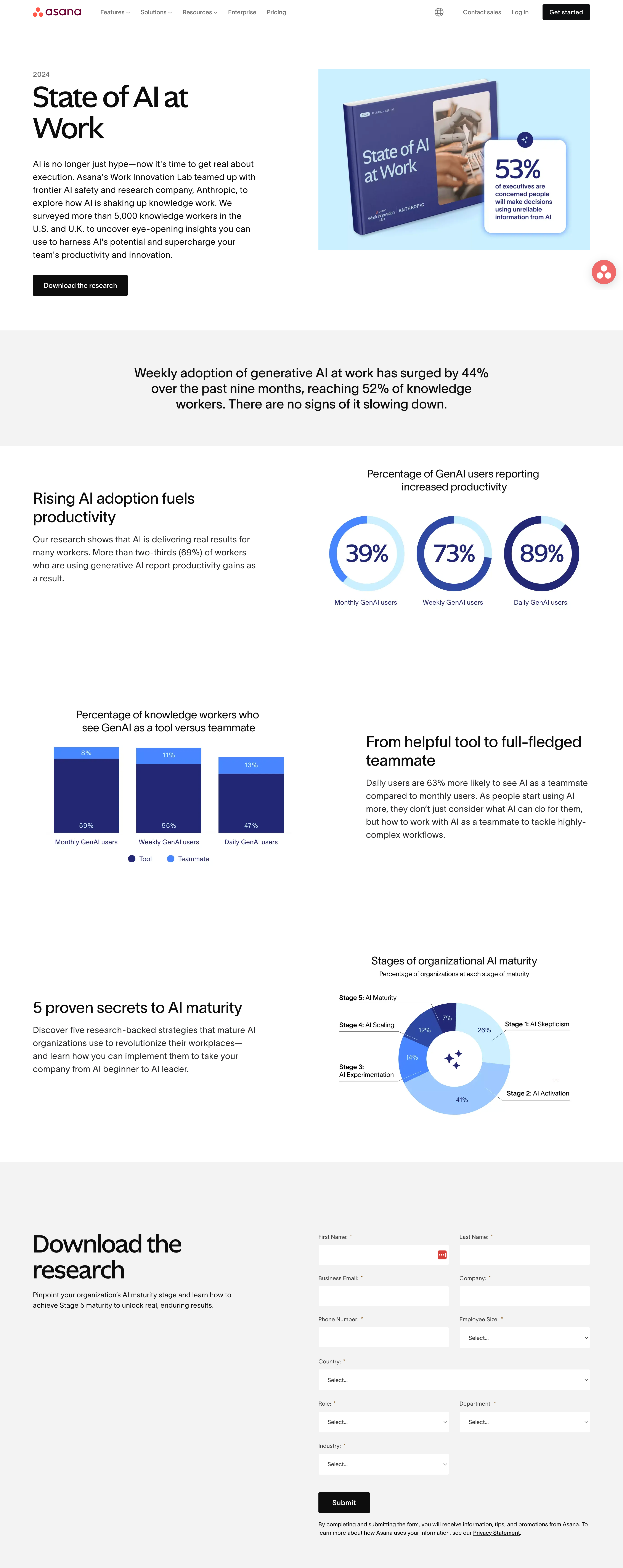
Credit: www.optimonk.com
Frequently Asked Questions
What Is A Squeeze Page In Digital Marketing?
A squeeze page is a landing page designed to capture visitors’ contact information. It usually offers something valuable, like a free ebook or discount, in exchange for an email address. This helps build an email list for future marketing campaigns and lead nurturing.
How Does A Squeeze Page Increase Email Signups?
Squeeze pages focus on a single call-to-action, minimizing distractions. They highlight the benefits of signing up and use clear, compelling copy. This direct approach encourages visitors to provide their email addresses, boosting conversion rates effectively.
What Elements Make An Effective Squeeze Page?
An effective squeeze page includes a strong headline, concise copy, an enticing offer, and a simple signup form. It should have minimal navigation and use visual cues to guide visitors. Fast loading times and mobile responsiveness are also essential.
Can Squeeze Pages Work For All Industries?
Yes, squeeze pages work across industries by tailoring the offer to the target audience. Whether for e-commerce, coaching, or SaaS, a well-crafted squeeze page can capture leads and grow email lists effectively. Customization is key to relevance and success.
Conclusion
A squeeze page helps you gather email addresses quickly. It keeps your message clear and focused. Visitors see what you offer and can act easily. Simple design works best to avoid distractions. This page builds your contact list step by step.
Use it to grow your audience and share updates. Small efforts here lead to bigger results later. Try creating a squeeze page for your website today.