


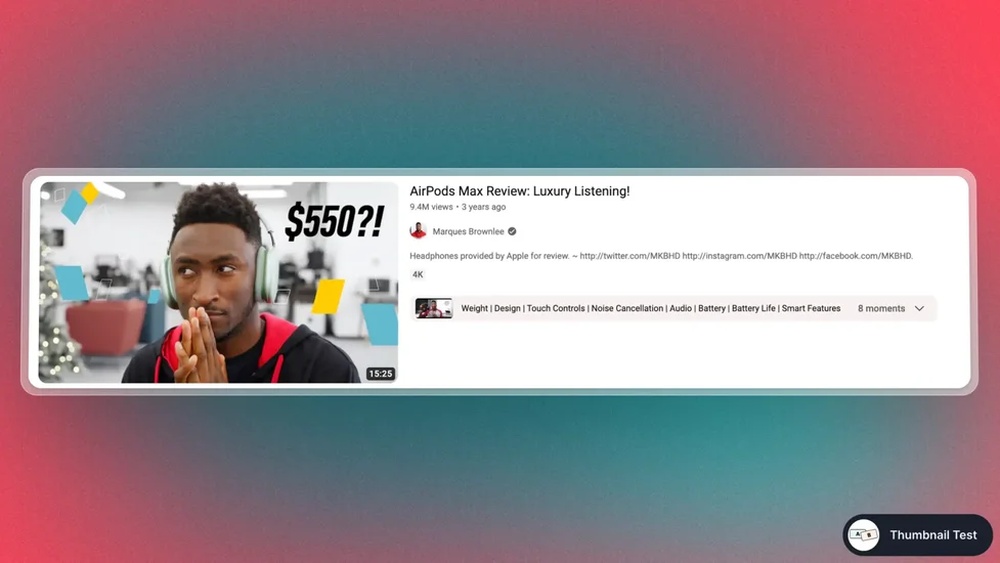
Your YouTube thumbnail is the first thing people see before they click on your video. It’s like a mini-poster that either grabs attention or gets ignored.
If your thumbnail doesn’t stand out, you risk losing viewers—even if your video content is great. Imagine catching someone’s eye instantly and making them curious enough to watch your video. That’s exactly what a powerful thumbnail can do for you.
Keep reading, and you’ll discover simple tips to create thumbnails that boost your views and make your videos impossible to resist.
Importance Of Thumbnails
YouTube thumbnails are the small images viewers see before clicking a video. They play a big role in attracting attention. A good thumbnail can make your video stand out from others. It helps viewers decide if your video is worth watching.
Thumbnails act like a preview or a cover for your video. They give a quick idea about the content inside. A clear and attractive thumbnail can increase your video’s views and popularity.
First Impressions Matter
Thumbnails create the first impression of your video. People often decide to click based on this small image. A blurry or boring thumbnail can turn viewers away. Bright, clear, and relevant images catch the eye faster. This helps your video get noticed in a crowded feed.
Impact On Click-through Rates
A strong thumbnail improves your click-through rate (CTR). CTR shows how many people click your video after seeing the thumbnail. Higher CTR means more views and more chances to grow your channel. Thumbnails that match the video content keep viewers interested. This also helps with YouTube’s search rankings.
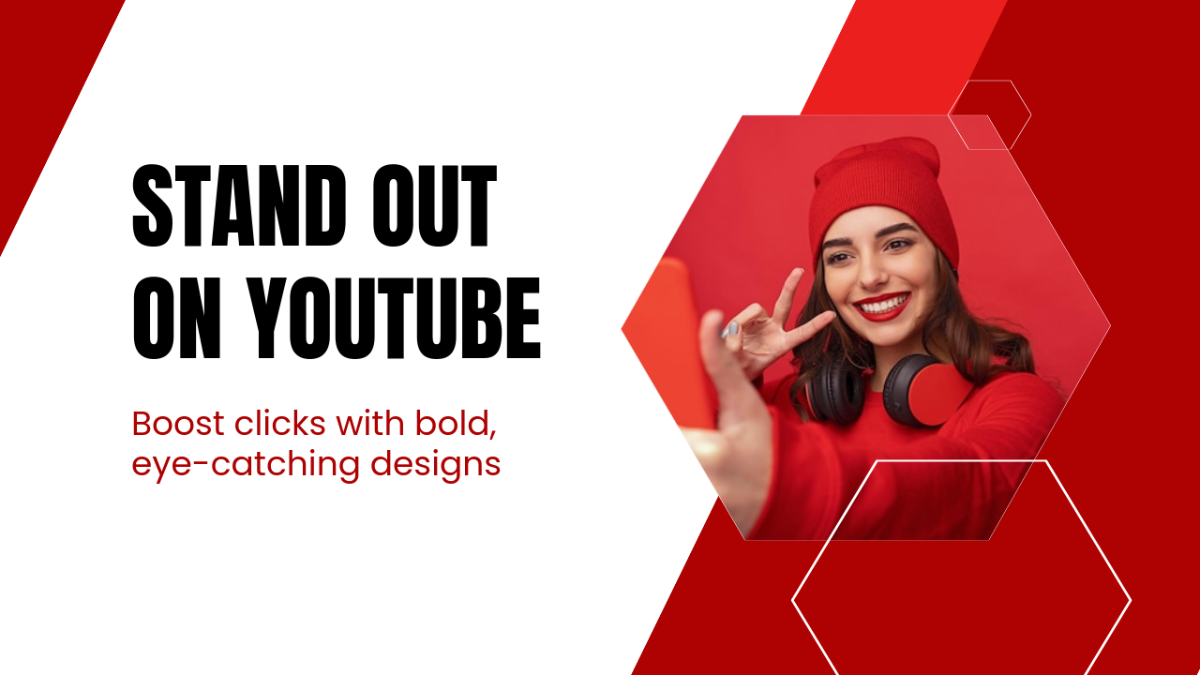
Credit: www.template.net
Elements Of Effective Thumbnails
Effective YouTube thumbnails attract viewers and increase clicks. They give a clear idea of the video content. Good thumbnails stand out in search results and suggested videos. Several key elements make thumbnails work well.
Bold Colors And Contrast
Bright and bold colors catch the eye quickly. High contrast between colors helps important parts pop. Use colors that stand out on both light and dark backgrounds. Avoid dull or faded colors that blend in with other thumbnails.
Clear And Readable Text
Text on thumbnails must be easy to read at small sizes. Use large fonts with simple styles. Limit the text to a few words or a short phrase. Place text on solid or contrasting backgrounds for better clarity.
Compelling Images
Choose images that tell a story or show emotion. Faces with clear expressions draw more attention. Use close-ups or action shots for stronger impact. Avoid blurry or cluttered images that confuse viewers.
Consistent Branding
Use similar colors, fonts, and styles across all thumbnails. This builds recognition and trust with your audience. Include a small logo or icon if possible. Consistency helps viewers find your videos faster.
Design Tips For Thumbnails
Designing a good YouTube thumbnail is key to catching viewers’ attention. A well-made thumbnail can boost clicks and views. It should be clear, eye-catching, and easy to understand at a glance. Simple design tips help create thumbnails that stand out on any device.
Use High-resolution Images
Choose sharp and clear images for thumbnails. Low-quality pictures look blurry and unprofessional. High-resolution images make details easy to see. This helps your thumbnail appear strong on all screen sizes.
Focus On Faces And Emotions
Show faces with clear expressions in thumbnails. People connect with emotions like surprise or happiness. Faces draw attention quickly and tell a story. Use close-ups to highlight feelings and make viewers curious.
Keep It Simple And Uncluttered
Limit the number of elements in your thumbnail. Too many details confuse the viewer. Use bold colors and simple shapes for focus. Clear text with few words works best. Simple thumbnails are easier to remember.
Incorporate Visual Hierarchy
Arrange elements to guide the viewer’s eye naturally. Make the main subject the biggest or brightest part. Use size, color, and contrast to show importance. This helps viewers understand the thumbnail quickly.
Tools For Creating Thumbnails
Creating a great YouTube thumbnail starts with the right tools. The tools you choose affect how easy and fast you can design. Many options fit different needs and skills. Some tools are free, some are professional, and others work well on mobile. This variety helps you find the perfect match for your style and budget.
Free Online Editors
Free online editors let you create thumbnails quickly. They work directly in your browser. No need to download or install anything. Tools like Canva and Fotor offer many templates and simple drag-and-drop features. These editors help add text, images, and effects easily. Perfect for beginners and small projects.
Professional Design Software
Professional design software offers more control and detail. Programs like Adobe Photoshop and Affinity Photo provide advanced tools for editing. They allow you to work with layers, masks, and precise color adjustments. These tools suit users who want high-quality, custom thumbnails. They require some learning but deliver excellent results.
Mobile Apps For Quick Edits
Mobile apps let you create thumbnails on the go. Apps such as PicsArt and Snapseed have easy editing features. You can add text, crop images, and apply filters fast. These apps are handy for quick updates or last-minute changes. Ideal for creators who use smartphones or tablets mainly.
Testing And Optimizing Thumbnails
Testing and optimizing thumbnails is key to growing your YouTube channel. Thumbnails attract viewers and make videos stand out. Small changes can lead to big differences in clicks and views.
Testing helps find the best design that appeals to your audience. Optimization improves your thumbnail based on real data. This process makes your videos more clickable and increases watch time.
A/b Testing Strategies
A/B testing means creating two different thumbnails for the same video. Show each thumbnail to different groups of people. Compare which one gets more clicks and views. This helps identify which design works better. Test colors, text, images, and layout. Keep tests simple and change one element at a time. Use YouTube’s built-in tools or third-party apps for testing.
Analyzing Performance Metrics
Look at click-through rate (CTR) to measure thumbnail success. Higher CTR means more people click your video. Watch time also shows if viewers stay after clicking. Analyze impressions to see how often thumbnails appear. Use YouTube Analytics to track these numbers. Check metrics regularly to spot trends. Focus on data that directly affects viewer engagement.
Adjusting Designs Based On Data
Use your test results to improve thumbnails. Change colors or text that perform poorly. Make images clearer and more relevant to content. Simplify designs if viewers ignore cluttered thumbnails. Keep updating thumbnails based on new data. Testing and adjusting is an ongoing process. This keeps your channel fresh and appealing.
Credit: martech.zone
Common Mistakes To Avoid
Creating a great YouTube thumbnail takes care and skill. Many creators make simple errors that hurt views and clicks. Avoiding these mistakes helps your video stand out and get noticed. Below are some common mistakes to watch out for when designing thumbnails.
Overcrowding The Design
Too many images or text make thumbnails confusing. Viewers cannot quickly understand the video topic. Use only one or two key elements. Keep text short and easy to read. White space helps the design feel clean and clear.
Misleading Thumbnails
Thumbnails must match the video content honestly. Misleading images cause viewer frustration and hurt your channel’s trust. Use pictures that show what the video really covers. Honest thumbnails build loyal viewers and better engagement.
Ignoring Mobile Viewers
Most people watch YouTube on phones. Small screens make detailed thumbnails hard to see. Use bold fonts and simple images for mobile clarity. Test your thumbnail on different devices before uploading.

Credit: thumbnailtest.com
Frequently Asked Questions
What Is A Youtube Thumbnail?
A YouTube thumbnail is a small preview image representing a video. It attracts viewers and boosts clicks. Custom thumbnails help improve video visibility and engagement on the platform.
How To Create An Effective Youtube Thumbnail?
Use bright colors, clear text, and high-quality images. Ensure the thumbnail reflects the video content accurately. Keep it simple but eye-catching to increase viewer interest.
Why Are Youtube Thumbnails Important?
Thumbnails influence click-through rates and viewer interest. They act as the first impression of your video. A compelling thumbnail can significantly increase video views and channel growth.
What Size Should A Youtube Thumbnail Be?
The ideal size is 1280 x 720 pixels. It should have a 16:9 aspect ratio. Use a file size under 2MB for faster loading.
Conclusion
Creating a good YouTube thumbnail helps videos get noticed. Thumbnails should be clear and colorful. They must show what the video is about. Simple text and bright images catch attention fast. A strong thumbnail can bring more viewers. Spend time making thumbnails that stand out.
This small step can make a big difference. Keep testing different styles to see what works best. Your videos will look more professional and inviting. Good thumbnails invite clicks and grow your audience. Try these tips and watch your channel improve.