


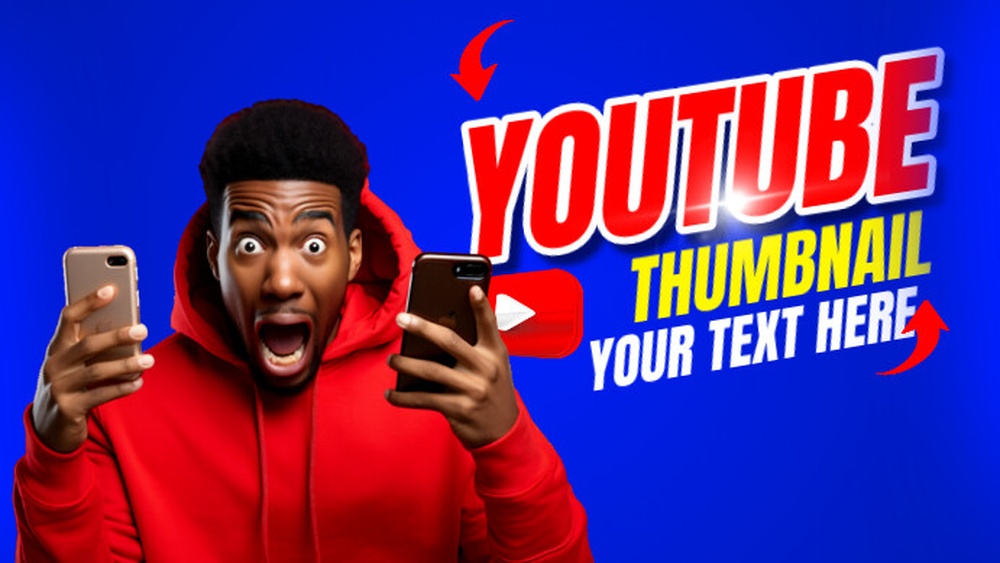
Your YouTube thumbnail is the first thing people see before clicking on your video. It can make or break your views.
If your thumbnail doesn’t grab attention, your video might get ignored—even if the content is great. But how do you create a thumbnail that stands out and pulls people in? This article will show you simple, proven tips to make thumbnails that catch the eye and boost your clicks.
Keep reading to unlock the secret to turning viewers into subscribers with just one image.
Importance Of Thumbnails
Thumbnails play a big role in YouTube videos. They act as a small preview image for your video. A good thumbnail can catch a viewer’s eye quickly. It shows what the video is about in one glance. This makes thumbnails very important for video success.
Choosing the right thumbnail helps your video stand out from many others. It gives viewers a reason to click and watch. Without a clear and interesting thumbnail, many videos get ignored. That means fewer views and less growth for your channel.
First Impressions Matter
Thumbnails create the first impression of your video. People see them before titles or descriptions. A strong thumbnail makes your video look interesting and worth watching. It shows professionalism and care in your content. A poor thumbnail can make viewers skip your video fast.
Impact On Click-through Rates
Click-through rate means how many people click your video after seeing it. Thumbnails have a direct effect on this rate. A bright, clear, and relevant thumbnail gets more clicks. More clicks lead to better video performance on YouTube. This helps your video reach more people and grow your audience.

Credit: www.freepik.com
Elements Of Effective Thumbnails
Effective YouTube thumbnails catch the eye and invite clicks. They tell a story in a small space. Each element plays a key role in grabbing attention. Clear visuals and text help viewers understand the video’s topic quickly. Below are important elements that make thumbnails work well.
Bold Colors And Contrast
Bright, bold colors stand out on YouTube’s busy pages. High contrast between background and text or images makes thumbnails easy to see. Strong color choices guide the viewer’s focus. Use colors that match your brand but also pop against the usual YouTube layout.
Clear And Readable Text
Text on thumbnails must be easy to read on any device. Use large, simple fonts with clean edges. Keep words short and to the point. Text should explain or support the video topic. Avoid clutter by limiting text to just a few words.
Compelling Imagery
Images should show the video’s main idea or emotion clearly. Faces with expressions catch attention fast. Use high-quality pictures that are not blurry or pixelated. The image must connect with the video content and spark curiosity.
Design Tips For Thumbnails
Thumbnails play a big role in grabbing attention on YouTube. They show viewers what the video is about in a quick glance. Good design helps your video stand out and get more clicks. Below are some key tips for creating effective thumbnails.
Use Consistent Branding
Use the same colors and fonts for every thumbnail. This creates a familiar look for your channel. Viewers can easily spot your videos in search results. Add your logo or a small watermark. It builds trust and shows professionalism.
Leverage Faces And Emotions
Faces draw attention faster than objects. Use close-up shots of people showing clear emotions. Excited, surprised, or happy faces work well. Emotions tell a story and make viewers curious. Avoid cluttered images to keep focus on the face.
Optimize For Mobile Viewing
Most viewers watch on phones. Thumbnails must be clear and simple at small sizes. Use big text and bold colors. Avoid small details that get lost on tiny screens. Test thumbnails by shrinking them to check readability.
Tools For Creating Thumbnails
Creating eye-catching YouTube thumbnails starts with the right tools. These tools help you design images that attract viewers and boost clicks. You can choose from free software, paid tools, or ready-made templates. Each option offers unique features to fit different needs and skills.
Free Design Software
Free design software is perfect for beginners or those on a budget. Programs like Canva, GIMP, and Fotor offer simple drag-and-drop interfaces. They include basic editing features such as cropping, text addition, and filters. These tools also have pre-made thumbnail sizes to save time. No design experience is needed to create professional-looking thumbnails.
Paid Professional Tools
Paid tools provide advanced features for detailed editing. Adobe Photoshop and Adobe Illustrator are popular choices. They allow precise control over layers, colors, and effects. These programs support high-resolution images and offer many creative options. Subscriptions usually include regular updates and customer support. Ideal for creators who want full customization.
Templates And Resources
Templates speed up the thumbnail creation process. Websites like Envato Elements and Creative Market offer thousands of ready-made designs. You only need to change text and images to fit your video. These templates help maintain a consistent look across your channel. Some platforms also provide icons, fonts, and stock photos to enhance thumbnails.
Testing And Improving Thumbnails
Testing and improving YouTube thumbnails is key to getting more clicks. Thumbnails act as the first impression for your videos. Small changes can make big differences in viewer interest.
Testing helps find which thumbnail works best. Improving thumbnails based on data keeps your channel growing. This process involves trying different designs and checking results carefully.
A/b Testing Strategies
A/B testing means showing two thumbnail versions to different viewers. This helps compare which one gets more clicks. Test one element at a time, like color or text.
Use YouTube’s built-in tools or third-party apps for testing. Run tests for several days to get enough data. Choose the thumbnail with the highest click-through rate.
Analyzing Performance Metrics
Look at key numbers like click-through rate and watch time. These metrics show how well your thumbnail attracts viewers. Also, check viewer retention to see if the thumbnail matches video content.
Use YouTube Analytics to track performance. Study which videos gain more views after thumbnail changes. This shows what works and what doesn’t.
Iterative Design Improvements
Make small changes to thumbnails based on test results. Change colors, images, or text placement step by step. Test each new version to see if it performs better.
Keep improving thumbnails regularly. This helps stay fresh and attract more viewers. Simple updates can keep your channel competitive and engaging.
Credit: thumbnailtest.com
Credit: snappa.com
Frequently Asked Questions
What Is A Youtube Thumbnail And Why Use It?
A YouTube thumbnail is a small preview image representing your video. It attracts viewers and increases click-through rates. A custom thumbnail highlights your content’s key message, making your video stand out among others in search results and recommendations.
How To Create An Effective Youtube Thumbnail?
Create a clear, high-quality image with bright colors and readable text. Use engaging visuals that reflect your video’s content. Tools like Canva or Photoshop help design thumbnails that grab attention and improve viewer engagement.
What Are The Ideal Youtube Thumbnail Dimensions?
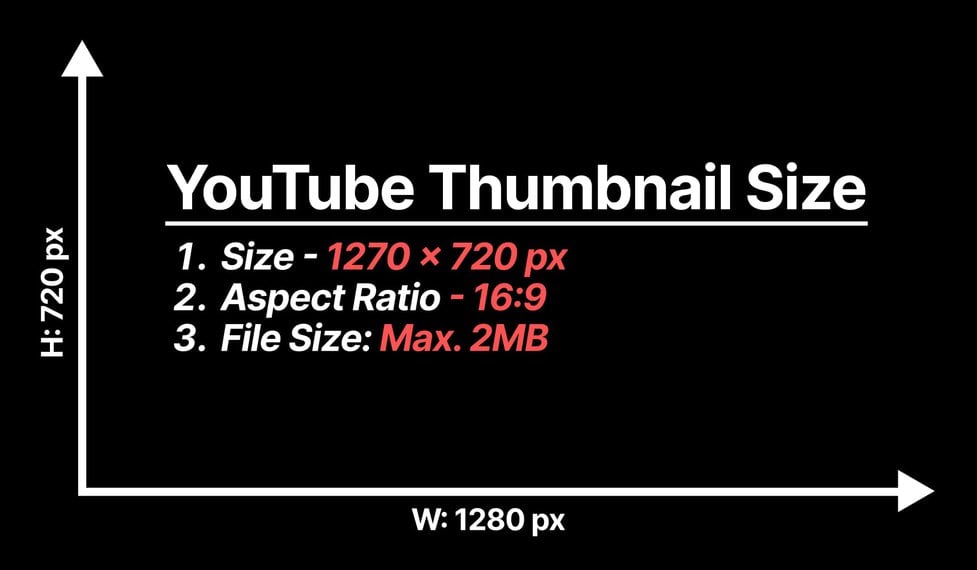
The ideal YouTube thumbnail size is 1280 x 720 pixels. It should have a 16:9 aspect ratio and be under 2MB. This ensures your thumbnail looks sharp across all devices and platforms.
Can Youtube Thumbnails Increase Video Views?
Yes, a compelling thumbnail can significantly boost video views. It draws attention and encourages clicks. Thumbnails act as mini-marketing posters, influencing user decisions to watch your video over others.
Conclusion
Creating a strong YouTube thumbnail helps attract more viewers. Bright colors and clear images catch attention fast. Text should be easy to read and short. Thumbnails give a quick idea of your video content. Good thumbnails make people want to click and watch.
Spend time making thumbnails that stand out. Small changes can improve your video’s success a lot. Keep testing different styles to find what works best. Your thumbnail is the first step to growing your channel.