Are you tired of constant ads interrupting your online experience? You’re not alone.
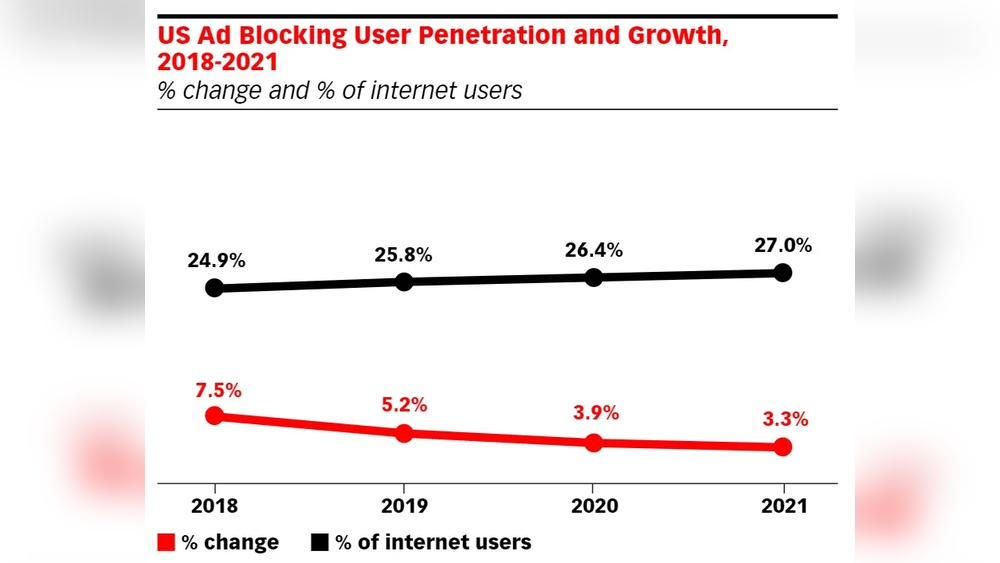
Millions of people like you use ad blockers to take control of what shows up on their screens. But what does being an ad blocker user really mean for your browsing, your privacy, and even the websites you love? Keep reading to discover how ad blockers impact your internet life—and what you need to know to make smarter choices online.
Credit: www.newsweek.com
Why Use Ad Blockers
Ad blockers are tools many internet users choose to improve their browsing experience. Ads can slow down websites and clutter screens. Using an ad blocker helps create a cleaner and faster online space. It also protects privacy and saves data. Understanding these benefits explains why ad blockers are popular.
Benefits For Faster Browsing
Ads take time to load and can slow down pages. Blocking ads speeds up website loading times. Faster pages mean less waiting and smoother browsing. Users can move through sites quickly without distractions. This creates a better and more efficient internet experience.
Enhancing Online Privacy
Many ads track user behavior online. This tracking collects data without clear permission. Ad blockers stop these trackers from running. Blocking trackers helps keep personal information safer. It protects users from unwanted data collection and targeting.
Reducing Data Consumption
Ads use extra data to load images and videos. This can use a lot of data, especially on mobile networks. Ad blockers reduce the amount of data used. Less data means lower costs and longer battery life on devices. Users save money and enjoy longer browsing sessions.

Credit: www.reddit.com
Popular Ad Blockers
Ad blockers have grown very popular among internet users. They help block unwanted ads. This improves browsing speed and reduces distractions. Many tools exist for different devices and browsers. Choosing the right one matters for the best experience.
Top Browser Extensions
Browser extensions are the most common ad blockers. They work directly in browsers like Chrome, Firefox, and Edge. Popular options include uBlock Origin and AdBlock Plus. These extensions block pop-ups, banners, and video ads. They run quietly in the background and use little memory.
Mobile Ad Blocking Apps
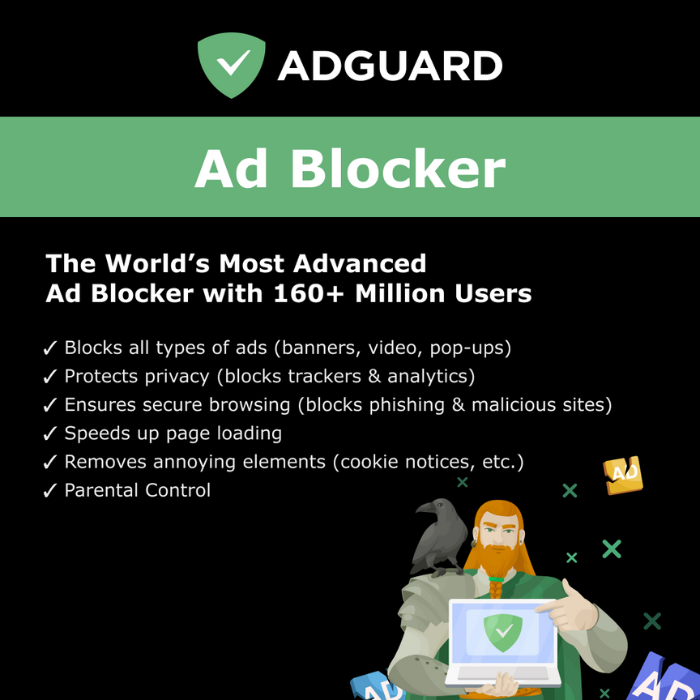
Mobile users also need ad blockers for phones and tablets. Apps like AdGuard and Blokada offer strong protection. They block ads in apps and browsers on Android devices. iOS has fewer options but offers content blockers for Safari. These apps help save data and extend battery life.
Choosing The Right Tool
Pick an ad blocker that fits your device and habits. Check if it blocks all ad types you see. Look for easy setup and regular updates. Some tools let you whitelist favorite sites. This supports creators while avoiding most ads. Simple and effective tools improve your web experience.
Installation And Setup
Installing and setting up an ad blocker is simple and quick. It helps you browse without seeing unwanted ads. This guide will walk you through easy steps to get started. You will learn how to install, customize, and manage your ad blocker.
Step-by-step Guide
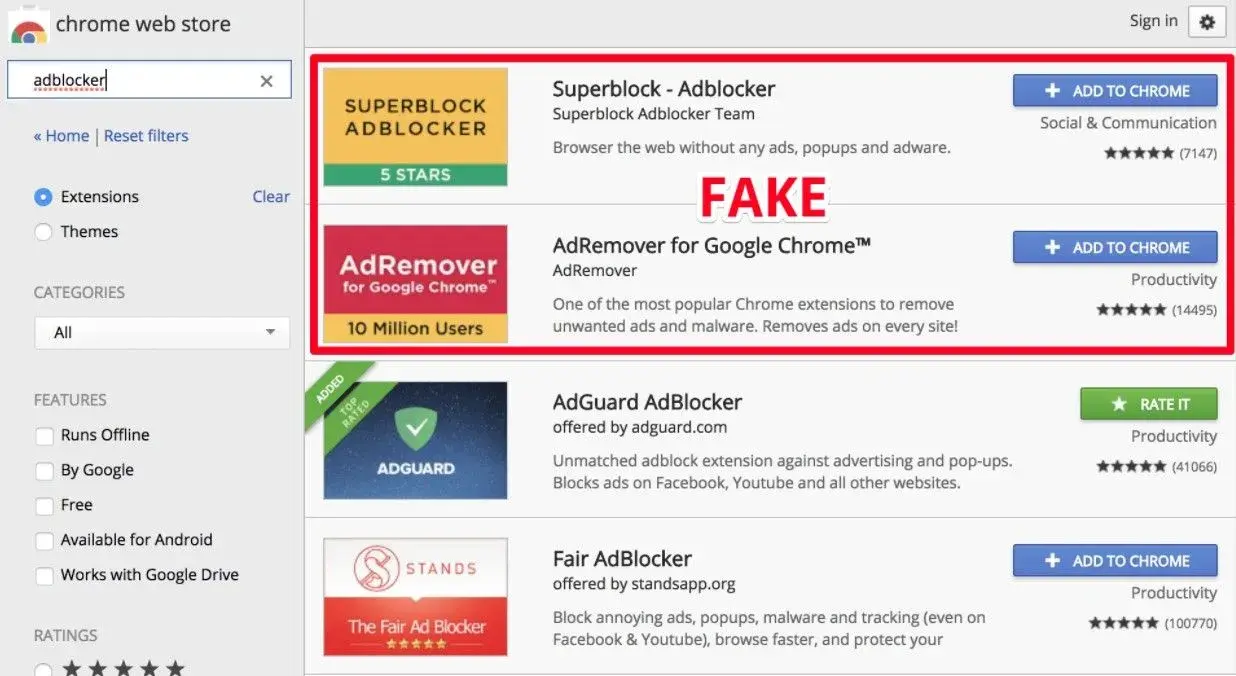
First, choose a trusted ad blocker from your browser’s extension store. Click “Add to browser” or “Install” to download it. Wait a few seconds for the installation to finish. Next, open the ad blocker icon near your browser’s address bar. Follow any setup prompts to complete the process. Now, your ad blocker is active and ready to use.
Customizing Filters
Open the ad blocker settings to see filter options. Filters decide which ads to block or allow. You can turn on filters for general ads, trackers, and malware. Some filters target specific ad types like pop-ups or video ads. Adjust the filters to match your needs. This makes your browsing safer and cleaner.
Whitelisting Trusted Sites
Some websites rely on ads to earn money. Whitelisting lets these sites show ads while blocking others. To whitelist, open your ad blocker settings. Find the whitelist or allowlist section. Add the website address you trust. This way, you support your favorite sites without losing control over ads.
Credit: brytesoft.com
Common Issues And Fixes
Ad blockers help users avoid unwanted ads. Yet, they can cause some common problems. These issues affect browsing and site use. Knowing how to fix them improves your experience. Below are frequent problems and easy solutions.
Ads Still Showing
Sometimes ads appear even with an ad blocker. This happens because some ads bypass filters. To fix this, update your ad blocker regularly. New updates block newer ad types. You can also add extra filter lists. This increases ad-blocking power. Restart your browser after changes.
Website Functionality Problems
Ad blockers may stop parts of a website from working. Some sites use scripts that ad blockers block. Disable your ad blocker on trusted sites. Use the whitelist or pause option. This lets the site load fully. Check if the problem resolves. You can also try a different ad blocker. Some work better with specific sites.
Performance Impact
Ad blockers can slow down your browser. They scan web pages for ads, using extra resources. To reduce this, choose lightweight ad blockers. Avoid using many extensions at once. Clear your browser cache often. This keeps your browser fast. Check your ad blocker settings. Turn off heavy features you don’t need.
Ethical Considerations
Ad blockers raise important ethical questions. They protect users from annoying ads and improve browsing speed. Yet, many websites depend on ad revenue to survive. This creates a challenge. Users want a clean experience, but creators need support to keep content free and high-quality.
Ethics come into play as users decide how to balance their needs with the needs of content creators. Understanding these points helps users make fair choices.
Supporting Content Creators
Content creators spend time and money making websites and videos. Ads help pay for hosting, tools, and staff. Blocking all ads can reduce their income. Without support, creators may stop producing free content. Choosing to whitelist trusted sites supports creators while still blocking annoying ads.
Balancing Ads And User Experience
Not all ads are bad. Some are simple and do not interrupt reading or video watching. Good ads are relevant and respectful of user privacy. Websites should aim to show fewer, better ads. Users benefit when ads are less intrusive. This balance helps keep content accessible and enjoyable.
Advanced Tips
Advanced tips help you get the most from ad blockers. They improve browsing speed, privacy, and security. These tips require a bit more effort but bring better results. Follow these simple steps to enhance your ad blocking experience.
Using Script Blockers
Script blockers stop unwanted scripts from running on websites. They block trackers and some ads that slip past ad blockers. Use tools like NoScript or ScriptSafe for this. This adds a strong layer of protection against intrusive content. Be careful not to block useful scripts needed for site functions.
Combining With Vpns
VPNs hide your IP address and encrypt your internet traffic. This protects your identity and stops targeted ads. Using a VPN with an ad blocker increases privacy. It also helps avoid geo-blocked content and tracking. Choose a reliable VPN with no-logs policies for better security.
Regular Updates And Maintenance
Keep your ad blockers and related tools updated. Updates fix bugs and improve blocking performance. Check settings regularly to adapt to new ad techniques. Remove unused extensions to keep your browser fast and safe. Regular care ensures your tools work smoothly and effectively.
Frequently Asked Questions
What Are The Benefits Of Using Ad Blockers?
Ad blockers improve browsing speed by removing unwanted ads. They enhance privacy by blocking trackers. Users enjoy a cleaner, less distracting online experience. This reduces data usage and prevents malware from malicious ads, making browsing safer and more efficient.
How Do Ad Blockers Affect Website Revenue?
Ad blockers reduce ad impressions, impacting website revenue. Many sites rely on ads for funding free content. Some websites detect ad blockers and limit access. Users can whitelist trusted sites to support creators while still enjoying ad blocking benefits.
Are Ad Blockers Safe To Use?
Yes, most ad blockers are safe and widely used. Choose reputable extensions from official stores to avoid security risks. Ad blockers protect against harmful ads and trackers. Regular updates ensure continued safety and compatibility with browsers.
Can Ad Blockers Block All Types Of Ads?
Ad blockers effectively block most display and pop-up ads. However, some ads, like sponsored content, may bypass filters. Advanced ad blockers offer customizable settings for better control. Users can manually block or allow specific ad types as needed.
Conclusion
Ad blockers help users avoid unwanted ads and improve browsing speed. Many people prefer cleaner websites without distractions. Yet, some sites rely on ads to offer free content. Finding a balance is key for both users and publishers. Choosing to use ad blockers depends on personal needs and comfort.
Staying aware of how ad blockers impact websites benefits everyone. Keep your internet experience smooth and safe by making smart choices.