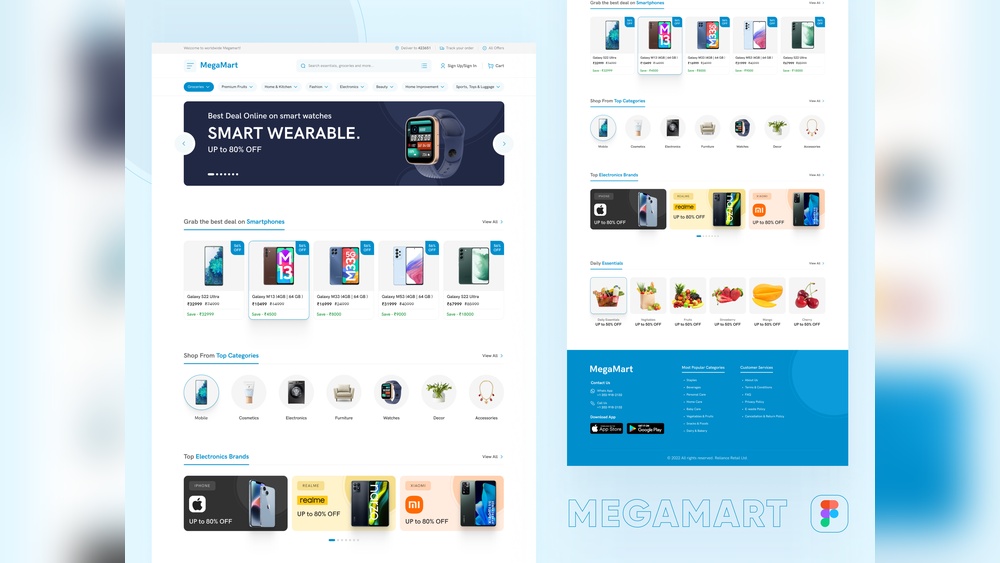
Your ecommerce website design can make or break your online business. When visitors land on your site, you have just seconds to grab their attention and guide them to buy.
If your design is confusing or slow, you risk losing customers before they even see your products. But with the right design choices, you can create a smooth, enjoyable shopping experience that keeps people coming back. You’ll discover simple, powerful ways to improve your ecommerce website design and turn browsers into loyal buyers.
Ready to boost your sales and stand out from the competition? Let’s dive in.
Credit: www.engagebay.com
Key Elements Of Ecommerce Design
Designing an ecommerce website needs a clear focus on key elements. These elements help visitors find products and make purchases easily. A good design improves user experience and increases sales.
Below are the main parts that every ecommerce design must have. Each part plays a role in guiding customers and building trust.
Intuitive Navigation
Navigation should be simple and clear. Menus need to be easy to find and use. Categories and filters help users narrow down choices fast. Visitors must reach their desired product in just a few clicks.
Responsive Layouts
The website must work well on all devices. Phones, tablets, and desktops all need smooth displays. A responsive design adapts to screen size. This keeps customers engaged no matter how they browse.
High-quality Visuals
Clear, sharp images attract attention and show product details. Multiple photos and zoom features help customers see exactly what they buy. Good visuals build trust and reduce doubts.
Fast Loading Times
Pages should load quickly without delays. Slow websites cause visitors to leave early. Speed improves user satisfaction and boosts search rankings. Optimized images and clean code support fast loading.
Optimizing User Experience
Optimizing user experience is key for any ecommerce website. It helps visitors find what they want quickly and easily. A good experience keeps customers coming back. It also increases sales and builds trust. Small changes can make a big difference in how people shop online.
Streamlined Checkout Process
A simple checkout process reduces cart abandonment. Ask for only essential information. Use clear steps and progress bars. Offer multiple payment options. Let customers save their details for next time. Fast checkout means happy shoppers.
Personalized Recommendations
Show products based on browsing or purchase history. This helps customers find items they like. Use data to suggest related or popular products. Personalized picks make shopping feel special. It can boost sales by encouraging more buying.
Clear Call-to-actions
Buttons like “Buy Now” or “Add to Cart” must stand out. Use bright colors and easy words. Place them near product details and images. Clear calls guide users and reduce confusion. They help shoppers take action quickly.
Accessible Design
Design your site for everyone, including people with disabilities. Use readable fonts and good color contrast. Make navigation easy with keyboard and screen reader support. Accessibility improves usability for all users. It also broadens your customer base.
Enhancing Mobile Shopping
Mobile shopping is a vital part of ecommerce today. Many users browse and buy products on their phones. A smooth mobile shopping experience helps keep customers happy. It also increases sales and brand trust. Designing an ecommerce site with mobile users in mind is important. This section explores key ways to enhance mobile shopping for your site.
Mobile-first Approach
Start designing your site for mobile devices first. Mobile screens are smaller and need simpler layouts. Focus on fast loading times and clear images. Make text easy to read without zooming. A mobile-first approach ensures your site works well on phones and tablets.
Touch-friendly Interfaces
Buttons and links must be easy to tap with fingers. Small or close-together buttons cause frustration and mistakes. Use larger buttons and enough space around them. Touch-friendly design reduces errors and helps users shop quickly.
Simplified Menus
Mobile menus should be simple and clear. Avoid long lists or complicated categories. Use dropdowns or icons to save space. A clean menu helps users find products fast without confusion.
Mobile Payment Options
Offer multiple easy payment methods for mobile users. Include options like digital wallets and one-click payments. Mobile-friendly payment options speed up checkout. This reduces cart abandonment and boosts sales.
Building Trust Through Design
Trust is the foundation of any successful ecommerce website. Design plays a key role in building this trust. Visitors decide quickly if your site feels safe and reliable. Good design creates a positive first impression. It helps shoppers feel confident about buying from you.
Clear, honest design shows respect for customers. It reduces doubts and makes the buying process smooth. Trust through design encourages repeat visits and loyal customers. Here are some important design elements that build trust.
Customer Reviews And Testimonials
Reviews and testimonials show real feedback from buyers. They prove your products work and meet expectations. Display them clearly on product pages and homepages. Use star ratings and short quotes for quick reading. Authentic reviews ease doubts and build confidence. They help visitors see others’ positive experiences.
Secure Payment Icons
Show icons of trusted payment methods and security badges. These symbols signal safety during checkout. Customers feel safer sharing card details. Use well-known icons like Visa, Mastercard, PayPal, and SSL certificates. Place them near payment fields and at checkout. Secure payment icons reduce cart abandonment.
Transparent Policies
Clear policies build trust by setting customer expectations. Include easy-to-find shipping, return, and privacy policies. Write in simple language. Avoid legal jargon or long paragraphs. Transparency reassures shoppers about their rights and your service. It makes them more likely to complete purchases.
Professional Branding
Consistent branding looks trustworthy and serious. Use a clean logo and matching colors throughout the site. Choose readable fonts and high-quality images. Professional branding creates a strong, reliable identity. It signals that your business is established and cares about quality.
Leveraging Analytics For Improvement
Using analytics helps improve an ecommerce website design. It shows how visitors act on the site. This data guides better decisions. Small changes lead to better user experience and higher sales.
Tracking User Behavior
Tracking user behavior reveals what visitors do on the website. It shows popular pages and where users leave. This information helps find problems and fix them fast. Understanding user paths improves navigation and keeps visitors longer.
A/b Testing Design Elements
A/B testing compares two versions of a webpage. It tests different headlines, buttons, or layouts. The version with better results stays live. This method reduces guesswork. It helps choose designs that users prefer.
Heatmaps And Click Tracking
Heatmaps show where users click or move their mouse. Click tracking records exact spots visitors press. These tools reveal which parts attract attention. Designers use this data to place important items in visible spots.
Iterating Based On Data
Data-driven changes improve the site step by step. Each update uses real user info. This approach avoids wasting time on bad ideas. Continuous iteration makes the site clearer and easier to use.

Credit: www.figma.com
Trends Shaping Ecommerce Design
Ecommerce design changes fast. New trends shape how websites look and work. These trends help stores attract buyers and make shopping easier. Good design keeps visitors on your site longer. It also helps them find and buy products without trouble.
Design trends focus on clean looks, easy use, and smart tech. They create better shopping experiences. The right design can boost sales and build trust. Let’s explore some key trends shaping ecommerce design today.
Minimalist Styles
Minimalist design means using simple layouts and few colors. It removes clutter and highlights products. Clean spaces make websites faster and easier to use. Buyers focus more on the product, not distractions. This style suits all devices, from phones to desktops.
Interactive Features
Interactive features engage users and keep them interested. Elements like quizzes, sliders, and live chat make browsing fun. These tools help customers find what they want quickly. Interaction also builds trust by answering questions fast. It turns visitors into buyers.
Voice Search Integration
Voice search lets users speak to find products or info. It works well on phones and smart devices. Adding voice search makes shopping hands-free and fast. Stores with this feature serve more customers easily. It improves user experience and accessibility.
Augmented Reality Previews
Augmented reality (AR) shows products in real life before buying. Shoppers can see how items fit or look in their space. AR reduces doubts and returns. It gives a clear view of size, color, and style. This tech boosts confidence in online shopping.

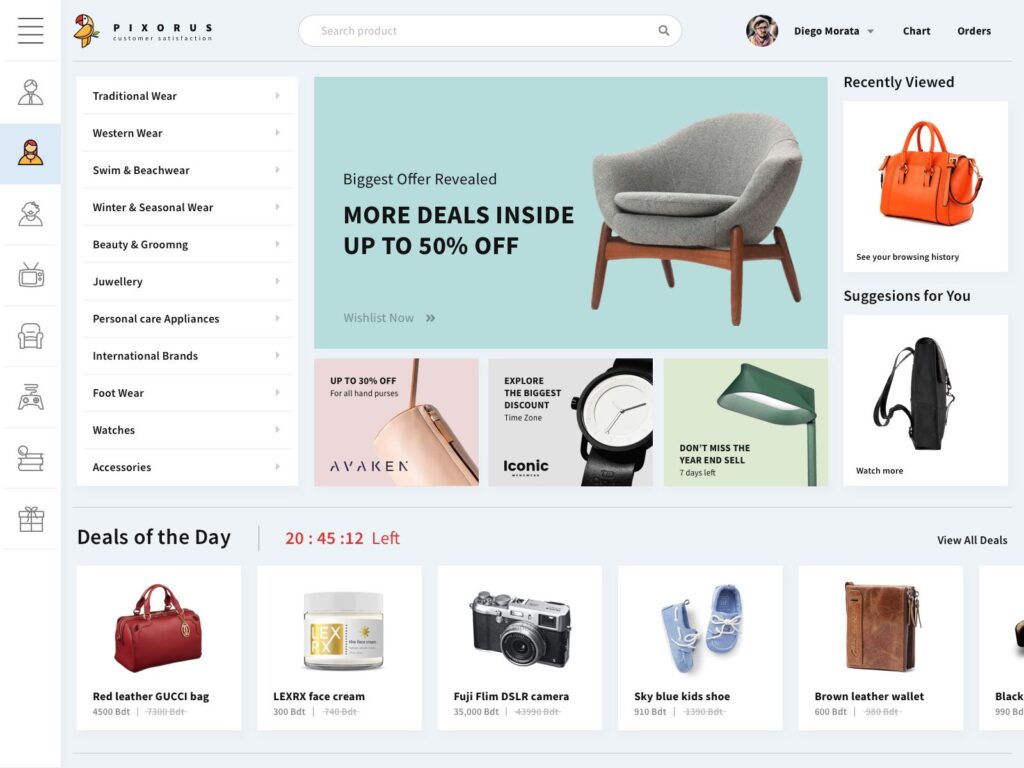
Credit: www.figma.com
Frequently Asked Questions
What Are The Key Elements Of Ecommerce Website Design?
Key elements include user-friendly navigation, responsive design, fast loading speed, clear product images, and secure payment options. These features enhance user experience and boost sales. A well-designed site builds trust and encourages repeat visits.
How Does Responsive Design Impact Ecommerce Sales?
Responsive design ensures your site works on all devices, including mobiles and tablets. It improves user experience, reduces bounce rates, and increases conversion rates. Google also favors responsive sites, improving your search engine ranking.
Why Is Website Speed Crucial For Ecommerce Success?
Fast loading speed reduces user frustration and abandonment rates. It improves user experience and SEO rankings. Slow sites lose potential customers, directly impacting sales and brand reputation.
How Can Ecommerce Design Improve Customer Trust?
Professional design, clear contact information, secure payment badges, and customer reviews build trust. A trustworthy site encourages customers to complete purchases and return for future shopping.
Conclusion
A good ecommerce website design helps customers find products fast. Clear layouts and simple navigation keep visitors interested. Fast loading pages improve user experience and reduce bounce rates. Mobile-friendly sites reach more people on different devices. Use strong images and easy checkout to boost sales.
Focus on these elements to build trust and loyalty. A well-designed site turns visitors into buyers. Keep designs clean, simple, and easy to use. Your online store will grow with smart website design.