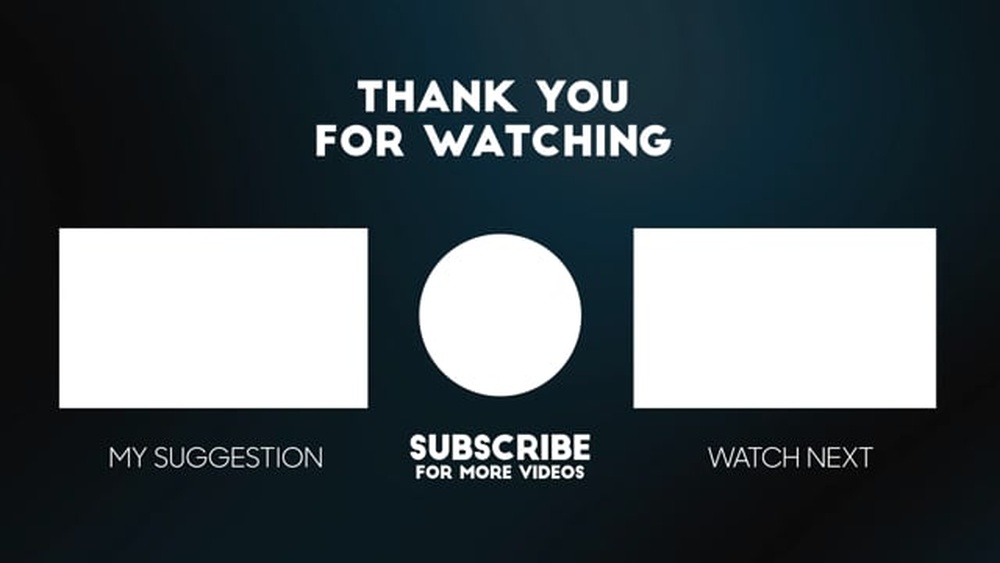
Have you ever watched a video that ended with helpful suggestions or a clear call to action? That’s the power of an end screen.
If you want to keep your viewers engaged and guide them to what’s next, mastering the end screen is essential. You’ll discover simple ways to create end screens that grab attention and boost your channel’s growth. Ready to turn casual viewers into loyal fans?
Let’s dive in!
What Is An End Screen
An end screen is a tool used in videos to keep viewers engaged. It appears during the last 5 to 20 seconds of a video. Its main goal is to guide viewers to other videos, playlists, or websites.
End screens help creators grow their audience. They encourage viewers to watch more content. This can increase the channel’s watch time and subscribers.
What Does An End Screen Look Like?
An end screen usually shows clickable boxes or buttons. These can link to other videos or channels. Creators can add a subscribe button as well. The design is simple and clear, so viewers know where to click.
Why Use An End Screen?
End screens keep viewers watching longer. They help promote other videos or playlists. This increases the chance of gaining new subscribers. It also helps share important messages or websites.
Where Can You Add An End Screen?
End screens appear only at the end of videos. They show up in the last 5 to 20 seconds. This is the perfect moment to guide viewers. It does not interrupt the main content.
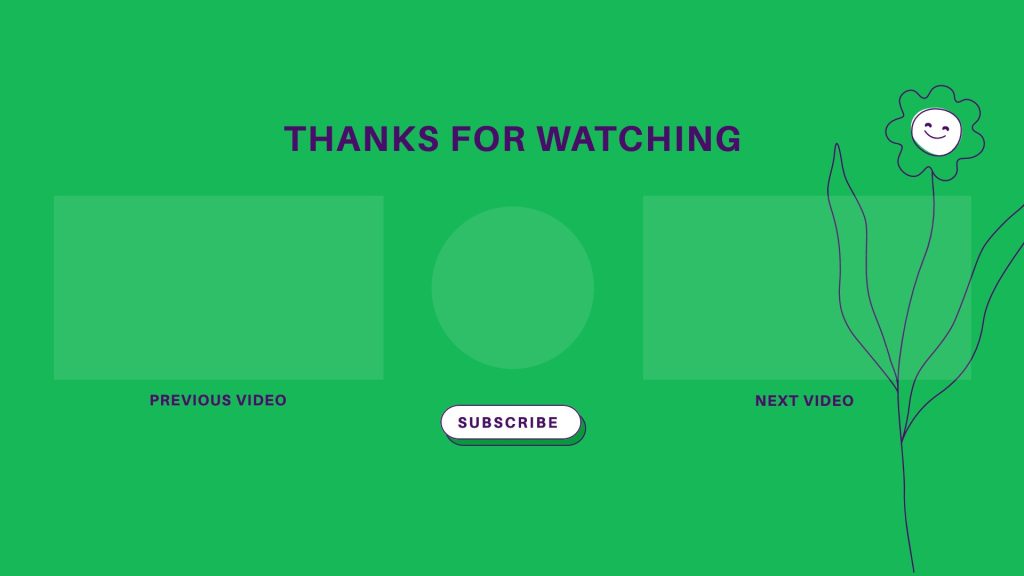
Credit: snappa.com
Why End Screens Matter
End screens help keep viewers on your channel longer. They appear in the last 5-20 seconds of your videos. These screens show links to other videos, playlists, or channels. They guide viewers to take action before the video ends.
Using end screens can increase your video views. They also help build a loyal audience. Viewers find it easier to explore more of your content. This boosts your channel’s overall growth.
What End Screens Do For Viewer Engagement
End screens invite viewers to watch more videos. They reduce the chance of viewers leaving your channel. A well-designed end screen keeps interest alive. It encourages viewers to click and stay longer.
How End Screens Boost Channel Growth
More clicks mean more views for your videos. This improves your video ranking on search results. Channels with higher views gain better visibility. End screens act as a tool to help growth.
The Role Of End Screens In Branding
End screens let you add your logo or channel name. This strengthens your brand identity. Viewers remember your channel better with consistent branding. It adds a professional touch to your videos.
Encouraging Actions Through End Screens
End screens prompt viewers to subscribe or visit a playlist. This helps increase subscribers and watch time. Clear calls to action motivate viewers to engage. Simple prompts can lead to big results.
Key Elements Of Effective End Screens
Effective end screens keep viewers watching and guide them to take action. They help grow your channel and increase video views. Designing end screens with the right elements makes a big difference.
Each part of an end screen has a clear purpose. Together, they create a smooth end to your video. Understanding these key elements helps you build better end screens.
Call-to-action Buttons
Call-to-action buttons tell viewers what to do next. They can link to other videos, playlists, or your website. Make buttons clear and easy to click. Use simple words like ”Watch Next” or ”Visit Site.”
Video And Playlist Suggestions
Suggest videos or playlists that relate to your content. These keep viewers on your channel longer. Choose popular or recent videos to attract attention. Change suggestions often to stay fresh.
Channel Promotion
Showcase your channel during the end screen. Use your logo or a branded image. This builds recognition and trust with viewers. Keep the design clean and match your channel’s style.
Subscribe Prompt
Encourage viewers to subscribe with a clear prompt. Use simple language like ”Subscribe for more.” Place the subscribe button where it is easy to see. A strong prompt grows your subscriber base steadily.
Design Tips For Engaging End Screens
Designing an engaging end screen helps keep viewers interested. It encourages them to watch more videos or subscribe. A good end screen is clear, simple, and matches your brand. Follow these design tips for better results.
Consistent Branding
Use colors and fonts that match your channel’s style. Keep logos visible but not too large. This builds trust and makes your channel look professional. Viewers recognize your brand quickly through consistent design.
Clear Visual Hierarchy
Arrange elements by importance. Place the subscribe button where it stands out most. Use larger icons for key actions like video links. This guides viewers to the next step easily. Avoid clutter to keep focus on main options.
Mobile-friendly Layout
Make sure all elements fit on small screens. Use larger buttons so they are easy to tap. Test your end screen on phones before publishing. A mobile-friendly design keeps viewers engaged everywhere.
Timing And Placement Strategies
Timing and placement are key for effective end screens on videos. They guide viewers to act without feeling rushed or distracted. Proper timing keeps the audience engaged and increases click-through rates.
Placement affects visibility and interaction. Positioning end screens at the right moment and spot helps maintain viewer interest. It also supports your video’s goals, like growing subscribers or promoting other content.
Optimal Duration
End screens should last between 10 to 20 seconds. This gives viewers enough time to see all elements clearly. Too short, and viewers might miss the options. Too long, and they may lose interest or click away.
Keep the duration consistent across videos. This builds viewer expectation and comfort. A well-timed end screen feels natural and easy to follow.
Placement Within Video Content
Place end screens in the final 20 seconds of your video. This is when viewer attention is highest for calls to action. Avoid adding end screens too early, which can distract from the main content.
Ensure the end screen does not cover important visuals or text. Use clear areas of the frame to add clickable elements. This helps viewers interact without frustration or confusion.

Credit: www.tubefilter.com
Tools To Create End Screens
Creating end screens helps keep viewers on your channel longer. End screens show clickable elements like videos, playlists, or subscribe buttons. Many tools help you design and add these screens easily. Some tools come with YouTube itself, while others are separate apps. Both types offer simple ways to make your end screens look good and work well.
Youtube Studio Features
YouTube Studio has built-in tools to create end screens. You can add elements like video links and subscribe buttons. The tool lets you place these elements anywhere on the screen. It shows a preview so you can see how it looks. You can add end screens during video upload or after publishing. The interface is simple and easy to use. No extra software is needed, making it fast and free.
Third-party Software Options
Some creators use third-party software for more design options. These tools offer templates and drag-and-drop features. You can add animations and custom graphics. Popular options include Canva, Adobe Spark, and Snappa. These apps help make unique and professional-looking end screens. After designing, you upload the image to YouTube Studio. These tools give more control over style and branding. They are useful for creators who want a custom look.
Common Mistakes To Avoid
End screens are vital for keeping viewers engaged after a video ends. Many creators make simple mistakes that lower their effectiveness. Avoiding these errors helps hold attention and guides viewers to more content.
Overcrowding Elements
Too many elements confuse viewers. They do not know where to click. Keep the end screen clean with two or three clear choices. Use space wisely to make each element stand out.
Ignoring Viewer Behavior
Viewers often skip or rush through end screens. Not considering this leads to poor results. Place elements where eyes naturally look. Test different layouts to see what works best.
Neglecting Mobile Users
Most viewers watch videos on phones. Small screens need bigger buttons and clear text. Make sure all elements are easy to tap and read on mobile devices.
Credit: www.tubefilter.com
Measuring End Screen Performance
Measuring end screen performance helps you know if your viewers take action. It shows what parts of your end screen work well. Tracking this data helps improve your video strategy. You learn what keeps viewers engaged and what needs change.
Analytics To Track
Start by checking click-through rates on your end screen elements. See how many viewers click on video links or subscribe buttons. Look at viewer retention during the end screen period. Note which elements get the most attention. Track the time viewers spend on each part. This data reveals viewer interest and behavior.
Adjusting Based On Data
Use the data to make smart changes. Remove elements with low clicks or engagement. Try different video thumbnails or button placements. Test new calls to action that invite clicks. Monitor changes to see if performance improves. Keep adjusting until you find what works best.
Frequently Asked Questions
What Is An End Screen In Video Content?
An end screen is a customizable video element that appears in the last 5-20 seconds. It promotes other videos, channels, or calls to action. End screens help increase viewer engagement and boost channel growth by guiding viewers to more content or encouraging subscriptions.
How Do End Screens Improve Viewer Engagement?
End screens encourage viewers to watch more videos or subscribe. They provide clickable elements that guide user actions. This reduces drop-off rates and increases watch time, benefiting channel performance and audience retention.
Can I Add Multiple Elements In An End Screen?
Yes, you can add up to four elements in an end screen. These can include video links, playlists, subscribe buttons, and external links. This variety helps maximize viewer interaction and channel promotion opportunities.
When Should I Add An End Screen To My Video?
Add an end screen during the last 5 to 20 seconds of your video. This timing ensures viewers see it before the video ends. It’s best to place it where engagement is high for maximum impact.
Conclusion
End screens help keep viewers engaged after your video ends. They guide people to watch more or subscribe. Use clear buttons and simple messages for best results. Test different designs to see what works well. Small changes can make a big difference in viewer actions.
Keep your end screen neat and easy to follow. This way, your audience stays longer and grows steadily. Try using end screens on every video you post. It’s a smart way to build your channel bit by bit.