If you have a website, you want it to be seen by as many people as possible. That’s where Google Search Console comes in.
This powerful tool gives you a clear view of how your site performs on Google. You’ll discover what’s working, what needs fixing, and how to attract more visitors. Imagine having a simple way to boost your website’s presence and get ahead of your competition.
Keep reading to unlock the full potential of Google Search Console and take control of your online success.
Credit: www.arimetrics.com
Google Search Console Basics
Google Search Console helps website owners see how Google views their site. It shows which pages get traffic and what keywords bring visitors. This tool helps find and fix problems that stop your site from ranking well in search results.
Understanding the basics is important to use it right. The setup is simple, and the dashboard is easy to read. Knowing key features helps you track your site’s health and performance.
Setting Up Your Account
Start by visiting the Google Search Console website. Sign in with your Google account. Add your website’s URL as a new property. Then, verify that you own the site. You can verify by uploading a file, adding a tag, or using your domain provider. Verification is important to access your site’s data.
Navigating The Dashboard
The dashboard shows an overview of your website’s performance. You see clicks, impressions, and average position in search results. The menu on the left lets you explore different reports. Each report gives detailed information about your site’s health and search presence.
Key Features To Know
Performance report shows which queries bring visitors. Coverage report lists pages Google can or cannot index. Mobile Usability highlights any mobile issues. URL Inspection lets you check individual pages for errors. These features help improve your website’s ranking and user experience.

Credit: ezycourse.com
Improving Site Performance
Improving your website’s performance is key to attracting and keeping visitors. Google Search Console offers tools to help you track and fix issues that slow down your site. It also helps you make your site easier to use on all devices.
Using these features regularly can improve your site’s ranking and user experience. Small fixes can lead to big results over time.
Monitoring Search Analytics
Search Analytics shows how often your site appears in Google searches. It tells you which keywords bring visitors to your site. You can see clicks, impressions, and your average position in search results.
This data helps you find popular pages and topics. You can focus on improving content that already attracts visitors. It also shows what needs work to get more traffic.
Fixing Crawl Errors
Google uses bots to scan your site, called crawling. Crawl errors happen when bots can’t reach some pages. This means those pages might not appear in search results.
Search Console lists crawl errors so you can fix them fast. Fix broken links, server errors, or missing pages. Keeping your site error-free helps Google index your pages better.
Enhancing Mobile Usability
More users browse on mobile devices than desktops now. Google Search Console checks if your site works well on phones and tablets. It finds issues like small text, clickable elements too close, or content wider than the screen.
Fixing these problems makes your site easier to use on mobile. A mobile-friendly site keeps visitors longer and ranks better in search results.
Optimizing Content With Gsc
Google Search Console helps improve your website’s content performance. It shows data on how your pages rank and how users find them. This insight guides changes that make your content more visible and useful.
Using GSC, you can spot trends and fix issues quickly. This keeps your content relevant and easy to find on Google. Let’s explore key ways to optimize content with GSC.
Identifying Top Performing Keywords
GSC reveals which keywords bring visitors to your site. It shows impressions, clicks, and position for each keyword. Focus on words that drive traffic but have room to grow. Use these keywords in your titles and text to improve ranking.
Analyzing Click-through Rates
Click-through rate (CTR) measures how many people click your link after seeing it. Low CTR means your title or description may not attract users. Adjust these elements to make them clearer and more appealing. Testing different phrases can boost your CTR and visits.
Using Url Inspection Tool
The URL Inspection Tool checks how Google views your pages. It shows indexing status and any problems found. Use it to confirm new content is indexed quickly. Fix errors shown to keep pages visible and working well in search results.
Credit: martech.zone
Boosting Traffic Quickly
Boosting traffic quickly is essential for any website owner. Google Search Console helps you understand how Google sees your site. It gives tools to improve your site’s performance fast. Using it well can bring more visitors in less time.
Submitting Sitemaps
Sitemaps tell Google about your website pages. You can submit a sitemap through Google Search Console. This helps Google find and index pages faster. It makes sure new content appears in search results quickly. A clear sitemap guides Google to your important pages.
Managing Index Coverage
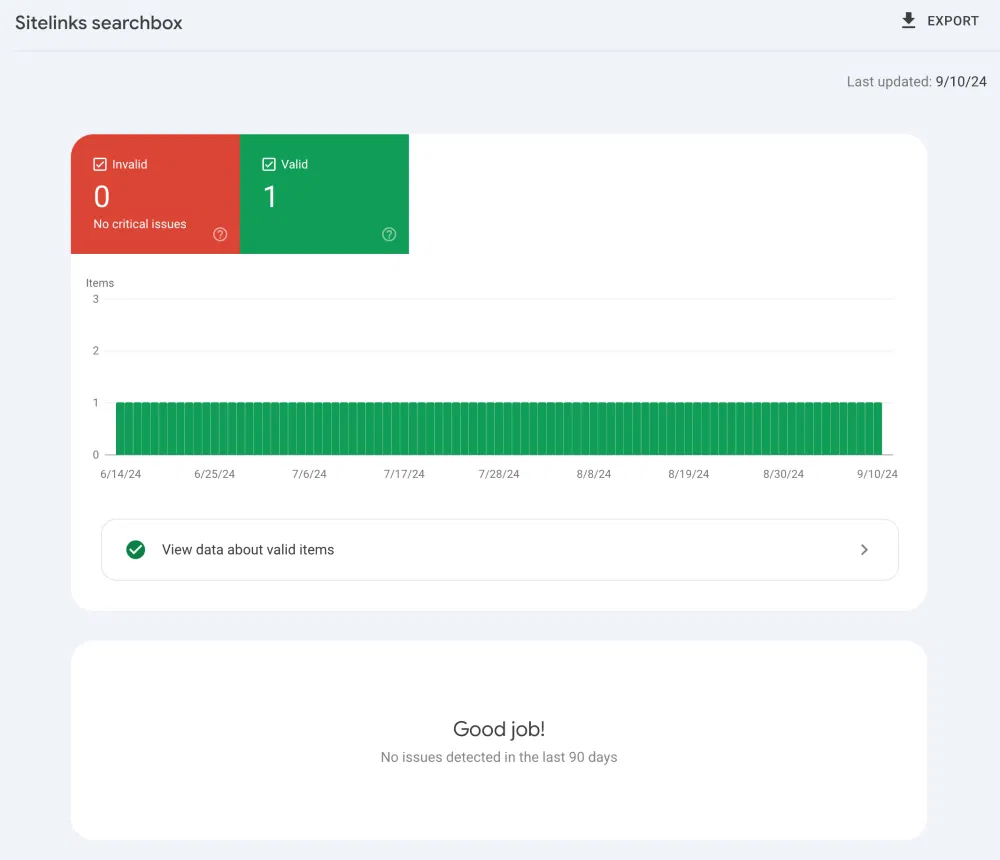
Index coverage shows which pages Google has indexed or found errors on. Fixing coverage issues helps pages show up in search results. Google Search Console lists pages with problems like 404 errors or blocked URLs. Regular checks keep your site healthy and improve traffic flow.
Leveraging Rich Results
Rich results add extra info to your search listings. Things like ratings, reviews, and images stand out to users. Google Search Console shows how your rich results perform. Adding structured data can make your listings more attractive. This leads to higher click rates and more visits.
Advanced Tips And Tricks
Google Search Console offers many tools beyond the basics. These advanced tips help you use the platform more efficiently. You can catch issues faster and learn more about your site’s performance. Each tip here makes managing your website easier.
Setting Up Alerts
Alerts notify you about important changes or problems on your site. You can get emails for errors, traffic drops, or security issues. Setting alerts saves time and helps fix problems early. Customize alerts to track what matters most for your website.
Integrating With Google Analytics
Linking Google Search Console with Google Analytics gives deeper insights. You see how users find your site and what they do next. This integration helps improve your content and SEO strategy. It combines data for a fuller view of your website’s health.
Utilizing Amp Reports
AMP reports show how your Accelerated Mobile Pages perform. These pages load faster on mobile devices and can boost your rankings. Use the reports to find and fix AMP errors quickly. Better AMP pages improve user experience and mobile traffic.
Frequently Asked Questions
What Is Google Search Console Used For?
Google Search Console helps website owners monitor and optimize site performance in Google Search results. It provides data on indexing, search queries, and site errors.
How To Submit A Sitemap In Google Search Console?
To submit a sitemap, log into Search Console, select your property, go to “Sitemaps,” enter your sitemap URL, and click “Submit. ” This improves site indexing.
Can Google Search Console Improve Seo Rankings?
Yes, it helps identify SEO issues and track keyword performance. Fixing errors and optimizing content boosts search visibility and rankings.
How Often Does Google Search Console Update Data?
Search Console data typically updates every 2-3 days. Some reports, like indexing status, may refresh faster or slower depending on site activity.
Conclusion
Google Search Console helps you track your website’s performance. It shows how Google sees your site. You can find and fix errors fast. The tool also helps improve your site’s ranking. Use it regularly to check your traffic and keywords.
Small changes can make a big difference. Stay patient and keep learning. Your site will grow with steady effort. Google Search Console is a smart tool for any website owner. Simple, useful, and free to use. Give it a try today.