If you want to understand how people use your website, you need to optimize Google Analytics. Google Analytics is a free tool that helps you see what visitors do on your site. This guide will help you learn how to set it up right and get the best information possible.
Credit: developers.google.com
What is Google Analytics?
Google Analytics is a tool from Google. It helps website owners see how many people visit their site. It also shows what pages visitors like most and how they find the website.
When you optimize Google Analytics, you make sure it tracks the right information. This helps you make smart decisions to improve your website.
Why Should You Optimize Google Analytics?
- Get accurate data: Correct setup means better data.
- Understand your visitors: Learn what they like and don’t like.
- Improve your website: Use data to make your site better.
- Increase sales or leads: Know what works to grow your business.
Steps to Optimize Google Analytics
Follow these simple steps to make your Google Analytics work best for you.
1. Set Up Google Analytics Correctly
First, create a Google Analytics account if you don’t have one. Then, add your website to it. Google will give you a tracking code. Put this code on all pages of your website.
This code helps Google Analytics see who visits your site and what they do.
2. Use Google Tag Manager
Google Tag Manager helps you add tracking codes without changing your website’s code. It is easy to use and keeps your site clean.
With Tag Manager, you can add new tracking features easily and keep your Google Analytics data organized.
3. Set Up Goals
Goals tell Google Analytics what is important to you. For example, a goal can be when someone fills out a contact form or buys a product.
Setting goals helps you see how well your site is doing in getting visitors to do what you want.
4. Filter Out Internal Traffic
You don’t want your own visits to your website to show in the data. It can make your numbers wrong.
Set filters in Google Analytics to remove visits from you or your team. This way, you get clear data about real visitors.
5. Enable Demographics And Interests Reports
Google Analytics can show you who your visitors are. This includes their age, gender, and interests.
Turn on these reports to learn more about your audience. This helps you create content they like.
6. Link Google Analytics With Google Ads
If you run ads, connect Google Analytics with your Google Ads account. This shows how ads bring visitors to your site.
You can see which ads work best and save money by focusing on those.
7. Use Custom Dashboards
Custom dashboards show you the most important data in one place. You can create dashboards for traffic, sales, or user behavior.
This saves time and helps you see key info quickly.
8. Track Events
Events are actions visitors take on your site, like clicking a button or watching a video.
Set up event tracking to see what visitors do beyond just visiting pages.
Common Mistakes to Avoid When Optimizing Google Analytics
- Not installing the tracking code on all pages.
- Not setting up goals to track important actions.
- Ignoring filters to remove internal traffic.
- Not linking Google Ads with Google Analytics.
- Not using custom reports and dashboards.
How SEO Services Help You Optimize Google Analytics
SEO experts can help you get the most from Google Analytics. They offer services like:
- SEO Audit: Check your website for SEO problems and fix them.
- SEO Copy: Write content that ranks well and attracts visitors.
- SEO Migration: Move your website without losing traffic or ranking.
- Technical SEO: Fix technical issues that affect your site’s performance.
These services help you understand your visitors better and improve your site’s performance.
Useful Tools to Help You Optimize Google Analytics
| Tool Name | Purpose | Benefit |
|---|---|---|
| Google Tag Manager | Manage tracking codes easily | Saves time and keeps code clean |
| Google Analytics Debugger | Check if tracking works right | Find errors before they cause problems |
| Google Data Studio | Create custom reports and dashboards | Visualize data clearly and share reports |
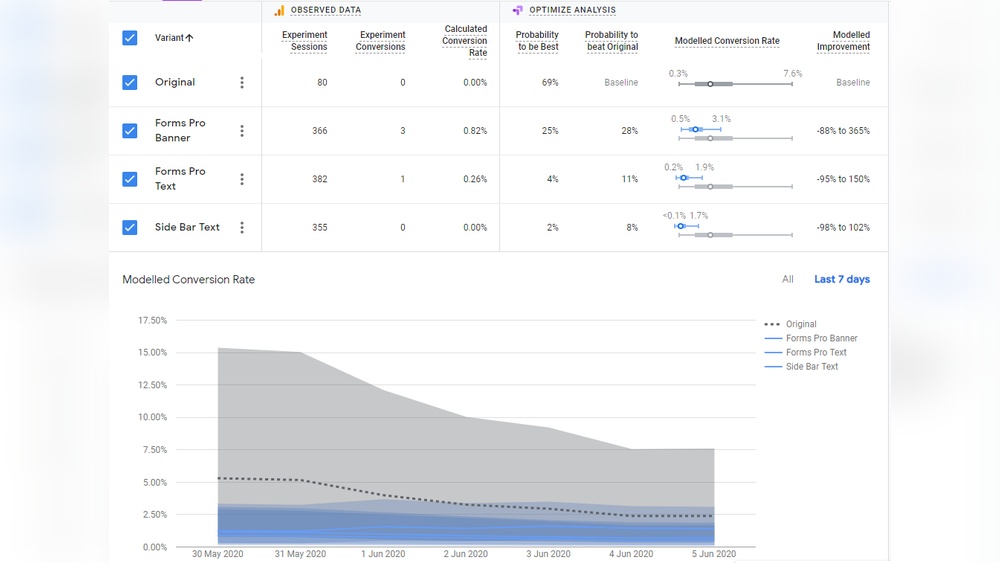
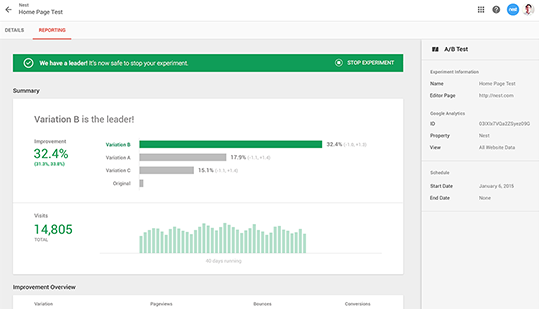
| Google Optimize | Test website changes for better results | Improve user experience and conversions |
Tips for Beginners to Optimize Google Analytics
- Start with the basics: install tracking code properly.
- Learn how to read reports step-by-step.
- Set simple goals like tracking contact form submissions.
- Watch tutorials to understand each feature.
- Ask for help from SEO professionals if needed.
Summary: Why You Must Optimize Google Analytics
To grow your website, you need good data. When you optimize Google Analytics, you get clear, useful information. This helps you make smart changes to your site.
By setting up tracking, goals, filters, and linking ads, you unlock powerful insights. You can see what visitors like and what needs fixing.
Remember, good data leads to better decisions. And better decisions help your website grow stronger and attract more visitors.
Credit: analytics.googleblog.com
Additional Resources
To learn more about SEO and website optimization, visit these pages:
Use these services if you want expert help in optimizing your Google Analytics and improving your website’s SEO.
Frequently Asked Questions
What Is Google Analytics Optimization?
Google Analytics optimization means improving settings to get better website data and insights.
How Can I Track User Behavior In Google Analytics?
Use events, goals, and custom reports to see how users interact with your site.
Why Set Up Goals In Google Analytics?
Goals help measure important actions like purchases, sign-ups, or downloads on your site.
How Often Should I Check Google Analytics Data?
Check data weekly or monthly to spot trends and make timely decisions.
nWant to optimize Google Analytics for better insights? Hive Creatives helps you with digital strategy and data-driven decision-making. Contact us.
n