Are you looking to boost your website’s performance without spending a fortune on ads? Understanding and improving your Organic CTR (Click-Through Rate) can be the game-changer you need.
Your Organic CTR shows how often people click on your website after seeing it in search results. A higher CTR means more visitors, more engagement, and better chances to grow your business. You’ll discover simple yet powerful strategies to increase your Organic CTR and turn casual browsers into loyal customers.
Ready to unlock the secret to attracting more clicks naturally? Keep reading to find out how.
Benefits Of Organic Ctr
Organic CTR, or click-through rate, shows how many people click your link in search results. A high organic CTR means more visitors come to your site naturally. This brings many benefits for your website and business.
Understanding these benefits helps you see why improving organic CTR matters. It affects your site’s growth and user experience in many ways.
Impact On Search Rankings
Search engines use organic CTR as a sign of relevance. Pages with higher CTR often rank better in search results. This happens because more clicks mean users find the content useful. Improving CTR can help boost your website’s position on Google and other engines.
Cost-effective Traffic Growth
Organic clicks come from free search results, not paid ads. This means more visitors without extra marketing costs. Increasing organic CTR grows your traffic in a budget-friendly way. It also builds long-term traffic that lasts beyond ads.
Enhanced User Engagement
Higher organic CTR shows users like your page title and description. This leads to better user interaction and lower bounce rates. Engaged visitors spend more time on your site and explore more pages. Good CTR helps create a positive user experience.
Crafting Compelling Titles
Crafting compelling titles is key to boosting your organic CTR. Titles draw readers in and tell them what to expect. A great title stands out in search results and encourages clicks. It must be clear, relevant, and interesting. Below are some tips for creating strong titles that attract users.
Using Power Words
Power words trigger emotions and grab attention quickly. Words like “easy,” “best,” “free,” and “quick” create curiosity. They make titles feel useful and urgent. Use power words carefully. Too many can seem spammy or fake. Choose words that fit your content and audience well.
Incorporating Keywords Naturally
Include main keywords in your title to match search intent. Place them near the start for better visibility. Avoid stuffing keywords; keep the title readable. Natural use of keywords helps search engines and readers. It shows your content answers the user’s question or need.
Optimizing Title Length
Keep titles between 50 and 60 characters. This length fits well in search results without cutting off. Short titles are easy to scan and remember. Long titles may lose impact or get truncated. Focus on clear, concise wording that delivers your message fast.
Optimizing Meta Descriptions
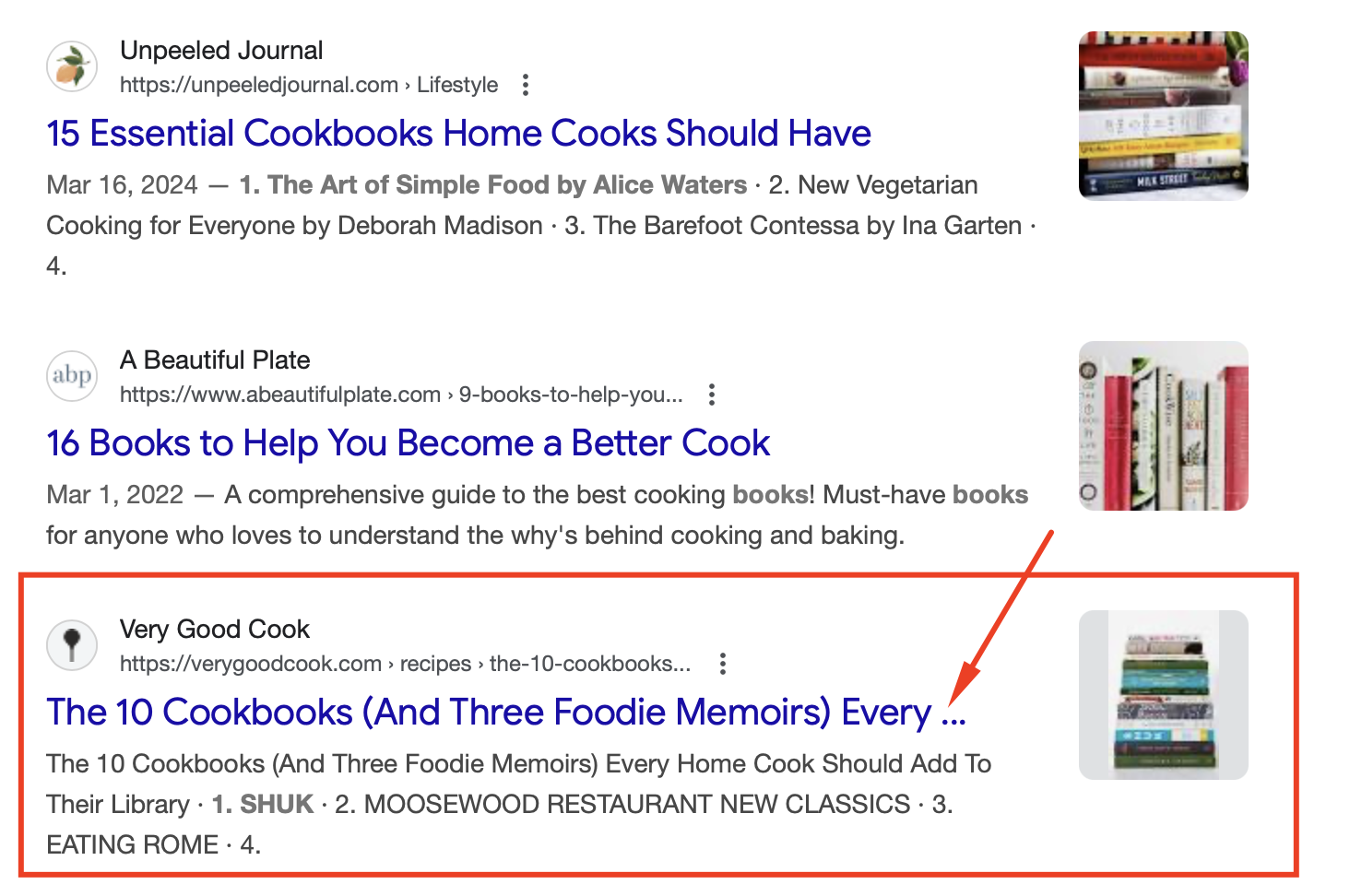
Optimizing meta descriptions helps improve your organic CTR. These short snippets appear under your page title in search results. They give users a quick idea of what your page offers. A good meta description can attract more clicks and increase traffic.
Crafting meta descriptions requires clear and focused text. It should match the page content and grab attention fast. Keep it brief but meaningful. Let’s explore key tactics for writing effective meta descriptions.
Writing Persuasive Copy
Write meta descriptions that speak directly to user needs. Use simple words and short sentences. Highlight the benefit or solution your page provides. Make users feel the page is worth their click. Avoid vague or generic phrases. Be specific and clear about what users will find.
Including Calls To Action
Calls to action encourage users to click your link. Use phrases like “Learn more,” “Get started,” or “See how.” A call to action creates urgency or interest. It helps guide users toward the next step. Place it near the end of your meta description for best effect.
Avoiding Keyword Stuffing
Using too many keywords looks spammy and lowers readability. Keep your meta description natural and easy to read. Include only the most important keywords for relevance. Focus on writing for people, not just search engines. Balanced keyword use improves trust and click rates.
Credit: www.advancedwebranking.com
Leveraging Rich Snippets
Rich snippets help your website stand out in search results. They show extra details beyond the usual title and description. This added info makes your listing more attractive and clickable. Using rich snippets can improve your organic CTR by giving users quick answers.
Types Of Rich Snippets
There are many types of rich snippets. Common ones include reviews, recipes, events, and products. Reviews show star ratings and user feedback. Recipes display cooking time and ingredients. Events highlight dates and locations. Products show prices and availability. Each type adds helpful info for users.
Schema Markup Implementation
Schema markup is code you add to your site. It tells search engines what your content means. Use JSON-LD format for easy implementation. Add schema to your HTML to describe products, reviews, or events. Proper schema helps search engines create rich snippets. Test your markup with Google’s Rich Results Tool.
Boosting Visibility In Serps
Rich snippets make your listings bigger and clearer. This draws more attention on search result pages. Users see more info before clicking, increasing trust. Higher visibility can lead to more traffic and better CTR. Proper use of rich snippets helps your site compete in crowded search results.
Improving Url Structure
Improving URL structure helps boost your website’s organic CTR. URLs that are easy to read and understand perform better in search results. Clear URLs attract more clicks and give users confidence about the page content.
Search engines also use URLs to rank pages. Well-structured URLs with relevant words improve visibility. Avoid confusing or long URLs that users and search engines might ignore.
Keeping Urls Short And Clear
Short URLs are easier to read and remember. Clear URLs show exactly what the page is about. Avoid using long strings of numbers or letters. Keep URLs focused on the main topic of the page.
Using Relevant Keywords
Include keywords that match the page content. Keywords help search engines understand your page’s subject. Use simple, common words people search for. Avoid keyword stuffing; keep it natural and relevant.
Avoiding Unnecessary Parameters
Parameters like session IDs or tracking codes make URLs messy. These can confuse users and search engines. Clean URLs without extra codes look better and perform well. Use simple, static URLs whenever possible.

Credit: renaissancemarketingva.com
Enhancing Page Load Speed
Page load speed plays a big role in how well your website performs. Fast pages keep visitors happy and lower bounce rates. Slow sites lose traffic and rank lower in search results. Improving load speed can boost your organic CTR and user experience. Let’s explore key ways to make your pages load faster.
Optimizing Images
Images often slow down websites. Large files take longer to load. Resize images to the exact size needed. Compress images without losing quality. Use modern formats like WebP for better compression. Lazy loading delays images below the fold. This saves bandwidth and speeds up initial load time.
Minimizing Code
Excess code increases page weight and load time. Remove unnecessary spaces, comments, and line breaks. Minify CSS, JavaScript, and HTML files. Combine multiple files into one to reduce requests. Clean code runs faster and uses less data. Use asynchronous loading for scripts to avoid delays.
Using Content Delivery Networks
CDNs store your site files on servers worldwide. Visitors load files from the nearest server. This cuts down the distance data travels. Faster delivery improves load speed globally. CDNs also handle traffic spikes better. Using a CDN keeps your website quick and stable.
Mobile-friendly Design
Mobile-friendly design is key for Organic CTR success. It improves user experience on phones and tablets. Sites that work well on mobile devices keep visitors engaged longer. This leads to higher traffic and better search rankings.
Responsive Layouts
Responsive layouts adjust to any screen size. They make sure content looks good on phones, tablets, and desktops. No zooming or sideways scrolling needed. This helps users find information quickly and easily.
Touchscreen Usability
Touchscreen usability means buttons and links are easy to tap. Text is large enough to read without zooming. Menus and forms work well on small screens. This reduces frustration and keeps visitors on your site.
Accelerated Mobile Pages (amp)
AMP speeds up page loading on mobile devices. Faster pages mean visitors stay longer and click more. Search engines favor fast-loading pages in mobile search results. AMP improves Organic CTR by delivering quick, smooth experiences.
Credit: www.deehigdon.com
Analyzing Ctr Data
Analyzing CTR data is essential for improving your website’s performance. It shows how many people click your links after seeing them. Understanding this helps you create better content and attract more visitors.
Examining CTR data reveals which pages or keywords draw attention. It also points out where visitors lose interest. This knowledge guides your decisions and boosts overall site success.
Tools For Tracking Ctr
Several tools help you track CTR easily. Google Search Console is a popular choice. It shows clicks, impressions, and average CTR for your pages.
Other tools like SEMrush and Ahrefs offer detailed CTR reports. They help compare different pages and keywords. These insights help you understand user behavior.
Identifying High And Low Performers
Look for pages with high CTR to learn what works. These pages usually have strong titles and descriptions.
Low CTR pages need attention. They might have unclear titles or irrelevant content. Fixing these can improve your traffic.
Testing And Iterating Strategies
Test different titles, descriptions, and keywords to see what boosts CTR. Small changes can make a big difference.
Repeat this process often. Keep testing new ideas and learning from results. This helps keep your content fresh and engaging.
Frequently Asked Questions
What Is Organic Ctr In Digital Marketing?
Organic CTR is the click-through rate from unpaid search results. It measures how often users click your website link after seeing it on search engines. A higher organic CTR indicates better relevance and effectiveness of your SEO efforts.
How To Improve Organic Ctr On Google?
To improve Organic CTR, optimize meta titles and descriptions. Use relevant keywords and create compelling, clear content. Also, add structured data and improve your website’s loading speed to attract more clicks from search results.
Why Is Organic Ctr Important For Seo?
Organic CTR impacts your website’s traffic and ranking. Search engines see higher CTR as a sign of relevance and quality. Improving CTR can boost your position in search results, leading to more visitors and potential conversions.
Does Organic Ctr Affect Google Rankings?
Yes, Organic CTR can influence Google rankings. Google interprets a high CTR as user satisfaction with your listing. This can lead to better rankings over time, enhancing your website’s visibility and traffic.
Conclusion
Organic CTR plays a big role in website success. It helps attract more visitors without extra cost. Good titles and descriptions make users click more. Clear content matches what people search for. Tracking and improving CTR boosts your page ranking.
Small changes can bring better results over time. Keep testing and updating your site regularly. This way, you get steady growth and more traffic. Focus on what users want and give it clearly. Organic CTR is a simple step toward better online presence.