
If you want your website to rank well on search engines, understanding Robots Txt is a must. It’s a simple file that controls what search engines can see on your site.
But many people don’t realize how powerful it can be for protecting your content and improving your SEO. You’ll discover how Robots Txt works and how to use it to your advantage. By the end, you’ll know exactly what steps to take to make sure your website shows up the way you want in search results.
Ready to take control of your site’s visibility? Keep reading.

Credit: www.arimetrics.com
What Is Robots.txt
Robots.txt is a simple text file that controls how search engines explore a website. It tells search engines which pages they can visit and which ones to skip. This helps manage what content appears in search results.
Most websites use robots.txt to guide search engine crawlers. It keeps private or duplicate pages from being indexed. This way, websites stay organized and easier to search.
What Is Robots.txt File?
The robots.txt file is a small text file placed in a website’s root folder. It gives instructions to search engine bots. These bots read the file before scanning the site.
This file uses simple rules to allow or block access. It can block specific pages, folders, or entire sites. It works like a gatekeeper for web crawlers.
Why Is Robots.txt Important?
Robots.txt helps protect sensitive or private content. It stops search engines from indexing pages that should stay hidden. It also saves server resources by limiting crawler visits.
Proper use of robots.txt improves website performance. It guides search engines to focus on important pages. This can boost the site’s search ranking.
How Do Search Engines Use Robots.txt?
Search engines check robots.txt before crawling a website. They follow the instructions to avoid blocked areas. Ignoring these rules can lead to penalties.
The file works with sitemap files to find the best pages. It helps search engines crawl the site efficiently. This improves the overall user experience.

Credit: ignitevisibility.com
Why Robots.txt Matters For Seo
Robots.txt is a simple text file that controls how search engines crawl your website. It tells search engines which pages to check and which to skip. This helps manage your site’s visibility on search engines.
Proper use of robots.txt can improve SEO by guiding search engines efficiently. It prevents wasting crawl budget on unimportant pages. This lets search engines focus on your best content.
What Is Robots.txt And Its Role
Robots.txt is placed in your website’s root folder. It uses rules to allow or block search engine bots. This file helps control access to certain parts of your site.
Without robots.txt, search engines may crawl unnecessary pages. This can cause slower indexing and lower SEO performance.
How Robots.txt Affects Crawl Budget
Crawl budget is the number of pages a search engine scans on your site. Robots.txt tells bots to avoid less important pages. This saves crawl budget for key pages.
Using robots.txt smartly can help search engines find your best pages faster. It improves site indexing and SEO results.
Preventing Duplicate Content Issues
Duplicate content can hurt your SEO rankings. Robots.txt can block duplicate or thin content pages. This keeps your site’s quality high for search engines.
Blocking duplicate pages helps search engines focus on unique content. This improves your site’s authority and ranking.
Protecting Sensitive Or Private Content
Some pages should not appear in search results. Robots.txt stops search engines from crawling private or sensitive pages. This protects your content from being public.
Using robots.txt for privacy helps maintain trust and site security. It also avoids unwanted pages showing in search results.
Basic Robots.txt Syntax
Robots.txt is a simple text file that controls how search engines crawl your website. It tells search engines which parts to scan and which to avoid. Understanding its basic syntax helps you manage your site’s visibility effectively.
This file uses clear rules to guide web crawlers. Each rule follows a set format to ensure proper communication. Knowing these rules helps you avoid mistakes that may block important pages.
User-agent Directives
User-agent directives specify which search engine bots the rules apply to. Each user-agent targets a specific crawler, like Googlebot or Bingbot. You use the keyword User-agent followed by the bot’s name. To apply rules to all bots, use an asterisk . This tells every crawler to follow the instructions below.
Disallow And Allow Rules
Disallow rules tell bots which pages or folders not to visit. Use the keyword Disallow followed by the path you want to block. If you want to allow access, use Allow with the path. These rules work together to control crawler access precisely. Leaving Disallow blank means no restrictions for that user-agent.
Sitemap Declaration
Adding a sitemap link in robots.txt helps search engines find your sitemap quickly. Use the keyword Sitemap followed by the full URL of your sitemap file. This simple line boosts crawling efficiency and helps search engines index your site better. It is not a rule but a helpful pointer for bots.
Creating An Effective Robots.txt File
Creating an effective robots.txt file helps control which parts of your website search engines can access. It guides crawlers to avoid pages you don’t want indexed. A well-made file improves your site’s SEO by focusing search engines on your best content.
Every robots.txt file has simple rules. These rules tell bots where they can and cannot go. Careful planning avoids blocking important pages or letting private data show up in search results.
Identifying Pages To Block
Start by listing pages you want to hide from search engines. These often include admin pages, login screens, and private files. Blocking duplicate content pages also prevents confusion in search rankings.
Think about folders with temporary files or scripts. These do not add value to your site’s SEO. Adding them to robots.txt keeps your site cleaner in search results.
Allowing Important Content
Next, make sure to allow access to your main pages. Home, product, and blog pages should be open to crawlers. This helps search engines find and rank your best content.
Use ”Allow” rules to override broad blocking if needed. This way, you keep sensitive areas blocked but still let key pages be indexed.
Testing Your File
After creating your robots.txt, test it with online tools or Google Search Console. Testing finds mistakes that could block important pages by accident.
Regular checks ensure your file works as planned. Update it if you add new sections or change your site’s structure.
Common Robots.txt Mistakes To Avoid
Robots.txt is a simple file that controls search engine crawling. Many website owners make mistakes in this file. These errors can block important pages or waste crawl budget. Understanding common mistakes helps keep your site visible and efficient. Avoid these pitfalls to improve your site’s SEO performance.
Blocking Entire Site
Blocking the entire site stops search engines from indexing any page. This mistake often happens by using Disallow: /. It hides your whole website from search results. Be careful when editing robots.txt to avoid this error. Only block pages you do not want to show in search engines.
Misconfigured Directives
Incorrect commands confuse search engines and cause crawling issues. For example, wrong syntax or typos can block or allow wrong pages. Each directive must follow the proper format. Test your robots.txt file with online tools to find errors. Clear and correct commands ensure better site indexing.
Ignoring Crawl Budget
Crawl budget is the number of pages search engines crawl. Robots.txt can help save crawl budget by blocking unimportant pages. Ignoring this wastes crawl budget on low-value pages. This reduces crawling of important content. Use robots.txt smartly to focus crawl budget on valuable pages only.
Advanced Robots.txt Strategies
Advanced robots.txt strategies help manage how search engines crawl your site. These techniques improve SEO by guiding bots more precisely. Using the right methods can save server resources and avoid duplicate content issues. Understanding these strategies ensures better control over your website’s visibility.
Handling Duplicate Content
Duplicate content can confuse search engines and hurt rankings. Use robots.txt to block pages with similar content. For example, block printer-friendly or session ID pages. This stops search engines from indexing copies of the same page. It helps focus SEO value on the main content.
Controlling Crawl Rate
Crawl rate affects how often search engines visit your site. High crawl rates may slow your server. Robots.txt lets you limit crawl speed to reduce load. This keeps your site fast and responsive for users. Control crawl rate to balance SEO needs and server health.
Using Wildcards And Patterns
Wildcards allow blocking groups of URLs with one rule. Use the asterisk () to match any string of characters. For example, block all URLs under a folder with /folder/. Patterns help simplify complex URL structures. They make robots.txt easier to manage and update.
Robots.txt And Other Seo Tools
Robots.txt is a key file that tells search engines which pages to crawl or avoid. It helps control what parts of a website appear in search results. Alongside robots.txt, other SEO tools help manage site visibility and indexing effectively.
These tools work together to improve how search engines see your site. Proper use can boost your site’s ranking and keep unwanted pages out of search results. Understanding these tools helps maintain better control over your website’s SEO health.
Robots Meta Tags
Robots meta tags give page-specific instructions to search engines. They tell crawlers if a page should be indexed or followed. You add these tags in the HTML header of a page.
Common values include ”index,” ”noindex,” ”follow,” and ”nofollow.” For example, ”noindex” prevents a page from appearing in search results. These tags offer more control than robots.txt for individual pages.
Noindex Directives
Noindex directives stop search engines from adding a page to their index. This means the page won’t show up in search results. You use noindex in meta tags or HTTP headers.
Use noindex for pages with duplicate content or private information. It keeps your site’s search presence clean and focused. Search engines respect noindex tags strictly, helping control page visibility.
Google Search Console Integration
Google Search Console helps monitor and improve your site’s SEO. It shows how Google views your robots.txt and meta tags. You can test your robots.txt file directly in the console.
The tool also reports crawl errors and indexing issues. It helps identify which pages are blocked or allowed. Search Console provides valuable insights to keep your SEO strategy on track.
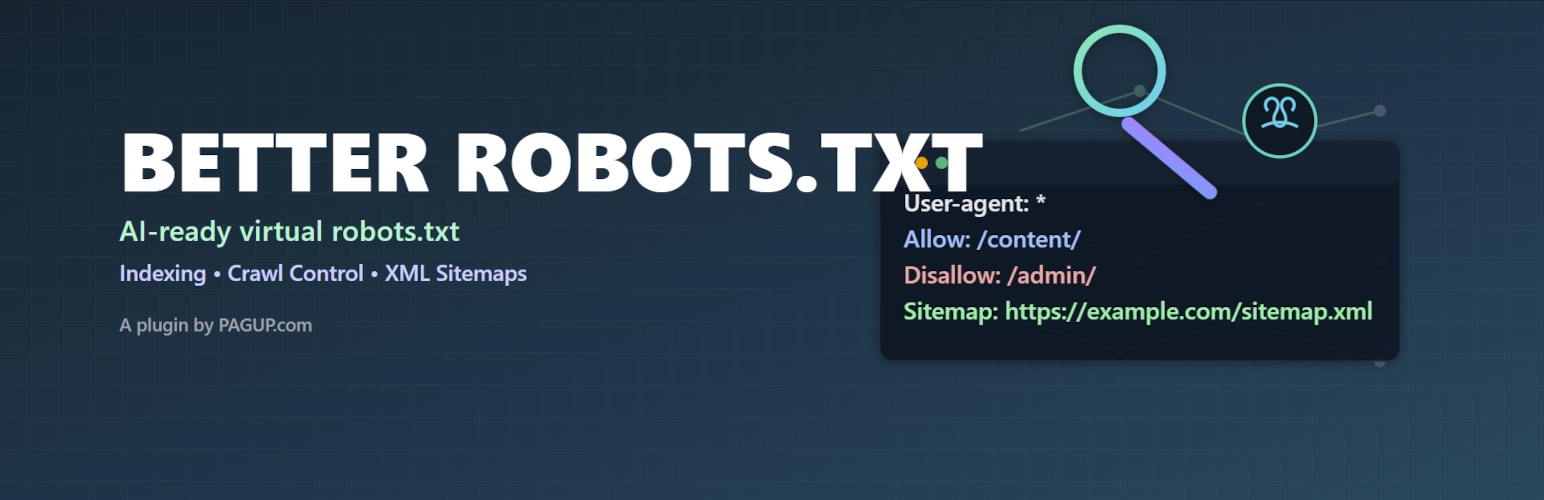
Credit: wordpress.org
Monitoring And Updating Robots.txt
Monitoring and updating your robots.txt file is key to controlling how search engines crawl your site. A well-maintained robots.txt helps protect sensitive pages and improves SEO. It ensures search engines only index the right content. Regular checks prevent errors that could hurt your rankings.
Regular Audits
Run audits on your robots.txt at least once a month. Look for syntax errors or rules that no longer apply. Use online tools to test if search engines follow your instructions. Fix mistakes quickly to keep your site crawlable and safe.
Adjusting For Site Changes
Update robots.txt whenever you add or remove pages. New sections may need blocking or allowing. Changes in your site structure require rule updates. Keep the file synced with your site to avoid unwanted indexing.
Tracking Impact On Rankings
Watch your search rankings after updating robots.txt. Check if important pages appear in search results. Use analytics to see if traffic changes. Adjust your file if you notice drops or crawl issues. This keeps your SEO strong and stable.
Frequently Asked Questions
What Is A Robots.txt File Used For?
Robots. txt guides search engine crawlers on which website pages to index. It helps control web content visibility. This file prevents indexing of private or duplicate pages, improving SEO and site management.
How Do I Create A Robots.txt File?
Create a Robots. txt file using a plain text editor. Add directives like User-agent and Disallow. Save it as ”robots. txt” and upload it to your website’s root directory for search engines to access.
Can Robots.txt Block All Search Engines?
Yes, Robots. txt can block specific or all search engines by using the User-agent directive. Use ”User-agent: *” to target all bots and ”Disallow: /” to block them from crawling your site.
Does Robots.txt Affect Website Seo Rankings?
Robots. txt itself doesn’t improve rankings but controls page indexing. Proper use prevents duplicate content and protects sensitive pages, indirectly benefiting SEO by guiding crawlers efficiently.
Conclusion
Robots. txt helps control which pages search engines see. It guides bots to crawl your site the right way. Using it well keeps private content safe from search. Always check your file for errors before publishing. Clear instructions help improve your website’s search presence.
Simple rules can save time and avoid issues later. Robots. txt is a small file with big impact. Keep it updated as your site grows and changes.