Are you struggling to find the right keywords on your website? Knowing how to search your website for keywords can unlock hidden opportunities to boost your traffic and connect with your audience better.
Imagine quickly spotting the exact words your visitors use or the phrases that bring them in. This simple skill can save you time, improve your content, and grow your online presence. Keep reading, and you’ll discover easy ways to master keyword searching on your website—no tech skills needed.
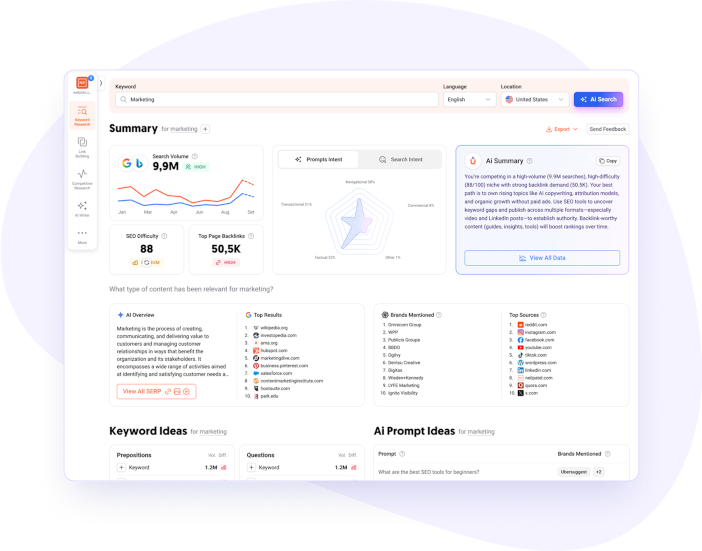
Credit: neilpatel.com
Keyword Research Basics
Keyword research is the first step in creating content that ranks well on search engines. It helps you find the exact words people type to find information. Knowing these words guides your content and marketing strategies.
Good keyword research saves time and effort. It shows what your audience wants and how to meet their needs. This section explains the basics of keyword research and how to start.
Types Of Keywords
Keywords come in different types. Short-tail keywords are brief and broad, like ”shoes.” They get high traffic but have tough competition. Long-tail keywords are longer phrases, such as ”best running shoes for women.” These have lower traffic but attract more specific visitors.
Transactional keywords show intent to buy, for example, ”buy blue sneakers online.” Informational keywords focus on learning, like ”how to clean running shoes.” Understanding these types helps you choose the right keywords for your goals.
Tools For Keyword Discovery
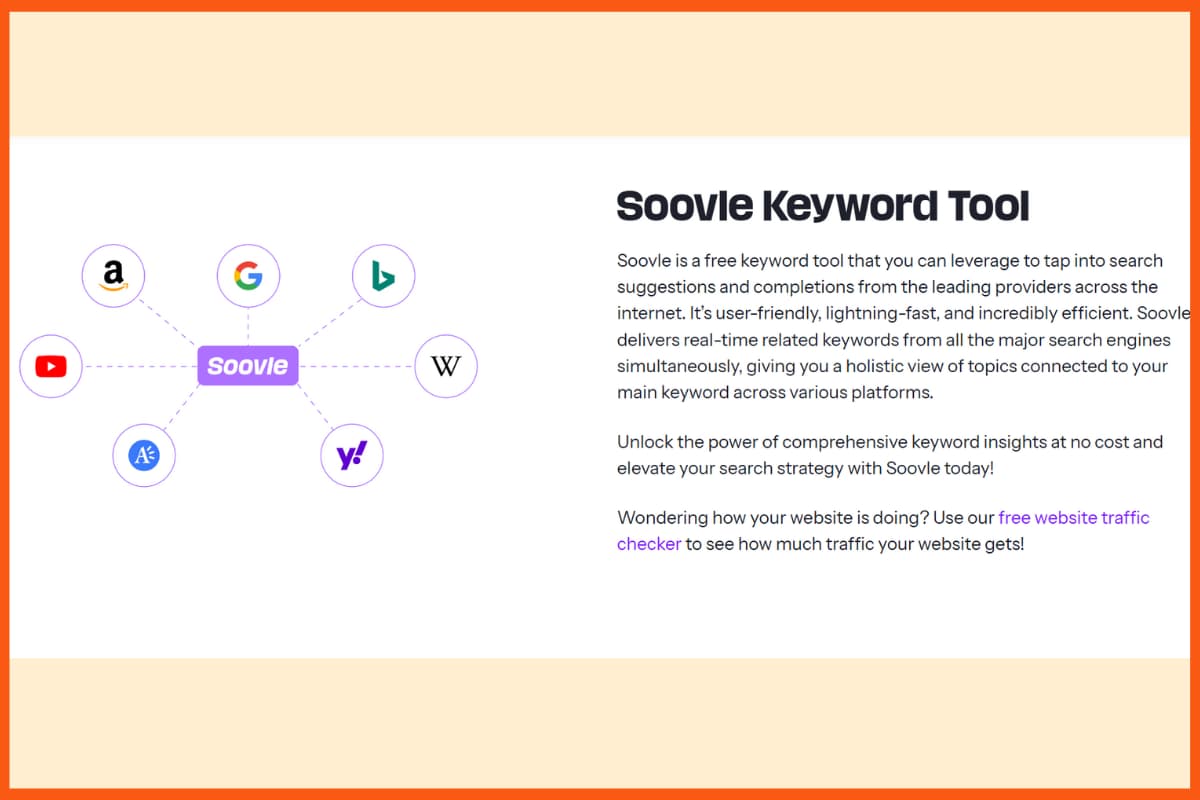
Using the right tools makes keyword research easier. Google Keyword Planner is free and useful for finding popular keywords. It shows search volume and competition levels. Other tools like Ubersuggest and AnswerThePublic help find questions and ideas people search for.
These tools also suggest related keywords. They reveal trends and new topics. Using more than one tool gives a better picture of what users want.
Analyzing Competitor Keywords
Checking your competitors’ keywords shows what works in your niche. Tools like SEMrush or Ahrefs let you see which keywords your rivals rank for. This insight helps you find gaps and opportunities.
Look for keywords your competitors use but you don’t. Also, find keywords they rank low on and try to improve. This method guides your content to outrank others.
Optimizing Website Content
Optimizing website content helps your site rank better in search results. It also improves user experience and keeps visitors engaged. Using the right keywords in the right way is key to this process.
Good content makes search engines understand your site’s topic. It also shows your audience you have useful information. Focus on clear, simple writing and smart keyword use.
Incorporating Keywords Naturally
Place keywords where they fit smoothly in the text. Avoid stuffing them in awkward spots or repeating too much. Write for people first, then for search engines. Use variations and related terms to keep content fresh and natural.
Creating High-quality Content
Offer useful and original information that answers questions. Keep sentences short and easy to read. Use clear examples and simple language. Update content regularly to stay relevant and trustworthy.
Using Keywords In Titles And Meta Tags
Include main keywords in your page titles to boost visibility. Write clear and catchy meta descriptions with keywords. These help search engines and users understand your page quickly. Keep titles under 60 characters and meta descriptions under 160 characters.
Technical Seo For Keywords
Technical SEO plays a big role in how well your site ranks for keywords. It helps search engines read and understand your pages better. This improves your chances of showing up for the right keywords. Technical SEO also makes your site work faster and smoother for visitors.
Good technical SEO supports your keyword strategy. It ensures your site is easy to crawl and loads quickly. These factors matter a lot for search rankings. Here are some key parts of technical SEO to focus on.
Improving Site Speed
Site speed affects how users and search engines see your website. Fast pages keep visitors from leaving early. Slow sites lose traffic and rank lower in search results. Compress images to reduce file size. Use caching to load pages faster. Minimize code like CSS and JavaScript. Test your site speed regularly to find and fix issues.
Mobile Optimization
Most searches happen on mobile devices today. A site that works well on phones ranks better. Use responsive design to fit all screen sizes. Make buttons easy to tap and text easy to read. Avoid pop-ups that cover content on small screens. Google prefers mobile-friendly sites for keyword rankings.
Structured Data And Schema Markup
Structured data helps search engines understand your content. Schema markup adds extra info about your pages. It can show rich results like stars, prices, or FAQs in search listings. This makes your site stand out and attract clicks. Use schema for products, articles, events, and more. Validate your markup to avoid errors.

Credit: www.abstraktmg.com
Tracking And Measuring Success
Tracking and measuring success is key to improving your website’s keyword strategy. It shows what works and what needs change. Without tracking, efforts may go to waste. Data helps you make smart choices and grow traffic.
Setting Up Analytics
Start by setting up analytics tools on your website. Google Analytics is a popular and free option. It tracks visitor behavior, traffic sources, and conversions. Connect Google Search Console to see how your keywords perform in search. These tools give clear data about your site’s health.
Monitoring Keyword Rankings
Check your keyword rankings regularly. This shows where your site appears in search results. Use rank tracking tools to follow changes over time. Notice which keywords move up or down. This insight helps you understand your SEO progress.
Adjusting Strategies Based On Data
Use the data to improve your keyword strategy. Focus more on keywords that bring traffic and leads. Drop or change those that do not perform well. Test different content or keywords to find better options. Keep adjusting to stay ahead in search results.
Advanced Keyword Strategies
Advanced keyword strategies help websites rank higher in search results. They focus on specific techniques that attract the right visitors. Using these methods improves your site’s visibility and drives more targeted traffic. These strategies go beyond basic keyword use to reach niche audiences and user intent.
Long-tail Keywords
Long-tail keywords are longer and more specific phrases. They have less competition than broad keywords. These keywords attract visitors who know exactly what they want. Using long-tail keywords helps your site rank faster. They improve conversion rates because visitors find relevant content. Focus on phrases with three or more words. This targets users with clear search intent.
Local Seo Tactics
Local SEO targets users in specific locations. It uses keywords that include city names or neighborhoods. Local tactics help small businesses reach nearby customers. Adding location-based keywords improves your chances in local searches. Claim your Google My Business listing for better local visibility. Encourage customers to leave reviews for trust. Local SEO boosts foot traffic and local sales.
Voice Search Optimization
Voice search grows with smart devices and virtual assistants. People use natural, conversational phrases when speaking. Optimizing for voice search means using simple, question-based keywords. Focus on how people talk, not type. Include phrases like “how to,” “best way to,” or “where is.” Voice search optimization improves mobile and local traffic. It helps your site answer quick questions users ask aloud.
Credit: startuptalky.com
Frequently Asked Questions
How Do I Search A Website For Specific Keywords?
Use the browser’s “Find” feature by pressing Ctrl+F or Command+F. Enter your keyword to highlight matches on the page instantly.
What Tools Help Search Keywords Within A Website?
Tools like Screaming Frog, Ahrefs, and SEMrush scan websites for keywords and show their usage, helping optimize content effectively.
Can I Search Keywords On Multiple Website Pages Simultaneously?
Yes, tools like Site Search 360 or Google’s site operator enable keyword searches across multiple pages on a website quickly.
Why Is Searching Keywords On A Website Important?
It helps identify keyword distribution, optimize SEO, improve content relevance, and discover opportunities to enhance user engagement and rankings.
Conclusion
Searching your website for keywords helps improve your content’s reach. It shows what topics your site covers well. It also points out missing or weak areas. Use simple tools to find important words fast. Regular checks keep your website updated and relevant.
Clear keywords make it easy for visitors to find you. Start searching today to boost your website’s visibility. Small steps lead to better results over time. Keep it simple, stay consistent, and watch your site grow.