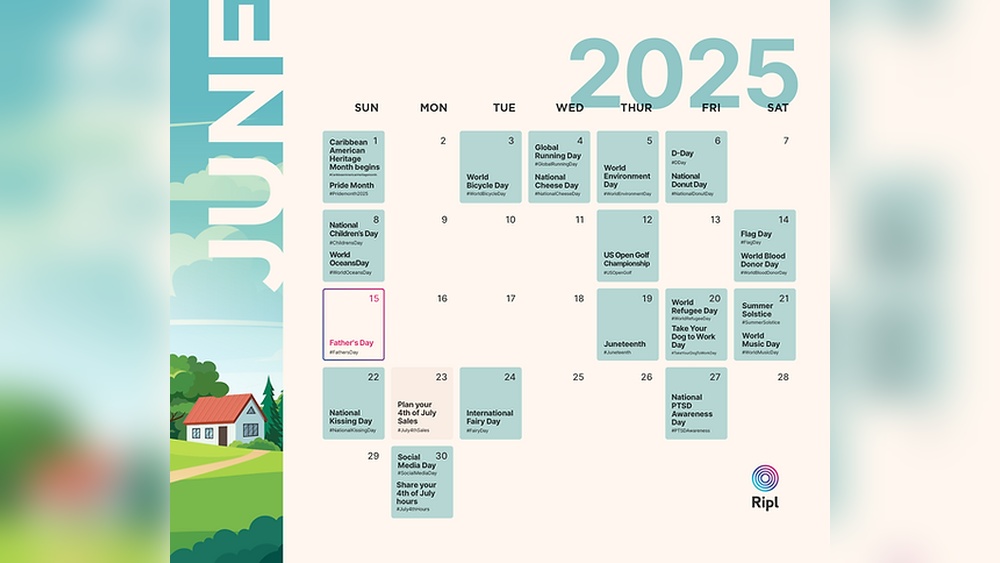
Are you struggling to keep your social media posts organized and consistent? A social media calendar can be your secret weapon to stay on top of your game.
Imagine having a clear plan that saves you time, boosts your engagement, and helps you reach your goals faster. You’ll discover how to create and use a social media calendar that fits your needs perfectly. Ready to take control of your social media and see real results?
Let’s dive in.
Benefits Of A Social Media Calendar
A social media calendar helps plan posts ahead of time. It keeps content organized and consistent. This tool saves time by scheduling posts in advance. No last-minute rush. It also helps track important dates and events.
Using a calendar reduces stress. It gives a clear view of what to post each day. Teams can work better together. Everyone knows their tasks and deadlines. This leads to better quality content and more engagement.
Improves Content Consistency
Posting regularly keeps followers interested. A calendar helps maintain a steady flow. It avoids long gaps without posts. Consistency builds trust with the audience. They expect new content often.
Enhances Time Management
Planning posts saves time daily. Bulk creating content is easier. Scheduling posts frees up time for other tasks. Less time spent on urgent posting.
Supports Better Collaboration
Teams see the full content plan. Everyone knows what to create and when. This reduces confusion and errors. It improves teamwork and productivity.
Tracks Important Dates And Campaigns
A calendar highlights holidays and events. It helps plan special campaigns early. Posts align with key dates for better impact. No missed opportunities.
Measures And Improves Performance
Tracking posts helps see what works. Data guides future content decisions. A calendar makes reviewing easier. Adjustments lead to better results.

Credit: www.slidegeeks.com
Choosing The Right Platforms
Choosing the right social media platforms is key to a good content calendar. Each platform serves a unique audience and style. Picking the right one helps you reach more people.
Focus on platforms where your target audience spends time. This choice saves effort and boosts engagement. Not every platform suits every business or message.
Understanding Your Audience
Know who your audience is. Age, interests, and habits matter most. Younger people prefer Instagram or TikTok. Older users may favor Facebook or LinkedIn. Tailor your platform choice to these details.
Matching Content Type To Platform
Different platforms support different content styles. Instagram works well with photos and short videos. Twitter is great for quick updates and news. Choose platforms that fit your content type.
Evaluating Platform Features
Each platform offers unique tools. Stories, live videos, and groups can increase interaction. Check which features match your goals. Use tools that help your message shine.
Considering Time And Resources
Manage only the platforms you can handle. Posting regularly is key for success. Choose fewer platforms and post well than many poorly. Quality beats quantity in social media presence.
Setting Goals And Objectives
Setting clear goals and objectives is key for a social media calendar. Goals guide your content and measure success. Without clear targets, posts may lack focus and fail to engage your audience.
Goals help you decide what to post and when. Objectives break down these goals into small, achievable steps. Both work together to keep your social media efforts on track and effective.
Define Your Main Purpose
Start by identifying what you want to achieve. Is it brand awareness, lead generation, or customer support? Your main purpose shapes your entire social media strategy. Clear purpose helps avoid random posts and wasted time.
Set Measurable Targets
Choose goals that you can track with numbers. Examples include increasing followers by 10% or getting 50 comments per post. Measurable targets show progress and keep your team motivated.
Align Goals With Business Needs
Match your social media goals with business objectives. For example, if sales growth is a priority, focus on posts that drive traffic to your website. This alignment ensures social media supports overall success.
Break Goals Into Smaller Tasks
Divide big goals into smaller, clear tasks. For instance, plan daily posts or weekly promotions. Small tasks make goals easier to reach and help maintain consistent content flow.
Content Planning Strategies
Content planning strategies help create a clear path for social media success. They organize ideas and keep posts consistent. A good plan saves time and keeps the audience interested. Careful planning avoids last-minute stress and random posts.
Effective strategies focus on varied content, balance, and trends. This approach builds a strong connection with followers. It keeps your brand fresh and relevant.
Content Themes And Types
Choose content themes that fit your brand and audience. Themes give your posts a clear focus. For example, tips, stories, or behind-the-scenes looks.
Use different types of content like images, videos, and text. Variety keeps the feed interesting. It also reaches different people’s preferences.
Balancing Promotional And Engaging Posts
Mix promotional posts with engaging ones. Promotional posts sell products or services directly. Engaging posts encourage interaction and build trust.
Too many promotions can turn followers away. Engaging posts keep the audience involved and loyal. Aim for a healthy mix to keep interest high.
Incorporating Trends And Hashtags
Spot current trends that fit your brand style. Trends boost visibility and show you are up-to-date. Use popular hashtags related to your content.
Hashtags help new people find your posts. Choose hashtags carefully to reach the right audience. Avoid overusing them to keep posts clean and clear.
Scheduling Tools And Apps
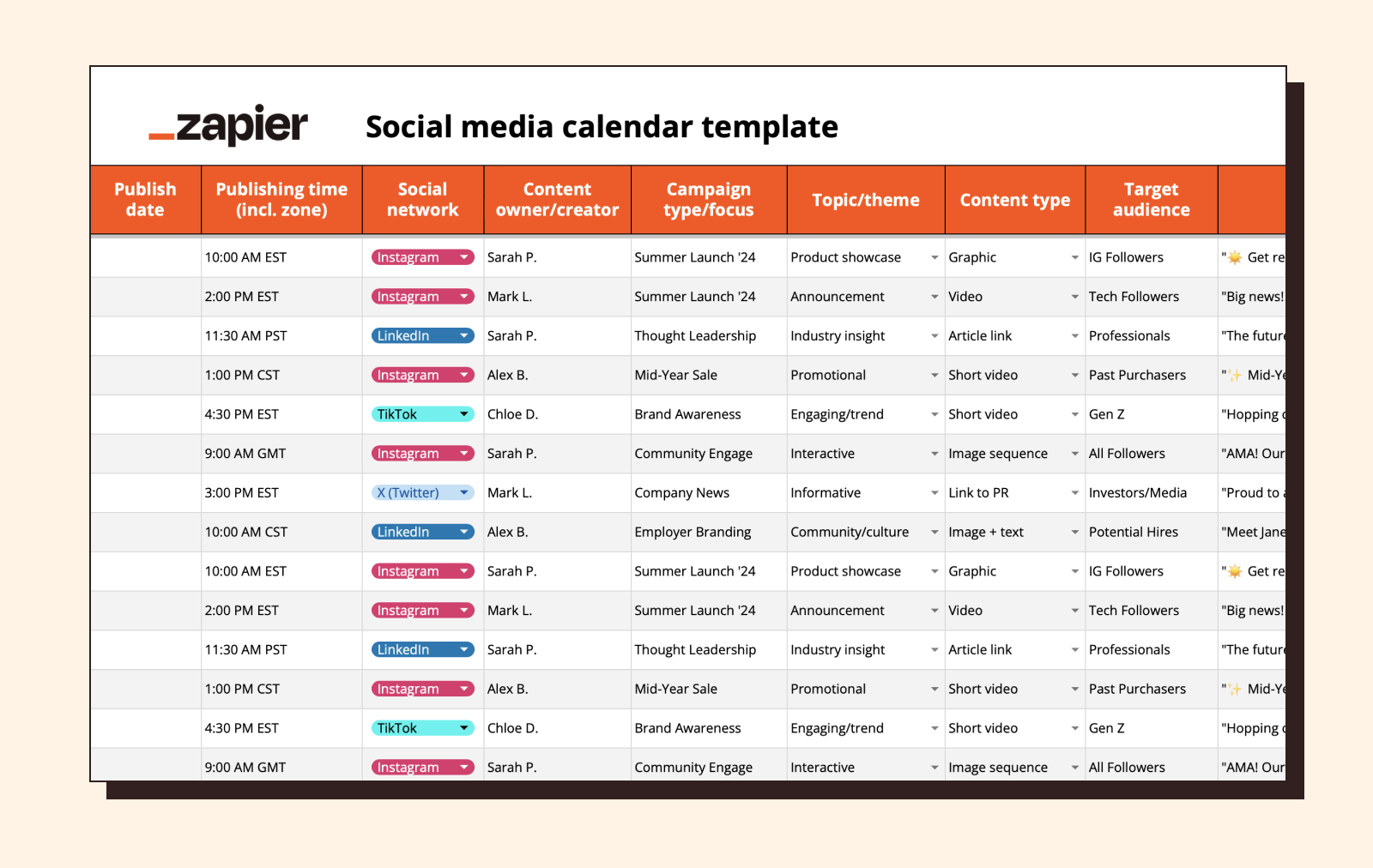
Scheduling tools and apps help plan social media posts in advance. They save time and keep content consistent. Using these tools makes managing multiple accounts easier. You can set posts to go live at the best times. This keeps your audience engaged without constant effort.
Top Scheduling Platforms
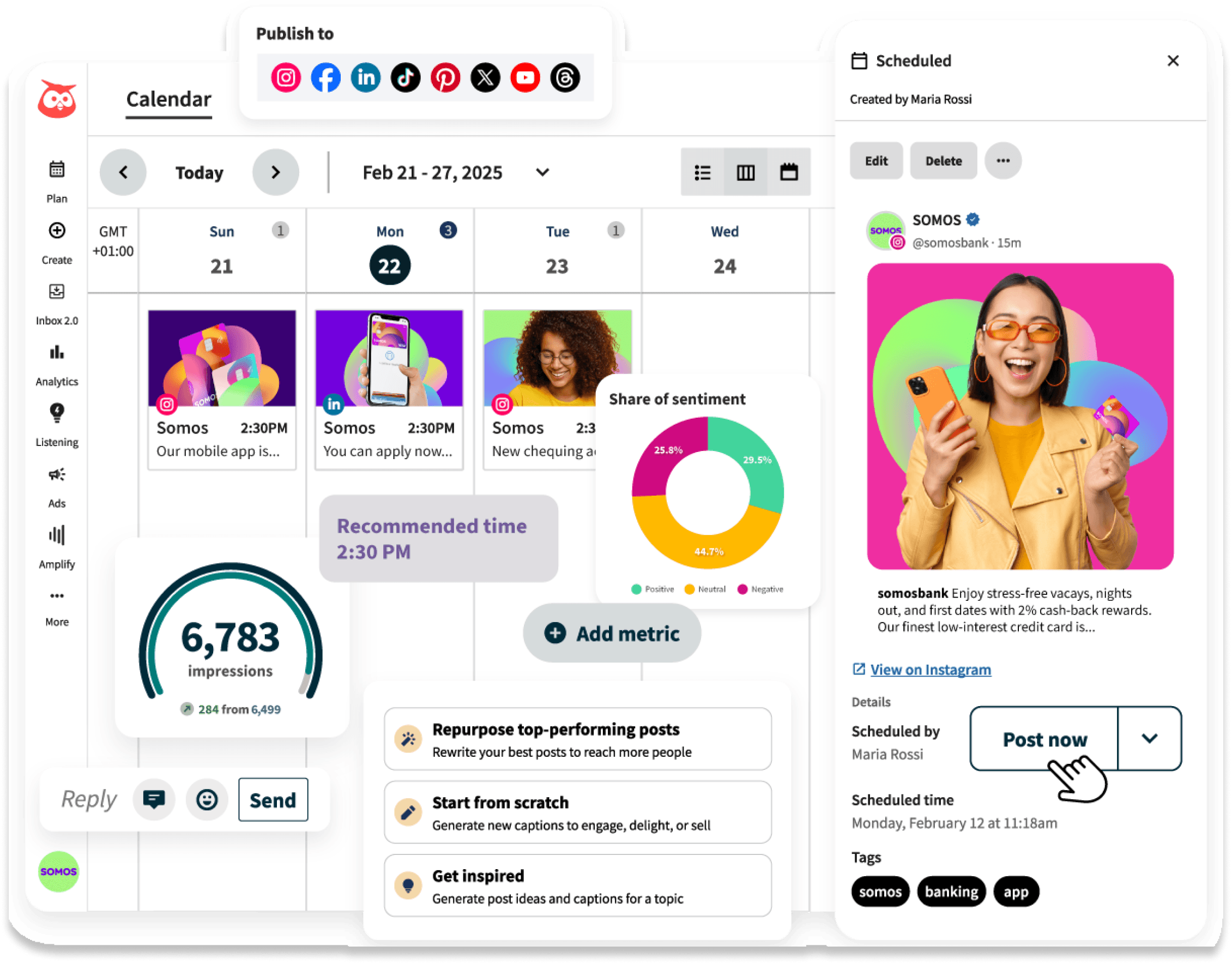
Several scheduling platforms are popular among marketers. Buffer offers a simple, user-friendly interface for beginners. Hootsuite supports many social networks in one place. Later focuses on visual planning, ideal for Instagram. Each platform fits different needs and budgets.
Automation Tips
Set posting times based on audience activity. Use batching to create content in one session. Schedule posts for different time zones if needed. Avoid over-automating; keep some posts live for interaction. Regularly update your calendar to stay relevant.
Integrating Analytics
Many scheduling tools include basic analytics features. Track which posts get the most likes and shares. Use data to adjust posting times and content types. Connect tools with Google Analytics for deeper insights. Analyze results to improve your social media strategy.
Credit: zapier.com
Creating A Posting Schedule
Creating a posting schedule helps keep your social media organized. It makes sure you share content regularly. A good schedule saves time and builds audience trust. Planning posts ahead avoids last-minute stress. It also helps track what works best for your followers.
Frequency And Timing
Decide how often to post each week. Too many posts can annoy followers. Too few posts may reduce interest. Find a balance that fits your content and audience. Post at times when your followers are active. This improves chances they see and engage with posts.
Best Days To Post
Some days get more social media traffic than others. Weekdays often have steady activity. Midweek days like Tuesday or Wednesday can work well. Weekends may work better for certain topics. Test different days to find what suits your audience best.
Adjusting For Audience Behavior
Watch how your audience reacts to posts. Check which posts get more likes, shares, or comments. Use this data to change your posting times and days. Keep testing and adjusting your schedule regularly. This helps keep your audience interested and engaged.
Measuring Engagement Metrics
Measuring engagement metrics is a key step in managing a social media calendar. It shows how well your posts connect with your audience. Tracking these metrics helps spot what works and what does not.
Understanding engagement allows you to improve content and timing. It also helps in setting realistic goals. Use data to make smarter decisions for future posts.
Key Performance Indicators
Key performance indicators (KPIs) are numbers that show your success. Common KPIs include likes, comments, shares, and clicks. Each metric tells a different story about audience interest.
Choose KPIs that match your goals. For brand awareness, focus on reach and impressions. For sales, track click-through rates and conversions.
Tracking Growth Over Time
Watch how your engagement changes week by week. Tracking growth shows if your strategy helps or needs work. Compare data over months to see clear trends.
Note spikes after special campaigns or posts. Consistent growth means your content connects well with followers. Sudden drops call for quick reviews and changes.
Using Data To Refine Strategy
Use engagement data to tweak your social media plan. Drop content types that get low interaction. Post more of what your audience enjoys.
Adjust posting times based on when users are active. Test new ideas and measure their impact. Data guides smarter choices and better results.
Tips To Boost Engagement Quickly
Boosting engagement on social media fast requires smart planning. A social media calendar helps schedule posts that connect with your audience. Focus on content that invites interaction and builds community. Use simple strategies that encourage likes, comments, and shares. Here are quick tips to help you get more engagement now.
Interactive Content Ideas
Ask questions in your posts to start conversations. Polls and quizzes make followers participate easily. Use short videos or stories to show behind-the-scenes moments. Contests or giveaways invite users to join and share. Always encourage followers to comment or tag friends. Simple interactive content keeps your audience active and interested.
Leveraging User-generated Content
Share posts from your followers to show appreciation. User content builds trust and makes your brand feel real. Encourage followers to post with your product or service. Create a unique hashtag for easy content collection. Reposting user content adds variety and boosts engagement quickly. It also helps your community feel valued and heard.
Collaborations And Partnerships
Work with influencers or brands that share your audience. Joint posts or live sessions attract more viewers. Collaborations bring fresh ideas and new followers. Partner content often gets higher engagement than solo posts. Tagging partners helps reach a wider audience fast. These efforts make your social media calendar more dynamic and engaging.
Common Mistakes To Avoid
A social media calendar helps plan posts and keep content organized. Many people make simple mistakes that reduce its effectiveness. Avoiding these errors saves time and improves engagement.
Understanding common pitfalls makes your calendar more useful. It helps you stay consistent and reach your audience better.
Not Planning Enough Content Variety
Posting the same type of content bores your audience. Mix images, videos, text, and links. Variety keeps followers interested and engaged.
Ignoring Posting Times
Posting without considering when your audience is online wastes effort. Check your analytics to find the best times. Schedule posts during peak hours for more views.
Skipping Regular Updates
A calendar is not a one-time setup. Update it often with new ideas and changes. Stale content makes your brand look inactive.
Overloading The Schedule
Too many posts can annoy followers. Find a balance between staying visible and not overwhelming your audience. Quality over quantity wins.
Not Reviewing Performance
Ignoring how posts perform stops you from improving. Track engagement and adjust your calendar based on what works best. Learning from data is key.
Credit: www.hootsuite.com
Frequently Asked Questions
What Is A Social Media Calendar?
A social media calendar is a tool for planning and scheduling posts. It helps organize content across platforms. Using it improves consistency and engagement. It saves time and aligns marketing goals. Businesses often use it to maintain a steady online presence.
How Do I Create An Effective Social Media Calendar?
Start by defining goals and target audience. Choose posting frequency and platforms. Plan content themes and key dates. Use scheduling tools for automation. Review and adjust regularly based on performance. This ensures relevant and timely posts.
Why Is A Social Media Calendar Important?
It maintains content consistency and improves audience engagement. A calendar helps avoid last-minute posts and errors. It supports strategic planning and goal alignment. Teams collaborate better with clear schedules. Overall, it boosts marketing efficiency and brand presence.
Which Tools Are Best For Social Media Calendars?
Popular tools include Hootsuite, Buffer, and Trello. They offer scheduling, analytics, and collaboration features. Choose a tool based on platform support and ease of use. Many tools integrate with social networks directly. This simplifies managing multiple accounts efficiently.
Conclusion
A social media calendar helps you plan posts clearly and on time. It saves effort and keeps your content organized every week. You can see what to share and avoid last-minute stress. Staying consistent builds trust with your audience. Simple steps lead to better results.
Try creating your own calendar to stay focused and grow your presence. Small changes bring steady progress. Keep it easy, follow your plan, and watch your social media improve.