Are you struggling to create the perfect test email message sample that truly checks your email setup? Whether you want to see how your emails look or ensure they land right in your recipient’s inbox, having a clear and effective test email is key.
You’ll find simple yet powerful examples that help you spot issues before sending your real emails. Keep reading to discover how the right test email message can save you time, boost your confidence, and improve your email results every single time.
Importance Of Email Testing
Email testing is a crucial step before sending any email campaign. It ensures your message reaches the right inbox without issues. Skipping this step can lead to poor performance and lost opportunities.
Testing helps check the email’s design, content, and technical setup. It reveals problems that could hurt your results. Proper email testing saves time and improves your campaign’s success.
Impact On Deliverability
Email testing affects whether your emails reach the inbox or spam folder. It checks for technical errors like broken links and missing sender info. Fixing these issues helps your emails avoid spam filters. Good deliverability means more people see your message.
Enhancing User Experience
Testing shows how your email looks on different devices and apps. It ensures your email is easy to read and navigate. A clean, clear email makes readers stay longer. A good experience increases the chance they act on your message.
Avoiding Common Errors
Simple mistakes can ruin your email campaign. Testing catches spelling mistakes, broken links, and wrong images. It also checks if all buttons and links work. Avoiding these errors makes your emails look professional and trustworthy.
Key Elements Of A Test Email
Testing emails before sending is important. It helps catch errors and improve results. A good test email checks many details. These details make sure your message looks right and works well for readers.
Here are some key elements to include in a test email. They help you see how your email will perform. Fixing these parts early saves time and avoids mistakes.
Subject Line Variations
Try different subject lines in your test email. See which one grabs attention best. Short and clear subject lines often work well. Test words that create curiosity or urgency. This helps increase the chance people open your email.
Personalization Tokens
Use personalization tokens to add names or details. This makes your email feel special to each reader. Test these tokens to ensure they show correctly. Broken tokens can confuse readers or look unprofessional.
Call-to-action Buttons
Include call-to-action (CTA) buttons in your test email. Check that each button links to the right place. Make sure buttons stand out with clear text. Strong CTAs guide readers to take the next step.
Image And Link Checks
Check all images in your test email load properly. Broken images hurt the email’s appearance. Verify every link works and goes to the correct page. This prevents frustration and builds trust with readers.
Types Of Email Tests
Testing emails is important to ensure they work well and reach the audience effectively. Different types of email tests check various parts of your message. Each test helps improve the email’s performance and user experience.
Understanding the types of email tests helps you choose the right method. This way, you can fix issues before sending the final email. Let’s explore the main types of email tests used by marketers and developers.
A/b Testing
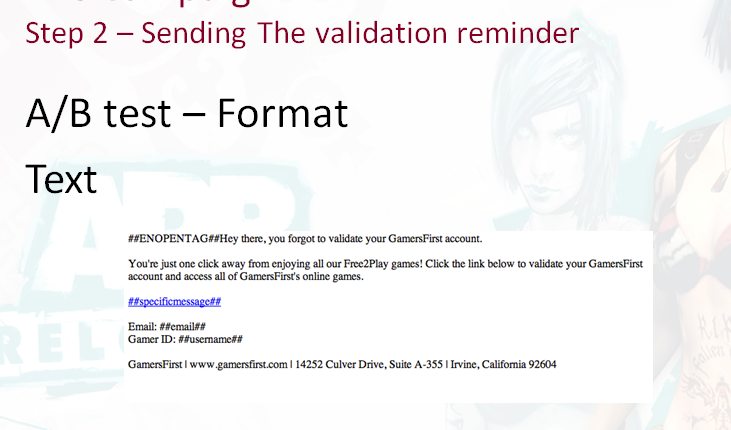
A/B testing compares two versions of an email. It shows each version to a small group of people. The one with better results is sent to the rest. This test helps find the best subject lines, images, or call-to-actions. A simple change can increase clicks and opens.
Spam Filter Testing
Spam filter testing checks if your email goes to the inbox or spam folder. It scans the email for words or links that look suspicious. This test helps fix problems that cause emails to be blocked. Ensuring your message reaches the inbox boosts engagement.
Rendering Across Devices
Emails look different on phones, tablets, and computers. Rendering tests show how your email appears on various devices and email apps. This test finds layout or image issues that hurt readability. A clean design on all devices keeps readers interested.
Load Testing
Load testing measures how well your email system handles many emails sent at once. It checks if servers can deliver emails without delay or failure. This test is key for large campaigns to avoid crashes or slowdowns. Reliable delivery keeps your brand’s reputation strong.

Credit: backlinko.com
Tools For Email Testing
Email testing tools help check your messages before sending. They make sure your emails look good and work well on different devices and apps. These tools find errors and show how your email appears to users.
Choosing the right testing tool saves time. It helps catch mistakes early. Your emails get delivered correctly and look professional. Here are key features of popular email testing tools.
Popular Testing Platforms
Many platforms offer email testing. Some well-known ones include Litmus, Email on Acid, and Mailtrap. They show previews of emails on various devices. These platforms check for broken links and spam triggers. They also test email load speed and image display.
Integrations With Email Clients
Good tools connect with popular email clients. They work with Gmail, Outlook, Apple Mail, and others. This integration helps test emails in real user environments. It ensures consistent design and functionality. No surprises after sending.
Automation Features
Automation saves time in testing emails. Some tools run tests automatically before sending. They scan for common issues like broken links or missing images. Automated reports show issues clearly. This helps fix problems fast and send better emails.
Creating Effective Test Email Samples
Creating effective test email samples helps ensure your emails look and work perfectly. These samples let you see how your message appears to readers. They also help catch mistakes before sending to real users. Testing emails with good samples saves time and improves results.
Crafting Sample Content
Write clear and simple text for your test emails. Use short sentences and common words. Include key information like greetings, offers, and calls to action. Avoid complex phrases that confuse readers. Your sample should match the tone of your real emails.
Using Realistic Data
Fill your test emails with real-like names, addresses, and dates. This helps you check how personalized content looks. Use typical email addresses and phone numbers. Realistic data shows if your email system handles details correctly. It also helps spot formatting problems.
Testing Different Scenarios
Try various email types and situations in your tests. Include cases with missing images or broken links. Test emails on different devices and email clients. Check how your email looks with long and short text. Testing many scenarios prevents errors in live emails.
Best Practices For Email Testing
Testing emails before sending them is key to success. It helps catch mistakes and improve message quality. Following best practices makes testing easier and more effective. It saves time and boosts email performance.
Frequency And Timing
Test emails often during the creation process. This finds errors early and avoids last-minute problems. Schedule tests at different times to see how emails perform. Testing at various times helps reach more readers.
Team Collaboration
Work with your team to test emails. Different eyes find different issues. Share test emails with colleagues for feedback. Use their input to fix mistakes and improve content. Teamwork leads to better email quality.
Analyzing Test Results
Look closely at test results after each send. Check links, images, and formatting carefully. See how emails display on phones and computers. Use this data to make quick changes. Good analysis helps create strong final emails.
Common Pitfalls To Avoid
Testing your email message is crucial for success. Many make mistakes that reduce email effectiveness. Avoiding common pitfalls helps your email reach and engage readers better.
Ignoring Mobile Optimization
Most people check email on phones. Emails not designed for mobile look bad or break. Text may be too small or images misaligned. Make sure your test email works on all screen sizes. Mobile-friendly emails get more clicks and fewer deletions.
Overlooking Accessibility
Emails must be easy to read for everyone. Some users have vision or hearing difficulties. Use clear fonts, good color contrast, and alt text for images. This makes your email usable by more people. Accessibility shows you care and helps avoid losing readers.
Skipping Link Verification
Broken or wrong links frustrate readers. Test every link in your email carefully. Check if links open the right page and work on mobile devices. Verified links build trust and improve user experience. Never send an email without confirming all links.

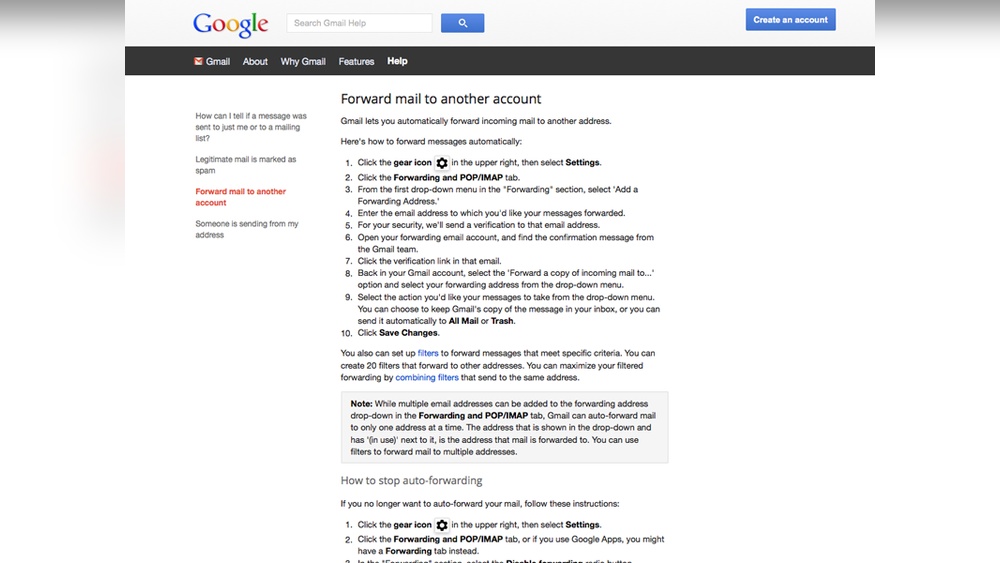
Credit: docs.ghostinspector.com
Credit: marketingexperiments.com
Frequently Asked Questions
What Is A Test Email Message Sample?
A test email message sample is a draft used to check email format, content, and delivery. It ensures your email looks correct and functions well before sending to real recipients. This helps avoid errors and improves email campaign effectiveness.
Why Use A Test Email Message Sample?
Using a test email sample helps identify formatting, spelling, and link errors early. It ensures your email displays correctly on different devices and email clients. Testing improves professionalism and increases the chances of your message being well received.
How To Create An Effective Test Email Message Sample?
An effective test email includes clear subject lines, concise content, and proper formatting. It should test images, links, and call-to-action buttons. Preview it on multiple devices to ensure consistent appearance and functionality before final sending.
Can Test Email Samples Improve Email Marketing?
Yes, test email samples improve email marketing by catching errors and optimizing design. They help ensure your message reaches the audience as intended. This increases engagement rates and reduces bounce or spam complaints.
Conclusion
Testing your email messages helps ensure clear communication. Simple samples make it easy to check content and format. Use test emails to find mistakes before sending to others. This saves time and avoids confusion. Keep your messages short, friendly, and to the point.
Regular testing improves your email skills over time. Try different samples to see what works best. Good emails build trust and get better responses. Always review before you hit send.