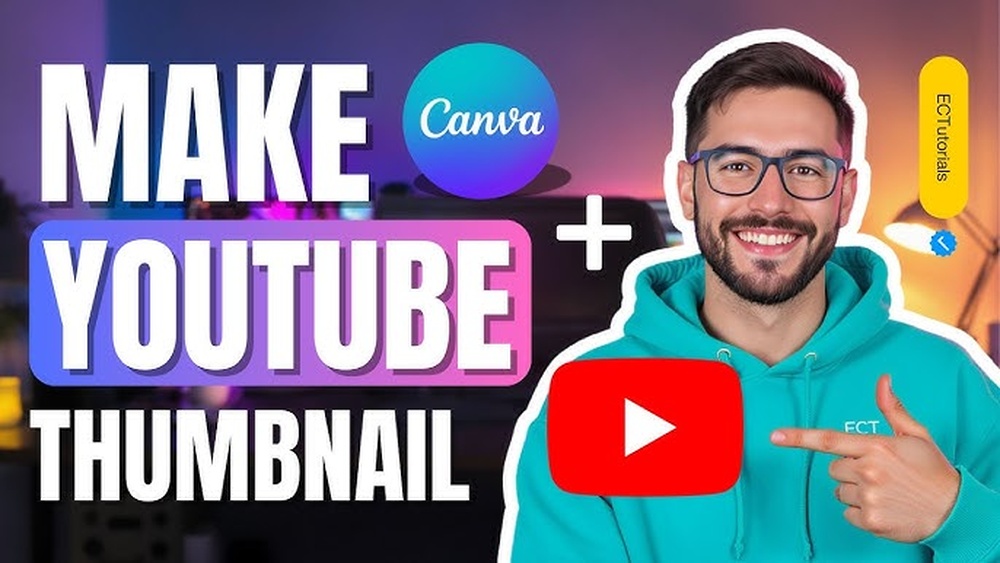
Your thumbnail is the first thing people see before clicking on your video, article, or product. It can make or break their decision to explore what you have to offer.
But what makes a thumbnail truly effective? How can you create one that grabs attention and drives more clicks? Keep reading, because mastering the art of thumbnails could be the key to boosting your views and engagement like never before.
You don’t want to miss these simple yet powerful tips that anyone can use!
Importance Of Thumbnails
Thumbnails play a key role in attracting viewers to your content. They act as a preview image that shows what your video or article is about. A good thumbnail grabs attention and makes people want to click. Without a strong thumbnail, your content may go unnoticed, even if it is valuable.
First Impressions Matter
Thumbnails create the first impression of your content. They are often the first thing people see. A clear and appealing thumbnail builds trust and interest. It tells viewers your content is worth their time. A blurry or dull thumbnail can make viewers skip your content.
Impact On Click-through Rates
Thumbnails directly affect click-through rates (CTR). A bright and relevant thumbnail can increase clicks. More clicks mean more views and engagement. Thumbnails with faces or clear images tend to attract more attention. Choosing the right thumbnail helps your content stand out in crowded feeds.
Credit: www.adobe.com
Elements Of Stunning Thumbnails
Thumbnails play a key role in catching viewers’ attention online. A stunning thumbnail invites clicks and interest. It must stand out in crowded spaces like YouTube or blogs.
Several elements make thumbnails effective. These parts work together to create a strong visual impact. The right choices help your content get noticed quickly.
Use Of Vibrant Colors
Bright and bold colors attract eyes instantly. They create contrast and make images pop. Vibrant colors help your thumbnail stand out on busy screens. Choose colors that match your brand or theme. Avoid dull or washed-out tones that blend in.
Clear And Bold Text
Text on thumbnails must be easy to read fast. Use large, bold fonts that show clearly on small screens. Keep words short and simple. The message should be clear at a glance. Avoid cluttering text with too many words or fancy fonts.
Expressive Faces And Emotions
Faces showing strong emotions draw viewers in. Happy, surprised, or curious expressions create connection. People react to human emotions quickly. Use close-up shots that focus on the face. This adds personality and makes thumbnails more relatable.
Design Tips For High Engagement
Designing thumbnails that attract clicks is key to online success. A well-crafted thumbnail grabs attention fast. It tells viewers what to expect. Clear and simple designs work best. They help viewers decide quickly to watch your content. Focus on a few important elements to boost engagement.
Simplicity And Clarity
Keep thumbnails easy to understand at a glance. Avoid clutter and too many details. Use bold text that stands out. Choose one main image that shows the video’s topic. Simple designs help viewers recognize your content quickly. Clear thumbnails invite more clicks and views.
Consistent Branding
Use colors and fonts that match your brand style. Consistency builds trust and makes your content recognizable. Add a logo or a small symbol to every thumbnail. This creates a visual pattern viewers remember. Consistent branding helps grow your audience over time.
Optimal Image Resolution
Use high-quality images that look sharp on all devices. Blurry or pixelated thumbnails reduce trust. Aim for at least 1280 x 720 pixels. Make sure the image loads fast without losing quality. Clear, crisp images improve click rates and viewer experience.
Tools And Software For Thumbnail Creation
Creating eye-catching thumbnails starts with the right tools. The software you choose affects the quality and speed of your work. Various options suit different needs and skill levels. Some are free and simple, while others offer advanced features for professionals. Mobile apps provide quick fixes on the go. This section explores popular tools to help you create thumbnails effectively.
Free Online Editors
Free online editors are perfect for beginners and casual users. They require no installation and work in browsers. Tools like Canva, Fotor, and Pixlr offer easy drag-and-drop features. They have templates designed for thumbnails. Users can add text, shapes, and images without much effort. These editors save time and still produce good results. Ideal for those who want fast and simple designs.
Professional Design Software
Professional software suits designers who need more control. Adobe Photoshop and Illustrator are popular choices. These programs offer advanced tools for detailed editing. Layers, masks, and filters help create unique thumbnails. They support high-resolution images and custom dimensions. The learning curve is steeper but worth it. Perfect for users who want polished and complex designs.
Mobile Apps For Quick Edits
Mobile apps allow thumbnail creation anywhere, anytime. Apps like Snapseed, PicsArt, and Adobe Spark are user-friendly. They offer basic editing tools and preset filters. Users can add text and stickers with ease. These apps work well for quick updates or simple designs. Great for creators who need to edit on the move.
Testing And Optimizing Thumbnails
Testing and optimizing thumbnails is key to attracting viewers. Thumbnails act as the first impression for your content. A small change can boost clicks and views. Regular testing helps find what works best. Optimization ensures thumbnails stay relevant and appealing.
A/b Testing Methods
A/B testing shows two thumbnail versions to users. It compares which one gets more clicks. Keep changes small, like color or text. Test only one element at a time. Use tools that split traffic evenly. Run tests long enough for clear results.
Analyzing Performance Metrics
Track clicks, click-through rates, and watch time. High click rates mean the thumbnail grabs attention. Watch time shows if viewers stay for content. Low engagement signals a need for change. Use analytics to find patterns and trends. Numbers guide decisions, not guesses.
Adjusting Based On Audience Feedback
Read comments and surveys for viewer opinions. Audience feedback reveals what they like or dislike. Adjust colors, images, or text based on responses. Stay open to change and new ideas. Engaging with viewers builds trust and loyalty. Your audience knows what works best for them.
Credit: www.nhm.ac.uk

Credit: www.postermywall.com
Frequently Asked Questions
What Is A Thumbnail In Digital Content?
A thumbnail is a small, clickable image representing larger content. It helps users preview videos, images, or articles quickly.
Why Are Thumbnails Important For Seo?
Thumbnails improve user engagement by attracting clicks. They enhance visual appeal, increasing traffic and boosting search engine rankings.
How To Create An Effective Thumbnail?
Use clear images, bold text, and contrasting colors. Keep it simple, relevant, and visually appealing to capture attention fast.
What Size Should A Thumbnail Be?
Ideal thumbnail size is 1280×720 pixels for HD quality. It ensures clear display across devices and platforms without distortion.
Conclusion
A good thumbnail grabs attention and shows what to expect. It helps people decide to watch or click. Keep it clear, bright, and simple. Use bold colors and readable text. Test different styles to see what works best. Remember, thumbnails are a small but powerful part of your content.
They make a big difference in views and engagement. Keep improving your thumbnails for better results every time.