Are you struggling to get your YouTube videos noticed? Finding the right keywords can make all the difference in reaching more viewers and growing your channel.
But how do you discover the best keywords that people are actually searching for? That’s where YouTube keyword tools come in. These tools help you uncover popular search terms, boost your video rankings, and attract the right audience. Keep reading to learn how you can use these powerful tools to get ahead and make your videos shine.
Credit: ahrefs.com
Importance Of Youtube Keywords
YouTube keywords help people find your videos. They tell YouTube what your content is about. Using the right keywords makes your videos easy to discover. This increases the chance of more views and subscribers. Keywords also help YouTube suggest your videos to the right audience.
How Keywords Drive Views
Keywords match what viewers type in the search box. When your video has popular keywords, it appears in search results. This brings more viewers to your channel. Videos with clear keywords get clicked more often. More clicks mean more views and growth.
Impact On Search Rankings
YouTube ranks videos based on relevance to the search. Keywords play a big role in this ranking. Using strong keywords helps your video rank higher. Higher ranks lead to more visibility on YouTube. This makes your video easier to find by many users.
Top Free Youtube Keyword Tools
Choosing the right keywords helps your videos reach more viewers. Free YouTube keyword tools offer easy ways to find popular and relevant search terms. These tools analyze trends and suggest keywords that match your content. Using them can improve your video titles, descriptions, and tags. Here are some top free tools to try.
Google Trends
Google Trends shows what people search for over time. It compares keywords to see which is more popular. You can filter results by region and category. This helps you find trending topics for your videos. It also shows related queries that can inspire content ideas.
Tubebuddy
TubeBuddy is a browser extension with free keyword research features. It provides keyword scores based on search volume and competition. You get suggestions for tags and titles. TubeBuddy also offers SEO advice to improve your videos. The free version covers basic keyword needs well.
Vidiq
VidIQ offers a free plan with keyword research tools. It shows keyword scores, search volume, and competition levels. You can see which keywords your competitors use. VidIQ helps you pick keywords that rank easier. It also suggests tags to increase your video’s reach.
Keyword Tool
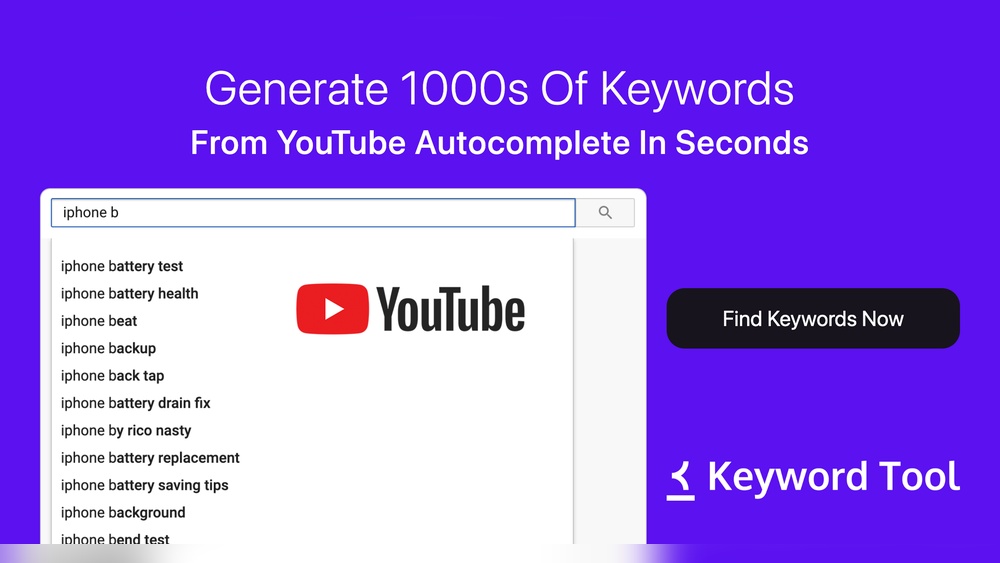
Keyword Tool uses YouTube autocomplete to find keyword ideas. It generates many keyword suggestions quickly. The free version shows keywords without search volume data. It’s useful for brainstorming video topics. You can combine it with other tools for deeper insights.
Ubersuggest
Ubersuggest provides keyword ideas and search data for YouTube. It shows search volume, competition, and trends. The free plan limits daily searches but offers valuable info. Use it to find popular keywords and content gaps. It’s simple and beginner-friendly.
Features To Look For In Keyword Tools
Choosing the right keyword tool for YouTube can be tricky. The best tools offer clear data that helps you find good keywords. Focus on features that give useful, accurate, and easy-to-understand information. This helps you create videos that attract more viewers and grow your channel.
Search Volume Metrics
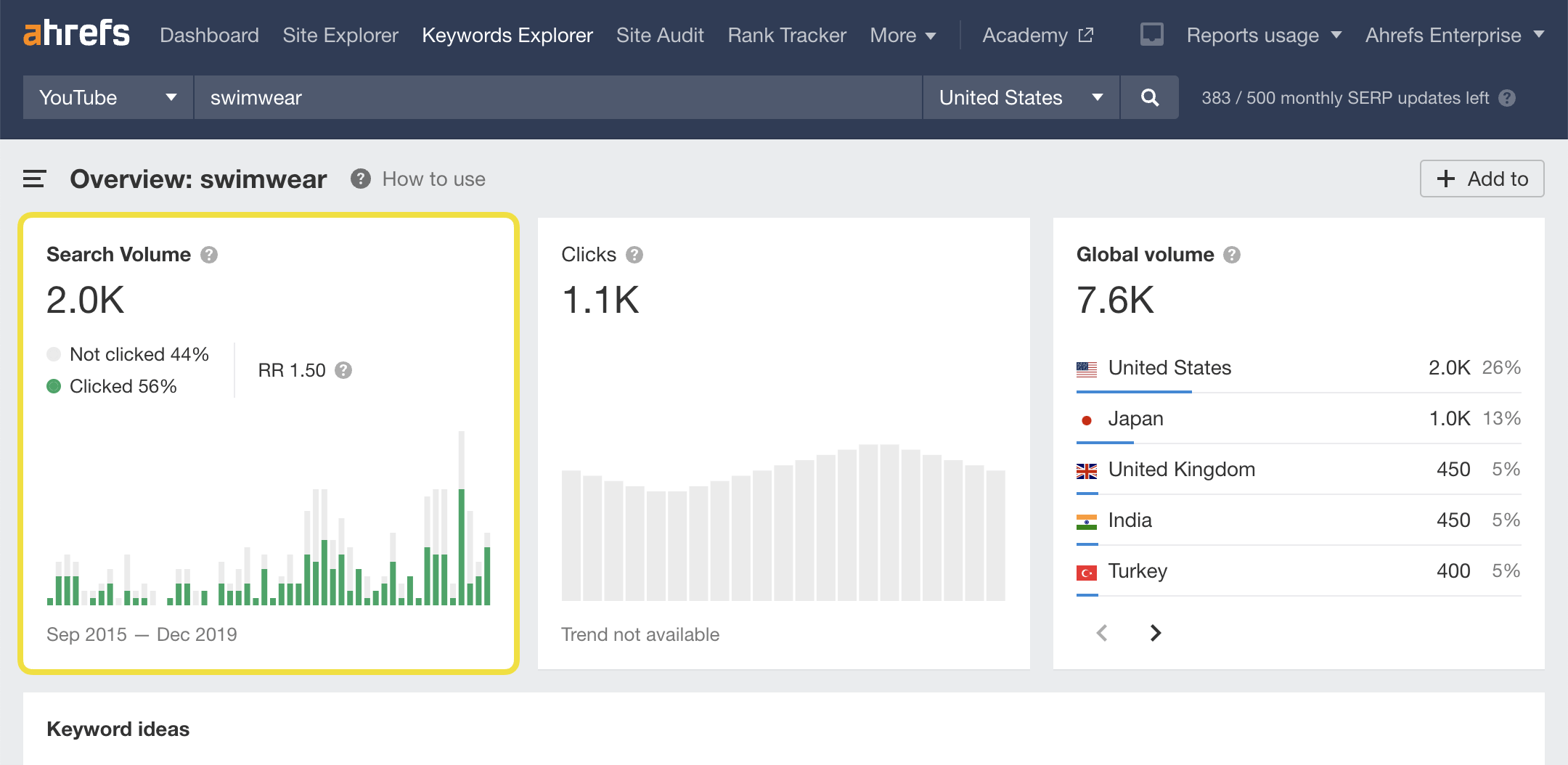
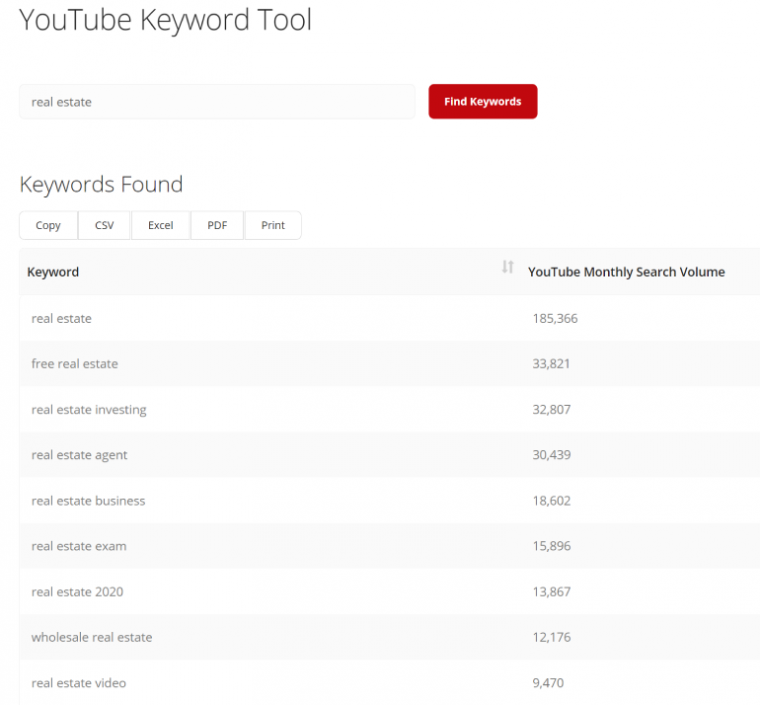
Search volume shows how many people search for a keyword. High search volume means many people want to watch videos on that topic. A good keyword tool shows daily or monthly search numbers. This helps you pick keywords with enough viewers but not too many competitors. Look for tools that update this data often for the best results.
Competition Analysis
Knowing how hard it is to rank for a keyword saves time and effort. Competition analysis tells you how many videos use the same keyword. Some tools rate competition as low, medium, or high. Choose keywords with lower competition to get noticed faster. Check if the tool shows details like video length or channel strength too.
Related Keywords Suggestions
Related keywords expand your topic and reach more viewers. Good tools suggest words or phrases connected to your main keyword. These ideas help you find new topics and include more keywords in your video titles and descriptions. Related keywords also show trends and popular searches in your niche.
Using Keywords To Optimize Video Content
Using keywords to optimize video content helps your videos reach more viewers. Keywords guide YouTube’s algorithm to show your videos to the right audience. This means more views, more subscribers, and better engagement. Proper keyword use improves your video’s chances of ranking higher in search results.
Title And Description Tips
Include main keywords in your video title. Keep titles clear and direct. Avoid long or confusing titles. Use keywords naturally so they fit well. Write descriptions that explain what the video is about. Add related keywords in the description to help YouTube understand your content. Descriptions should be easy to read and not stuffed with too many keywords.
Tagging Strategies
Tags help YouTube categorize your video. Use a mix of broad and specific tags. Include keywords that describe your video topic. Think about what viewers might type to find your video. Avoid irrelevant tags. Tags should support your title and description, not confuse the algorithm.
Thumbnail Relevance
Thumbnails must match your video’s content. Use clear images that show the video topic. Add text on thumbnails with keywords if possible. This draws attention and helps viewers decide to click. Thumbnails and keywords together improve click-through rates. Make thumbnails simple and eye-catching.
Tracking And Adjusting Keyword Performance
Tracking and adjusting keyword performance is key to growing your YouTube channel. Keywords help people find your videos. But trends and viewer interests change fast. You must watch how your keywords do and change them as needed. This keeps your content visible and relevant.
Monitoring keyword success helps you see what works. It also shows what needs improvement. This process makes your channel stronger over time. Let’s explore tools and tips for tracking and adjusting keywords.
Analytics Tools To Monitor Views
YouTube offers built-in analytics to track video views. These tools show how many people watch your videos. They also reveal where viewers find your content. Use this data to check if your keywords attract viewers.
Look at watch time and audience retention too. These numbers show if your video keeps viewers interested. If views are low, your keywords might not match search terms well.
Adapting Keywords For Trends
Trends change quickly on YouTube. Keywords popular last month might not work now. Use tools like Google Trends or TubeBuddy to spot new trends. Update your keywords to match what people search for today.
Try adding new keywords or swapping old ones. Check your analytics after changes. This helps you find the best keywords for your channel’s growth.

Credit: www.youtube.com
Credit: tuberanker.com
Frequently Asked Questions
What Are The Best Youtube Keyword Tools Available?
Top YouTube keyword tools include TubeBuddy, VidIQ, Keyword Tool, and Ahrefs. These tools help find trending, relevant keywords to boost video visibility and engagement.
How Do Youtube Keyword Tools Improve Video Rankings?
These tools analyze search trends and competition. They suggest optimized keywords, helping videos rank higher in YouTube search results and attract more viewers.
Can Youtube Keyword Tools Help Increase Channel Subscribers?
Yes, by targeting the right keywords, videos reach the intended audience. This improves engagement and encourages viewers to subscribe to the channel.
Are Free Youtube Keyword Tools Effective For Beginners?
Free tools offer basic keyword insights suitable for beginners. However, premium versions provide advanced features for deeper keyword research and better optimization.
Conclusion
Using YouTube keyword tools helps you find the best words for your videos. These tools show what people search for and help your videos get noticed. Choosing the right keywords makes your content easier to find. This can bring more viewers and grow your channel.
Keep testing different keywords to see what works best. Simple steps, big results. Start using these tools today to improve your YouTube success.