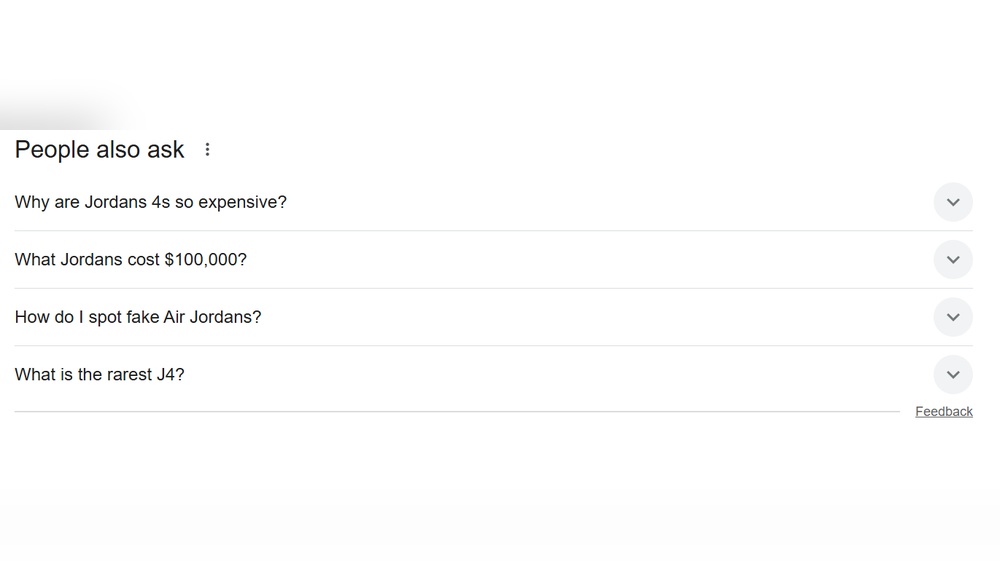
Have you ever typed a question into Google and noticed a box with related questions popping up? That’s the ”People Also Ask” feature, and it can change the way you search—and even how you create content.
If you want to find answers faster or boost your website’s visibility, understanding this tool is key. Keep reading, and you’ll discover how “People Also Ask” can work for you, making your searches smarter and your content stand out.
People Also Ask And Seo
People Also Ask (PAA) is a popular feature on search engines. It shows questions related to your search topic. These questions help users find quick answers. For SEO, PAA offers a valuable way to reach more visitors. Appearing in PAA boxes increases your site’s visibility. It also builds trust by providing useful information directly in search results.
Role In Search Results
PAA boxes appear near the top of search pages. They highlight common questions users want to know. Google selects answers from different web pages. Getting your content featured here means more clicks. It also signals that your page is relevant and helpful. This feature can drive targeted traffic to your site. It shows your expertise on specific topics.
Impact On User Engagement
PAA encourages users to explore more questions. Visitors spend more time reading answers on your page. This reduces bounce rates and improves user experience. Clear, concise answers help users trust your site. It also invites users to visit other pages. PAA content boosts engagement and keeps users interested. It creates more chances for conversions and repeat visits.
Finding People Also Ask Questions
Finding People Also Ask (PAA) questions helps improve your content strategy. These questions show what users want to know. Adding answers to these questions can boost your SEO. They also help you understand user intent better. There are simple ways to find these questions online.
Using Google Search
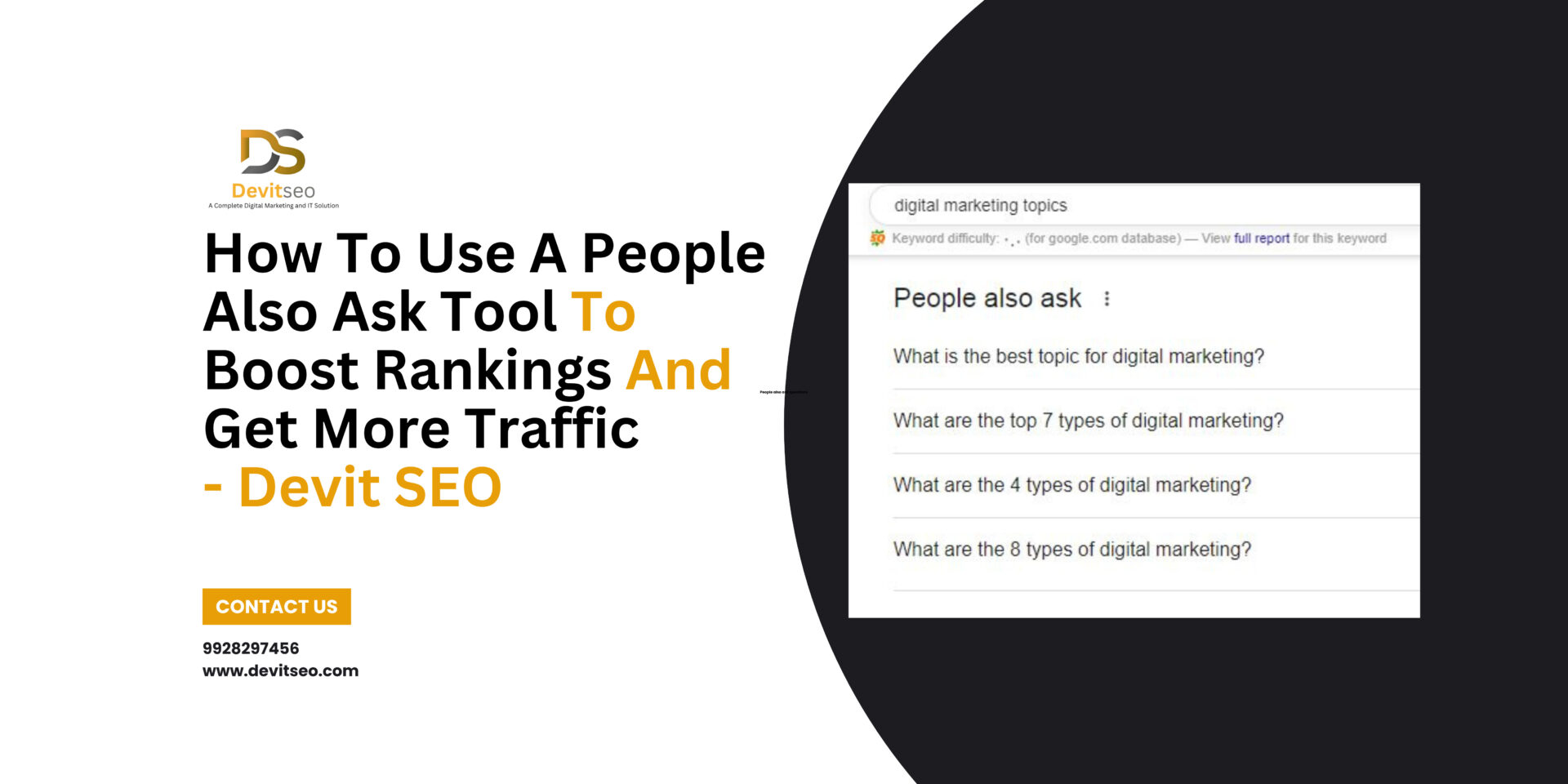
Google Search is the easiest place to find PAA questions. Type a keyword related to your topic. Scroll down the search results page. Look for the ”People Also Ask” box. It contains a list of questions users commonly ask. Click on a question to see the answer. More questions will appear as you expand each one. Copy these questions to use in your content.
Third-party Tools
Several tools can help find PAA questions quickly. These tools gather data from Google and show related questions. Some popular tools include AnswerThePublic, SEMrush, and Ahrefs. Enter your main keyword in these tools. They generate lists of PAA questions and other related queries. This saves time and gives many question ideas. Use these questions to make content that matches user needs.
Optimizing Content For People Also Ask
Optimizing content for People Also Ask (PAA) boxes can increase your website’s visibility on search engines. PAA features show questions related to user queries and provide quick answers. Appearing in these boxes drives more traffic and boosts your content’s authority.
Focus on creating clear, helpful, and well-structured answers. This approach helps search engines recognize your content as valuable. Proper optimization improves chances of being featured in PAA sections.
Crafting Concise Answers
Write short, precise answers to common questions. Keep responses under 50 words to fit PAA format. Use simple sentences that explain the topic clearly. Avoid jargon and complex words to help all readers understand. Direct answers perform better in search results.
Using Structured Data
Implement structured data markup to highlight your content’s key parts. Use schema.org tags for questions and answers. This helps search engines find and display your answers in PAA boxes. Structured data improves your content’s visibility and click-through rate.
Incorporating Keywords Naturally
Include relevant keywords naturally in your answers. Use phrases users type in search queries. Avoid keyword stuffing to keep content readable and engaging. Well-placed keywords help search engines connect your answers to user questions. This increases chances of ranking in PAA sections.

Credit: searchengineland.com
Boosting Traffic With Paa
People Also Ask (PAA) boxes offer a smart way to increase website traffic. These boxes appear in Google search results, showing questions related to the original query. Websites featured in PAA get more visibility and clicks. Using PAA can drive more visitors to your site without extra ads or paid campaigns.
Increasing Click-through Rates
Being in the PAA section grabs user attention quickly. Questions in PAA are easy to read and invite clicks. When your answer appears here, users trust your content more. This trust leads to higher click-through rates. Clear, concise answers improve chances of getting clicks. Focus on common questions your audience asks. Use simple language and direct answers to boost clicks.
Enhancing Site Authority
Google values content that answers user questions well. Appearing in PAA shows your site as an authority. This boosts your site’s credibility in search results. More people visit your site, seeing it as helpful. Consistently answering questions builds trust with users. Trusted sites often rank higher overall. PAA presence supports long-term authority growth for your site.
Common Mistakes To Avoid
Using the People Also Ask feature can boost your SEO efforts. Many make simple errors that reduce its impact. Avoid these common mistakes to get better results.
Overstuffing Keywords
Keyword stuffing means adding too many keywords unnaturally. It makes your content hard to read. Search engines may penalize your page for this. Use keywords naturally and only when needed. Focus on clear and useful answers instead.
Ignoring User Intent
User intent means understanding what people want to find. Writing without this focus confuses readers. Your answers should match the questions exactly. Think about what users want to know. Give direct, simple, and helpful information.
Credit: devitseo.com
Tools To Track Paa Performance
Tracking People Also Ask (PAA) performance helps improve your SEO strategy. It shows which questions your content answers well. This insight guides content updates and new topics to cover. Using the right tools makes tracking easier and more accurate.
Analytics Platforms
Analytics platforms provide data on how users interact with your content. They show clicks, impressions, and user behavior. Google Analytics can track traffic from PAA boxes. It helps you see if users find answers on your site. Other platforms offer detailed reports and visual data. This information helps measure your PAA success clearly.
Seo Monitoring Software
SEO monitoring software tracks keyword rankings and PAA appearances. Tools like SEMrush and Ahrefs show which questions trigger your pages. They alert you to changes in PAA rankings and competition. These tools help find new PAA opportunities quickly. Regular checks keep your content relevant and competitive.

Credit: searchengineland.com
Frequently Asked Questions
What Is The ”people Also Ask” Feature?
”People Also Ask” is a Google search box showing related questions. It helps users find quick answers and explore topics easily.
How Does ”people Also Ask” Improve Seo?
It increases content visibility by targeting common user queries. Optimizing for these questions boosts website traffic and engagement.
Can I Use ”people Also Ask” For Content Ideas?
Yes, it reveals popular questions users search. You can create targeted content that answers these queries effectively.
Where Does ”people Also Ask” Appear On Serps?
It usually appears near the top or middle of Google search results. This placement captures user attention quickly.
Conclusion
”People Also Ask” helps answer questions quickly and clearly. It guides users to find useful information fast. This feature improves search experience and keeps visitors engaged. Understanding how it works can boost your website’s visibility. Use it smartly to meet readers’ needs.
Simple, relevant answers win trust and clicks. Keep content clear and easy to read. This way, your site stays helpful and popular. Try adding ”People Also Ask” insights to your SEO plan. Small steps can lead to better search results.