If you want to boost your website’s performance, understanding SEO tools is a must. SEOquake is one of the easiest and most powerful tools you can use right now.
But what makes it truly valuable are its parameters. These numbers and metrics give you deep insights into your site and your competitors. Knowing how to read and use SEOquake parameters can change the way you approach SEO, helping you make smarter decisions and get better results.
Keep reading, and you’ll discover exactly which parameters matter most and how to use them to your advantage.

Credit: www.oberlo.com
Seoquake Basics
Seoquake is a popular SEO tool. It helps analyze websites quickly. You can use it to check many SEO factors. Seoquake gives data right inside your browser. This saves time and helps make better decisions.
Key Features
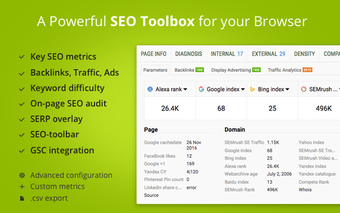
Seoquake shows important SEO metrics on any webpage. It displays page rank, backlinks, and keyword density. It also offers a quick SEO audit for pages. You get detailed reports with clear data. The tool compares domains and URLs easily. It supports many search engines worldwide.
Installation And Setup
Seoquake installs as a browser extension. It works with Chrome, Firefox, and Opera. Visit your browser’s extension store and add Seoquake. After installation, activate it with one click. Customize settings to match your needs. No special skills or tech knowledge required. The tool works instantly after setup.
Core Parameters Explained
Seoquake is a popular SEO tool that shows important website data. It helps users check different SEO factors fast. The core parameters give a clear look at a page’s SEO health. These details help improve website ranking and traffic. Understanding these main parts is very useful for SEO beginners and experts alike.
Page Diagnosis
Page diagnosis shows key on-page SEO factors. It checks titles, meta descriptions, and headings. It also finds issues like missing tags or broken links. This helps fix errors that harm SEO. A healthy page makes search engines happy.
Keyword Analysis
This section shows how keywords perform on the page. It lists keyword density and usage in important spots. It also compares keywords with competitors. Good keyword use improves chances to rank higher. Avoid keyword stuffing to keep content natural.
Backlink Overview
Backlinks are links from other sites to yours. Seoquake shows how many backlinks a page has. It also shows the quality and source of links. Strong backlinks boost your site’s authority and ranking. Watch backlinks to keep your site trustworthy.
Using Seoquake For Competitor Research
Seoquake is a useful tool for competitor research. It helps you see what keywords your competitors use and how strong their backlink profiles are. This information guides your SEO strategy. You can find gaps to improve your site and get new ideas.
Analyzing Competitor Keywords
Seoquake shows the keywords your competitors rank for. You can see their top-performing keywords and search volumes. This helps identify which terms drive traffic to their sites. Comparing keyword density and position helps find opportunities. Targeting similar keywords may boost your own rankings.
Evaluating Backlink Profiles
Backlinks impact search rankings. Seoquake reveals the number and quality of backlinks competitors have. It displays referring domains and anchor text. You can spot strong links that help their authority. Use this data to find link-building opportunities for your site. Understanding backlink profiles improves your link strategy.

Credit: backlinko.com
Interpreting Seo Metrics
Interpreting SEO metrics is key to improving website performance. These numbers tell you how well your site ranks and attracts visitors. Understanding each metric helps you make smart SEO decisions. It also shows where to focus your efforts for better results.
Understanding Page Rank
Page Rank shows the importance of a webpage. It measures how many links point to that page. Higher Page Rank means the page is trusted by search engines. Pages with strong Page Rank usually appear higher in search results. Check this metric to see how well your pages perform.
Assessing Domain Strength
Domain Strength indicates the overall power of a website. It combines factors like age, backlinks, and traffic. Strong domains rank better and get more visitors. This metric helps you compare your site to competitors. Use it to find ways to improve your website’s authority.
Evaluating Social Signals
Social Signals track how often your content is shared on social media. Likes, shares, and comments all count. These signals show how popular your content is outside search engines. Good social signals can boost your site’s visibility. Monitor them to see how well your content connects with people.
Customizing Seoquake Parameters
Customizing Seoquake parameters lets you focus on the SEO data that matters most. The tool offers many metrics, but not all are useful for every task. Tailoring these settings saves time and helps you analyze websites more effectively.
You can change the data shown on the dashboard, set up specific reports, and decide which SEO factors to track. This makes Seoquake a flexible tool for different SEO goals and skill levels.
Selecting Relevant Metrics
Choose only the metrics that fit your SEO needs. Common options include page rank, keyword density, backlinks, and traffic data. Avoid clutter by hiding less important information.
Focus on metrics that match your current SEO strategy. For example, if you want to improve backlinks, select link-related metrics. For content analysis, choose keyword and density stats.
Adjust these settings in the Seoquake dashboard under the Parameters tab. This customization helps you get clear and useful data fast.
Creating Reports
Seoquake allows you to generate reports based on your chosen metrics. Reports can be saved or exported for sharing with clients or team members.
Select the data columns you want in the report. Then, choose the report format like CSV or PDF. This makes analysis and presentation easier.
Reports help track SEO progress over time. Use them to compare website performance or to highlight key SEO issues.
Credit: seoquake-seo-extension.en.softonic.com
Practical Tips For Seo Success
Practical tips for SEO success help you improve your website’s ranking. These tips focus on using SEOquake parameters wisely. The tool provides useful data for better optimization. Simple actions can lead to clear improvements.
Optimizing On-page Elements
SEOquake shows key on-page elements like titles, descriptions, and headings. Check if your title tags include main keywords. Keep titles clear and under 60 characters. Meta descriptions should be concise and invite clicks. Use headings to organize content clearly. Avoid keyword stuffing; use keywords naturally. Images need alt text with relevant keywords. These small changes improve search engine understanding.
Tracking Progress Over Time
Use SEOquake to monitor your SEO progress regularly. Track changes in page rank and keyword density. Compare your site with competitors often. Note improvements and areas needing work. Regular tracking helps catch issues early. Adjust your strategy based on data trends. Consistent monitoring keeps your SEO efforts focused and effective.
Frequently Asked Questions
What Are The Key Seoquake Parameters To Track?
Seoquake parameters include PageRank, Alexa rank, backlinks, keyword density, and social metrics. These help analyze SEO performance quickly and effectively.
How Does Seoquake Measure Keyword Density?
Seoquake calculates keyword density by dividing keyword occurrences by total words. It shows the percentage to optimize content without overstuffing.
Can Seoquake Analyze Backlinks Quality?
Yes, Seoquake provides backlinks count and sources. It helps evaluate link quality by showing referring domains and link types.
Why Is Alexa Rank Important In Seoquake?
Alexa rank indicates website popularity and traffic relative to others. It helps assess site authority and competitive positioning.
Conclusion
Seoquake parameters help you check important SEO details fast. They show data like page rank, keywords, and backlinks clearly. You can compare websites easily using these numbers. This tool makes SEO work simple and clear. Use it often to track your site’s progress.
Understanding these metrics helps improve your website’s visibility. Keep learning and applying what you see in Seoquake. Small changes can bring better results over time. Stay patient and consistent. Your website will grow step by step.