If you want to boost your website’s performance and understand what’s driving your competitors’ success, Seoquake is the tool you need. Imagine having instant access to vital SEO data right in your browser—no complicated setups or waiting times.
With Seoquake, you get clear insights that help you make smarter decisions for your site. Stick around, and you’ll discover how this powerful tool can transform your SEO strategy and put you ahead in the game.
What Is Seoquake
Seoquake is a free browser extension that helps analyze websites. It shows SEO metrics directly on search engine results pages. This tool helps users understand site performance and optimize their content. Seoquake works well for beginners and experts alike.
Key Features
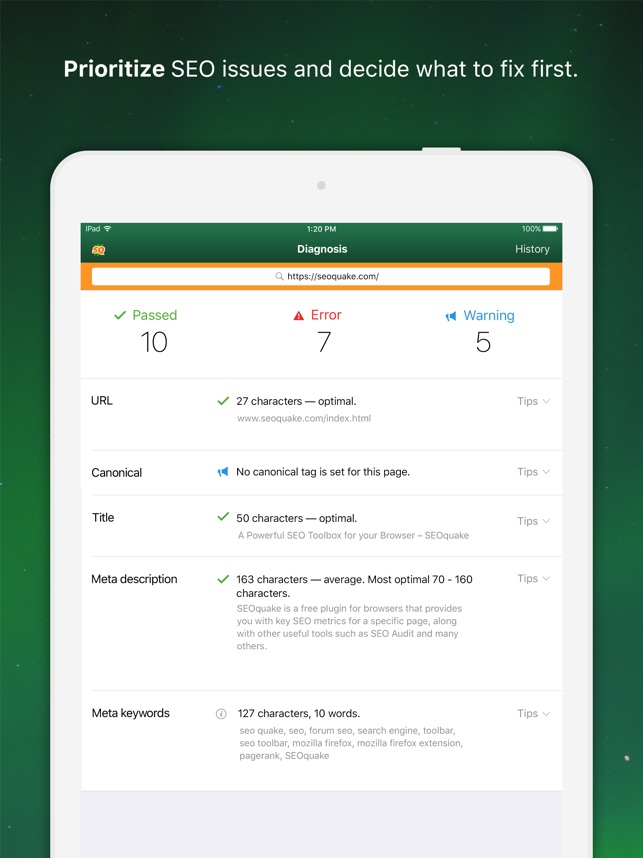
Seoquake offers many useful features for website analysis. It shows important SEO data like page rank and keyword density. Users can compare domains and URLs side by side. The extension provides on-page SEO audits to find issues fast. It also displays social media statistics and backlink info. The tool helps track website health and improve search rankings.
Supported Platforms
Seoquake supports popular web browsers for easy access. It works with Google Chrome, Mozilla Firefox, and Opera. The extension fits well into daily browsing without slowing the browser. Seoquake also has a version for the Safari browser. This wide support makes it easy to use on different devices.
Credit: apps.apple.com
Setting Up Seoquake
Setting up Seoquake is easy and quick. This tool helps you check SEO data directly in your browser. It works with popular browsers like Chrome and Firefox. Follow the steps below to install and configure Seoquake for the best experience.
Installation Steps
First, open your browser and go to the official Seoquake website or browser extension store. Click the ”Add to Chrome” or ”Add to Firefox” button. A pop-up will ask for confirmation. Click ”Add Extension” to continue. The Seoquake icon will appear near the address bar. That means the installation is complete. No need to restart your browser.
Configuring Preferences
Click the Seoquake icon to open the menu. Select ”Settings” to view options. Choose the language you want. Pick the SEO parameters you want to see on websites. You can select metrics like Google rank, Alexa rank, backlinks, and others. Save your settings before closing the menu. Seoquake now shows data based on your choices.
Analyzing On-page Seo
Analyzing on-page SEO is vital for improving your website’s visibility. It helps identify key areas that affect search rankings. Seoquake offers tools to check these elements quickly. The tool shows data that guides website improvements. Let’s explore how Seoquake helps analyze on-page SEO effectively.
Checking Meta Tags
Meta tags tell search engines what your page is about. Seoquake shows the title tag and meta description instantly. It highlights missing or duplicate tags that need fixing. Proper meta tags improve click-through rates from search results. The tool also checks the length of these tags for optimal display.
Evaluating Content Quality
Content quality impacts user experience and ranking. Seoquake analyzes keyword density to avoid overuse or underuse. It checks the presence of important keywords in headings and body text. The tool also detects thin content that lacks value for readers. Good content keeps visitors engaged and boosts SEO.
Internal Linking Insights
Internal links help spread authority across your site pages. Seoquake shows the number of internal links on each page. It reveals if pages are well connected or isolated. Proper linking improves navigation and search engine crawling. The tool helps create a strong internal link structure for better SEO.

Credit: kishorverse.com
Using Seoquake For Competitor Analysis
Seoquake helps analyze competitors quickly and clearly. It gives data about their websites and SEO strategies. Using Seoquake, you can see what keywords your rivals use and how strong their backlinks are. This helps plan your own SEO work better.
Identifying Competitor Keywords
Seoquake shows the keywords competitors rank for on search engines. It lists these keywords with their position and search volume. You can find new keyword ideas by studying this list. This tool also displays keyword density on competitor pages. You learn which words they focus on most. This insight helps choose better keywords for your content.
Comparing Backlink Profiles
Backlinks are important for SEO strength. Seoquake shows how many backlinks competitors have. It also reveals the quality of these backlinks. You see which sites link to your competitors. This helps find good places to get backlinks yourself. Comparing backlink profiles helps understand your competitor’s SEO power. It guides you to build a stronger link profile.
Interpreting Seoquake Metrics
Seoquake offers many metrics to check a website’s strength and performance. Understanding these numbers helps you make better SEO choices. Each metric shows a different part of a website’s health and popularity. Knowing what these numbers mean guides your strategy and saves time.
Pagerank And Alexa Rank
PageRank measures how important a page is on the web. It uses links from other sites as votes. The higher the PageRank, the more trusted the site is. Alexa Rank shows a website’s popularity based on visitors. A lower Alexa Rank means more traffic. Both ranks give an idea of a site’s influence online.
Keyword Density
Keyword Density tells how many times a keyword appears. It compares the keyword count to the total words. A good density helps search engines know the page topic. Too high density may look like spam. Keep keywords balanced for better SEO results.
Social Metrics
Social Metrics track how content shares and likes perform. They show the site’s reach on social networks. More shares can lead to more visitors. These metrics reveal how engaging your content is. Social activity helps improve site visibility and trust.
Credit: apps.apple.com
Seoquake And Seo Audits
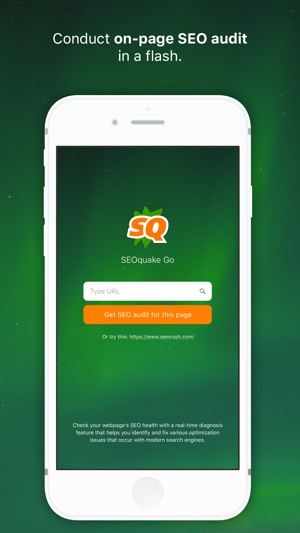
Seoquake is a useful tool for SEO audits. It helps check many parts of a website fast. Audits are important to find what works and what does not. Seoquake gives clear data to improve your site’s ranking.
With Seoquake, you can get detailed reports and spot errors easily. It saves time and shows what to fix. The tool works well for beginners and experts alike. It makes SEO audits simple and effective.
Generating Seo Reports
Seoquake creates reports with important SEO details. These include page titles, meta descriptions, and keyword density. You get data about backlinks and social media shares too. Reports help understand the site’s strengths and weaknesses. They are easy to read and export for later use.
Spotting Technical Issues
Seoquake finds technical problems that harm SEO. It checks for broken links and slow loading pages. The tool also identifies missing tags and duplicate content. Fixing these issues improves user experience and search rankings. Seoquake highlights errors clearly for quick action.
Integrating Seoquake With Other Tools
Seoquake works well with many other SEO tools. Combining it with these tools gives better insights. This helps you make smarter decisions for your website. The integration is simple and saves time. It helps track your site’s performance and spot issues fast.
Google Analytics
Seoquake can be linked with Google Analytics. This connection shows detailed traffic data alongside SEO metrics. You can see visitor numbers and sources easily. It helps compare traffic with keyword rankings. This way, you know which pages attract more visitors. The data helps improve your content strategy and SEO efforts.
Seo Browser Extensions
Seoquake works well with other SEO browser extensions. Extensions like MozBar, Ahrefs, and SimilarWeb add extra data. They offer different views on backlinks, domain authority, and competitor stats. Using several tools together gives a fuller picture. Switching between tools stays smooth and fast. This setup saves time and improves research quality.
Tips To Maximize Seoquake Efficiency
Seoquake is a powerful tool for SEO analysis and website audits. To get the best results, use it efficiently. Small changes in how you use Seoquake can save time and improve your data quality.
This section shares simple tips to make Seoquake work better for you. Focus on regular checks and customizing reports for your needs.
Regular Monitoring
Check your website’s SEO metrics often. Seoquake lets you track changes in rankings, backlinks, and page health. Frequent monitoring helps spot problems early. It also shows how your SEO efforts affect results. Set a weekly or bi-weekly schedule for these checks. Use the toolbar to quickly review key metrics on any page.
Customizing Reports
Seoquake allows customizing reports to show only important data. Choose the metrics that matter most to your goals. Hide unnecessary details to avoid confusion. Save these custom settings for future use. This keeps your reports clear and focused. Export reports in different formats for easy sharing. Custom reports help prioritize tasks and track progress clearly.
Frequently Asked Questions
What Is Seoquake And How Does It Work?
Seoquake is a browser extension that provides SEO metrics for websites. It analyzes webpages and offers data like keyword density, backlinks, and traffic insights. Users can quickly assess SEO health and compare competitors directly within the browser.
How Can Seoquake Improve My Website’s Seo?
Seoquake helps identify SEO issues by analyzing on-page elements and backlinks. It highlights areas for improvement, such as meta tags or keyword usage, enabling you to optimize your content effectively and boost search engine rankings.
Is Seoquake Free To Use For Seo Analysis?
Yes, Seoquake offers a free version with essential SEO tools. It provides valuable insights without cost, making it accessible for beginners and professionals. A premium version with advanced features is also available.
Which Browsers Support Seoquake Extension?
Seoquake supports popular browsers like Google Chrome, Mozilla Firefox, Opera, and Microsoft Edge. This makes it easy to integrate SEO analysis into your regular browsing experience without switching platforms.
Conclusion
Seoquake helps you check website SEO quickly and easily. It shows important data like keyword density and backlinks. You can compare your site with competitors in seconds. The tool works well for beginners and experts alike. Using Seoquake often can improve your SEO skills.
Try it to get useful insights for your website. Keep learning and adjusting your strategy. Small changes can lead to better search rankings. Seoquake is a helpful tool to guide your SEO efforts.