Are you about to send an important email and want to make sure it looks perfect? A test email message sample can be your best friend.
It helps you see exactly how your message will appear to your readers before hitting send. By using a clear and simple test email, you avoid mistakes that could confuse or turn off your audience. You’ll discover easy ways to create and use test email samples that save you time and boost your confidence.
Keep reading to learn how a simple step can make your emails more effective and professional.
Credit: claspo.io
Importance Of Email Testing
Email testing is a key step before sending any campaign. It ensures your message looks right and works well. Testing helps catch errors that may harm your email’s success. It saves time, money, and protects your brand’s reputation.
Sending test emails shows how your email performs on different devices and platforms. It helps find problems with layout, links, or content. Testing makes sure your email reaches the inbox and engages readers effectively.
Impact On Deliverability
Testing improves email deliverability by avoiding spam filters. It checks if your email passes technical standards like SPF and DKIM. Clean, tested emails have a better chance to reach the inbox. This reduces bounce rates and increases open rates.
Enhancing User Experience
Test emails show how your message looks on phones and computers. It helps fix broken images, wrong fonts, or bad colors. A smooth user experience keeps readers interested. Clear and attractive emails build trust and encourage action.
Avoiding Common Mistakes
Testing catches typos, broken links, and missing content. It prevents sending emails with errors that annoy readers. Checking subject lines and sender info avoids confusion. Small mistakes can hurt your campaign, but tests stop them early.
Types Of Test Email Messages
Test email messages help ensure your emails look and work well. They check different parts of your email before sending to real users. Testing saves time and avoids mistakes. It helps keep your audience happy and engaged.
There are several types of test email messages. Each type focuses on a specific area of the email. Understanding these types helps create better emails. Below are the main types of test email messages.
Content Testing
Content testing checks the text in your email. It makes sure spelling and grammar are correct. It also verifies that links go to the right pages. Content testing ensures your message is clear and easy to read. It helps avoid errors that confuse readers.
Design And Layout Checks
This test reviews how the email looks on different devices. It checks colors, fonts, and images. It makes sure the email fits well on phones and computers. Design and layout checks improve the email’s visual appeal. They ensure your email is easy to scan and read.
Functionality Testing
Functionality testing checks if all email features work properly. It tests buttons, links, and interactive elements. It also verifies that images load correctly. This test prevents broken parts in your email. It ensures the email works as intended for all users.
Crafting Effective Test Emails
Crafting effective test emails is a key step in email marketing. These emails help check how your message looks and works before sending to real subscribers. Good test emails catch errors and improve email performance. They also ensure your message reaches the inbox and looks right on all devices.
Creating clear and useful test emails saves time and boosts confidence. It helps find issues in design, links, and content early. Testing also checks email deliverability and spam filters. A well-crafted test email guides better choices for your final email.
Choosing The Right Sample Content
Select sample content that matches your real email. Use text, images, and links similar to your final message. This helps spot layout or formatting problems. Avoid random or filler text that does not reflect your style. Test emails should show how actual content will appear.
Include important parts like headlines, call-to-action buttons, and images. This ensures they display well and work correctly. Keep the content simple and clear. It should represent the tone and message of your campaign.
Personalization Techniques
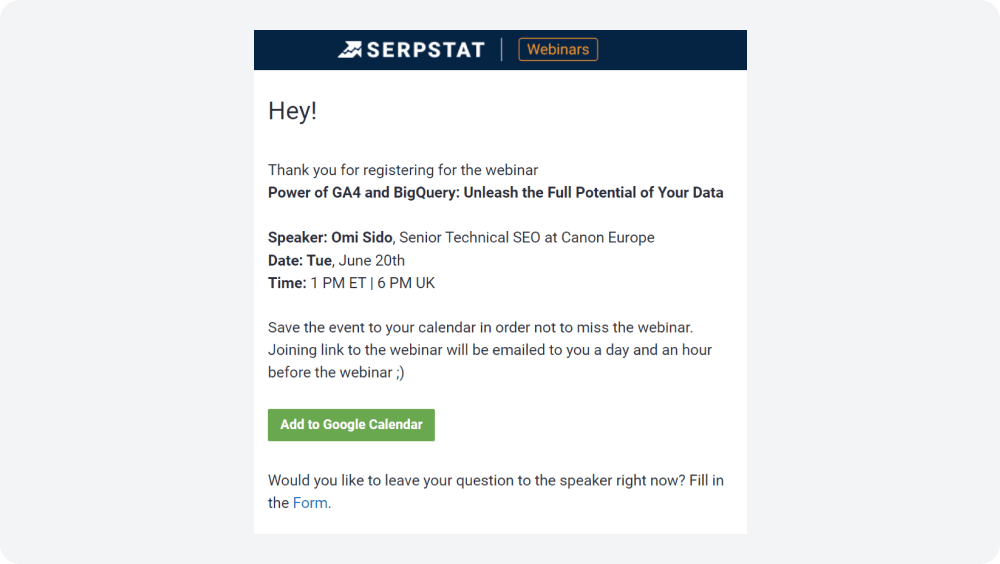
Test personalization tags to confirm they work correctly. Use sample names, locations, or other details in test emails. This shows how each recipient will see the message. Avoid leaving blank or incorrect tags in the final email.
Try different personalization styles to find what fits your audience best. Personalization makes emails feel more relevant and engaging. Test how dynamic content changes based on the recipient’s data.
Subject Line Variations
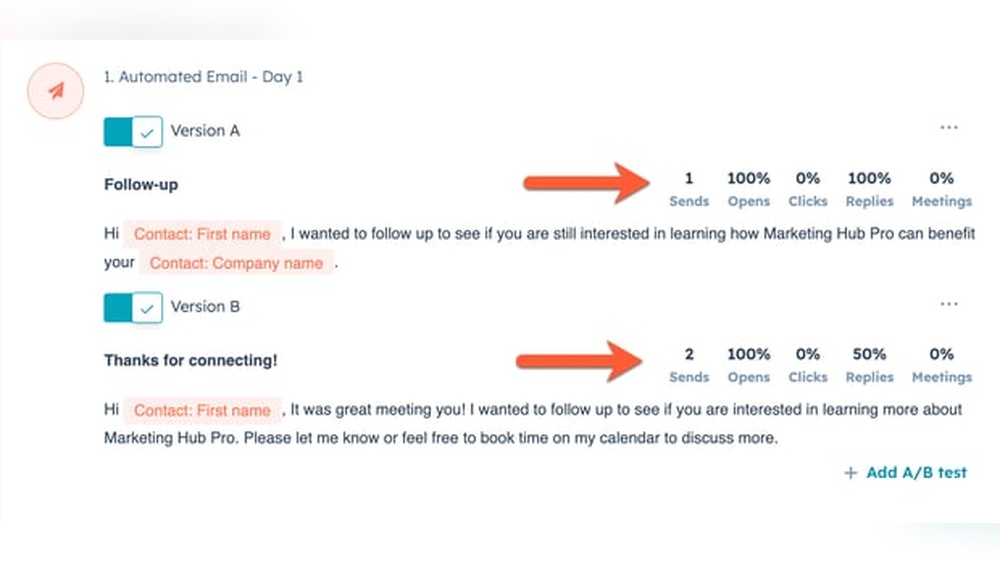
Create multiple subject lines to test which one gets more attention. Use different lengths, tones, and keywords. Test them in your sample emails to see how they appear on various devices. Check for any truncation or odd characters.
Subject lines affect open rates greatly. Testing helps pick the best option before the actual send. Keep subject lines clear and simple. Avoid spammy words or too many symbols.
Tools For Email Testing
Testing email messages before sending is very important. It helps catch errors and ensures emails look good on all devices. Tools for email testing make this process easier and faster. They check design, links, and spam issues. These tools help improve email quality and deliverability.
Popular Testing Platforms
Several platforms offer email testing services. They show how emails appear in different email clients. Platforms like Litmus and Email on Acid are well-known. They provide previews for desktop, mobile, and webmail. These tools help find design problems early.
Automation And Integration
Automation saves time in email testing. Some tools connect with email marketing software. They test emails automatically before sending campaigns. This reduces manual work and mistakes. Integration with other tools helps keep workflows smooth.
Analytics And Reporting
Testing tools offer useful reports. They show issues like broken links or spam triggers. Analytics help understand how emails perform in tests. Reports guide improvements for better results. Clear data supports faster decision-making.
Common Email Testing Challenges
Testing emails before sending is important to avoid problems. Many challenges come up during email testing. These challenges affect how the email looks, works, and reaches the reader. Understanding these common issues helps improve email campaigns and user experience.
Spam Filters And Deliverability Issues
Spam filters block unwanted emails from reaching inboxes. They check email content, links, and sender reputation. Emails with certain words or poor formatting often get caught. Deliverability means emails arrive in the inbox, not in spam. Testing helps spot words or links that trigger filters. It also checks if the sender’s domain is trusted. Fixing these issues improves the chance emails reach readers.
Rendering Problems Across Devices
Emails look different on phones, tablets, and computers. Each device uses different email apps and screen sizes. Some designs may break or not show images correctly. Text can become hard to read or cut off. Testing emails on multiple devices ensures proper display. It helps find layout problems and fix them before sending. A good email looks good everywhere.
Link And Button Verification
Links and buttons must work perfectly in emails. Broken or wrong links frustrate readers and waste clicks. Testing verifies all links go to the right pages. It also checks if buttons respond on all devices. This step prevents errors that hurt trust and reduce actions. Working links increase user engagement and email success.

Credit: selzy.com
Best Practices For Email Testing
Email testing is vital for successful campaigns. It ensures messages look right and reach inboxes properly. Testing uncovers errors before sending to real users. It also improves engagement and brand trust. Follow best practices to get the best results from your email tests.
Testing Frequency
Test emails often during the creation process. Frequent tests catch problems early. Test after every major change. This keeps emails consistent and error-free. Avoid testing only at the end. Regular testing saves time and effort later.
Team Collaboration
Work closely with your team during testing. Share test emails for feedback. Different eyes spot different issues. Communicate clearly about what to check. Use collaboration tools to organize feedback. Team effort leads to better email quality.
Documentation And Feedback
Keep records of each test and result. Document errors and fixes clearly. Use feedback to improve future emails. Track what changes worked best. Good documentation speeds up the testing process. It helps avoid repeating the same mistakes.
Credit: www.flexiquiz.com
Frequently Asked Questions
What Is A Test Email Message Sample?
A test email message sample is a draft used to check email formatting, content, and functionality. It helps ensure emails appear correctly across devices and clients. Marketers and developers use it to avoid errors before sending real campaigns. Testing improves email deliverability and user experience.
Why Use Test Email Messages Before Sending?
Using test emails helps identify formatting issues, broken links, and typos. It ensures the email displays well on different devices and clients. Testing reduces errors, improves readability, and boosts engagement. It also verifies that tracking and personalization elements work properly.
How To Create An Effective Test Email Message?
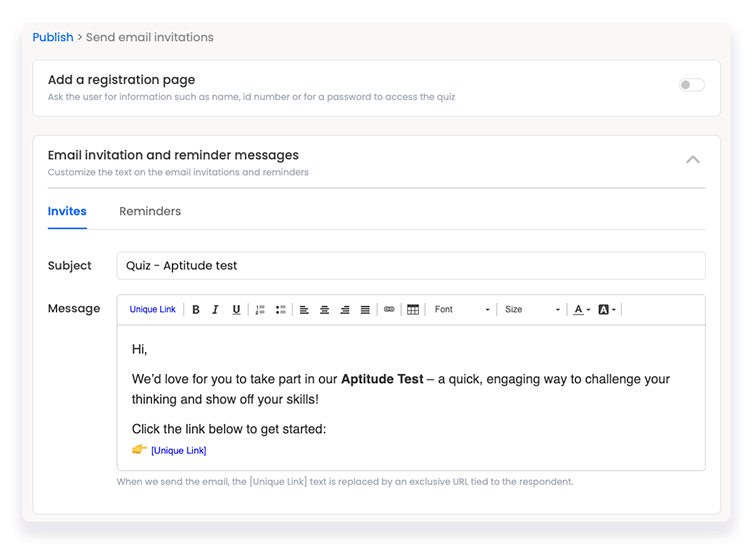
An effective test email should include your actual content, subject line, and call to action. Use realistic data for personalization fields to see how they appear. Send the test to multiple email clients and devices. Check images, links, and formatting carefully before finalizing.
Can Test Email Messages Improve Deliverability Rates?
Yes, test emails help identify spam triggers and technical issues. They ensure emails comply with spam filters and authentication protocols. Testing reduces bounce rates by verifying recipient addresses. Overall, this increases the chance your email reaches the inbox.
Conclusion
Testing your email message helps catch errors before sending. A clear test email shows how your message looks to others. It also ensures links and images work properly. Use simple text and check for spelling mistakes. Testing saves time and avoids confusion later.
Try sending test emails to different devices and accounts. This way, you see how your message appears everywhere. Keep your emails easy to read and error-free. Testing is a small step that improves your email success. Don’t skip it.