


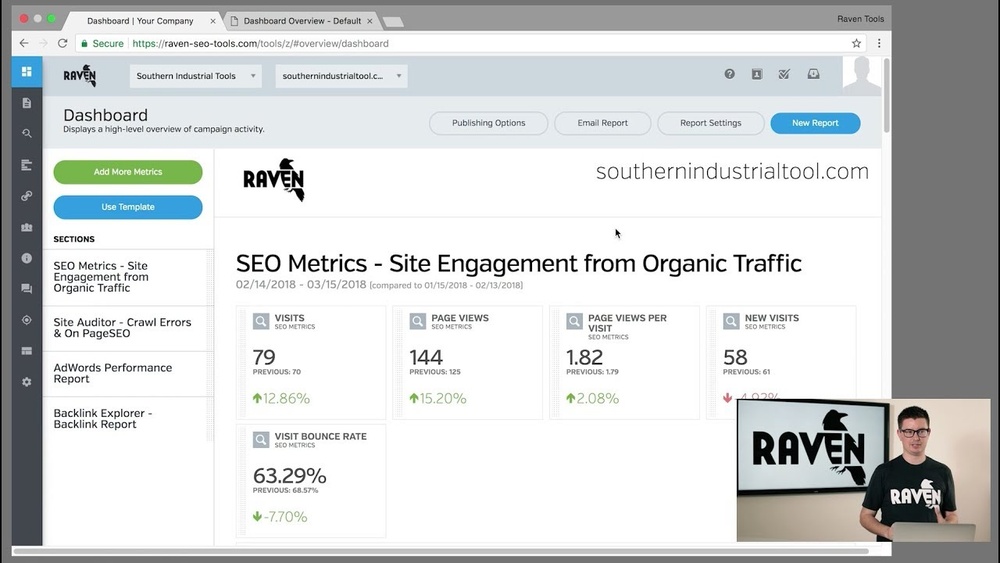
If you’re looking to boost your online marketing efforts, Raven Tools could be the game-changer you need. Imagine having all your SEO, social media, and reporting tasks handled in one place—saving you time and stress.
Whether you’re managing a small business or a large team, Raven Tools offers features designed to make your work easier and more effective. Keep reading to discover how this powerful platform can help you get better results and take control of your digital marketing like never before.
What Is Raven Tools
Raven Tools is a popular online platform for digital marketing. It helps businesses manage their SEO, social media, and analytics. This tool saves time by combining many marketing tasks in one place.
Users can track their website rankings, find new keywords, and analyze competitors easily. Raven Tools also offers reports that show how well your marketing efforts work. This makes it easier to plan and improve strategies.
What Does Raven Tools Do?
Raven Tools collects data from many sources. It shows website performance, search engine rankings, and social media results. You can check backlinks and website health quickly. The tool also helps find the best keywords for your site.
Who Uses Raven Tools?
Small businesses, marketing agencies, and SEO experts use Raven Tools daily. It fits teams who want to save time and improve results. Beginners also find it simple and helpful for learning SEO basics.
Key Features Of Raven Tools
Raven Tools offers keyword research, site audits, and competitor analysis. It provides customizable reports for clients or internal use. The platform supports multiple users and integrates with other marketing tools.
Key Features For Seo
Raven Tools offers essential features to improve SEO efforts. It helps identify website issues, find valuable keywords, and track backlinks. The platform also provides insights about competitors and creates detailed reports. These tools support making smart decisions to boost website rankings.
Site Audits
Site audits check your website for SEO problems. They scan pages for broken links, slow loading, and missing tags. This helps fix errors that hurt search rankings. Regular audits keep your site healthy and easy to use.
Keyword Research
Keyword research finds the best words for your content. Raven Tools shows popular and relevant keywords for your topic. It helps choose terms that attract more visitors. This makes your content easier to find on search engines.
Backlink Analysis
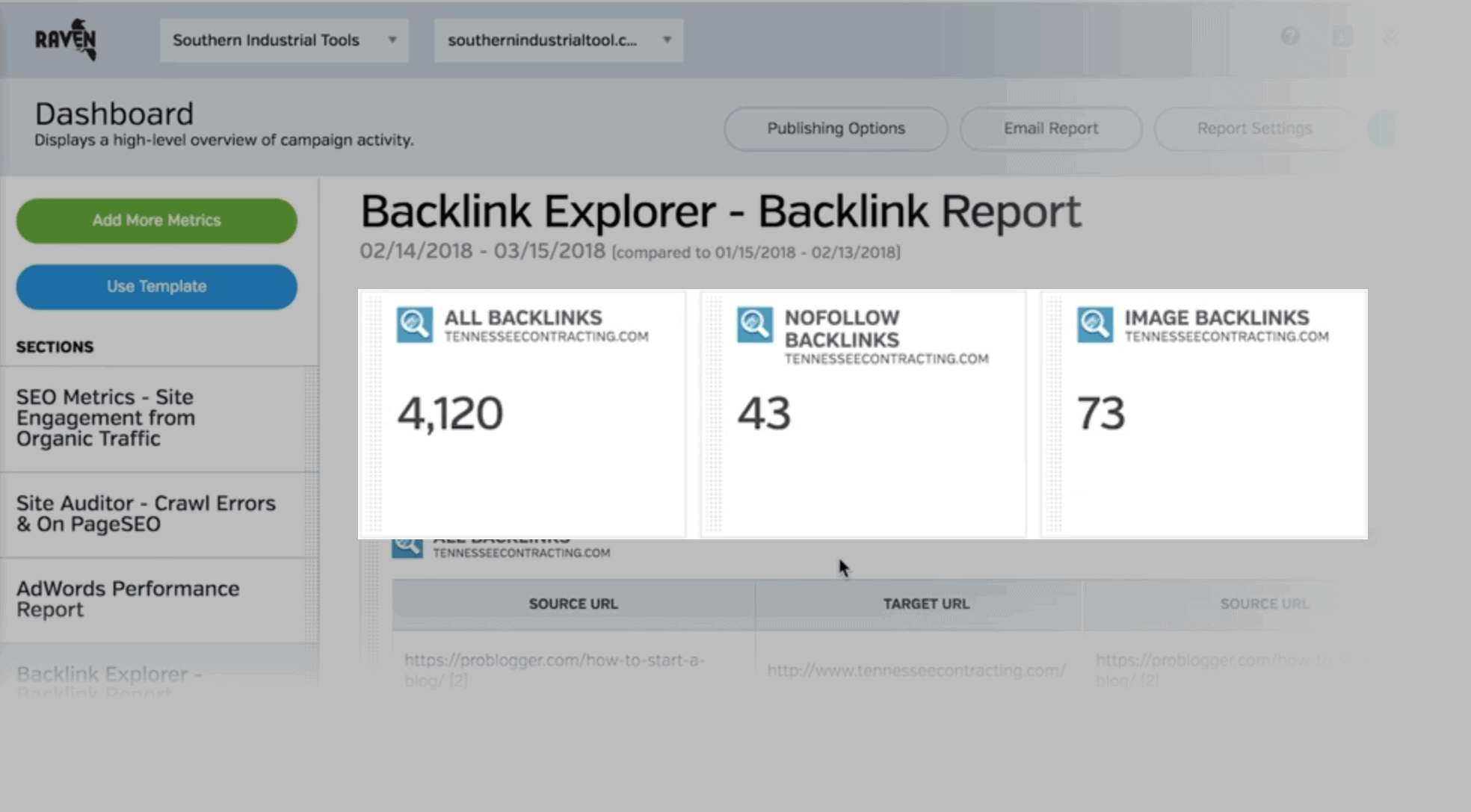
Backlink analysis tracks links pointing to your site. It shows the quality and number of backlinks. Good backlinks improve your website’s authority and ranking. You can spot bad links and avoid penalties from search engines.
Competitor Insights
Competitor insights reveal what others in your niche do well. You can see their keywords, backlinks, and site performance. This knowledge helps adjust your strategy and stay ahead. Understanding competitors guides better SEO planning.
Reporting Tools
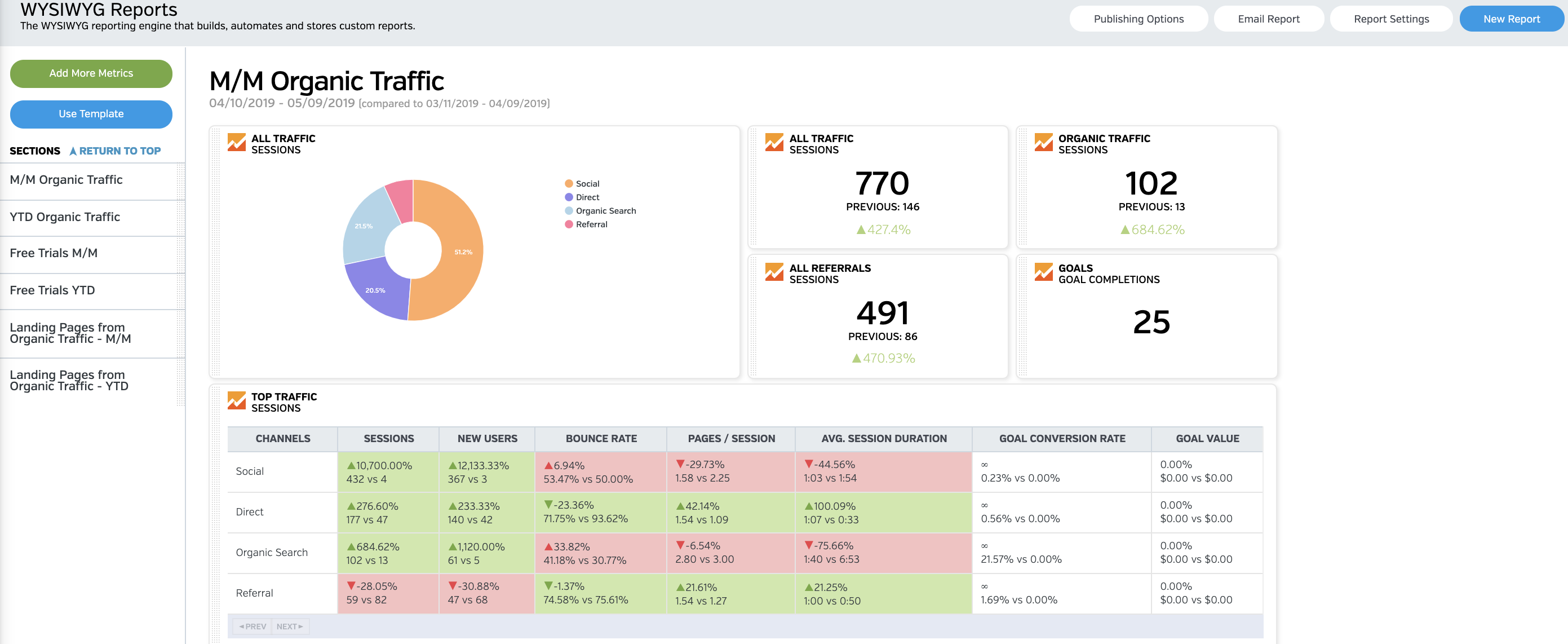
Reporting tools create clear SEO reports with data and charts. They show progress and results over time. Reports help explain SEO efforts to clients or teams. Custom reports save time and keep everyone informed.
Setting Up Your Account
Setting up your Raven Tools account is simple and fast. The process lets you start managing your SEO tasks right away. Follow these steps to create your profile, connect your websites, and link Google Analytics. Each step helps you get the most from Raven Tools.
Creating A Profile
Start by entering your name and email address. Choose a strong password for your account. Fill out basic details like your company name and role. This profile helps personalize your experience. It also keeps your data secure and organized.
Connecting Websites
Add the websites you want to track. Enter the website URL and give each site a clear name. This makes it easy to manage multiple sites in one place. Raven Tools will gather data from these sites for your reports.
Integrating With Google Analytics
Link your Google Analytics account to get detailed insights. Sign in to Google through Raven Tools. Allow access to your Analytics data for accurate tracking. This step helps combine SEO and traffic information in one dashboard.
Credit: raventools.com
Using Raven Tools For Keyword Research
Raven Tools helps with keyword research for better SEO results. It offers simple ways to find and analyze keywords. This tool helps you choose the best words to target in your content. You can also watch how your chosen keywords perform over time. Using Raven Tools saves time and improves your SEO strategy.
Finding High-value Keywords
Raven Tools finds keywords that bring real traffic. It shows search volume so you know how many people search for a word. It also suggests related keywords you might not think about. You can filter keywords by location and language. This helps target your audience better. High-value keywords mean more visitors and better ranking.
Analyzing Keyword Difficulty
Not all keywords are easy to rank for. Raven Tools gives a difficulty score for each keyword. This score tells how hard it is to appear in top search results. You can pick keywords with low difficulty but good traffic. This way, your website gets faster results. You avoid wasting time on very tough keywords.
Tracking Keyword Rankings
Raven Tools tracks your keywords in search engines. It shows your position changes over time. You can see which keywords improve and which drop. This helps to adjust your SEO efforts. Regular tracking keeps your strategy on the right path. You stay updated on your SEO progress every day.
Improving Site Health With Audits
Keeping your website healthy is key to ranking well in search engines. Regular audits help find problems before they grow. Raven Tools offers easy audits to check your site’s health. These checks improve your website’s speed, usability, and SEO. Let’s explore how audits with Raven Tools support site health.
Identifying Technical Issues
Raven Tools scans your website for technical problems. It finds broken links, slow pages, and server errors. These issues harm user experience and search rankings. The tool also checks for mobile usability and security faults. Spotting these problems early keeps your website running smoothly.
Fixing On-page Seo Errors
On-page SEO errors reduce your site’s visibility. Raven Tools audits titles, headers, and meta descriptions. It points out missing keywords and duplicate content. The tool helps you improve page structure and image tags. Fixing these errors boosts your chance to rank higher.
Monitoring Site Performance
Raven Tools tracks your website’s speed and uptime over time. It shows how changes affect your site’s performance. Monitoring keeps your site fast and reliable for visitors. Continuous checks help maintain good user experience and search engine trust.
Enhancing Link Building Strategies
Link building is a key part of SEO success. It helps websites gain authority and improve rankings. Raven Tools offers features that improve link building. It simplifies tasks and saves time for marketers. Understanding how Raven Tools supports link building makes the process clearer and easier.
Discovering Backlinks
Raven Tools scans the web to find backlinks quickly. It shows who links to your site and your competitors. This helps find new link sources and opportunities. You get a full view of your link profile in one place. Tracking new backlinks becomes simple and efficient.
Evaluating Link Quality
Not all backlinks have the same value. Raven Tools checks link quality by analyzing metrics. It looks at domain authority, spam score, and relevance. This helps focus on strong links that boost SEO. Avoiding low-quality links protects your site from penalties.
Outreach Management
Building links requires communication with website owners. Raven Tools organizes outreach efforts in one dashboard. You can track emails, follow-ups, and responses easily. This keeps your link building organized and professional. Staying on top of outreach improves success rates.
Analyzing Competitor Seo Tactics
Analyzing competitor SEO tactics helps businesses find ways to improve their own strategies. Understanding what works for others in the same market gives valuable insights. Raven Tools offers features that make this process easier and more effective. These tools help break down competitor data into clear, actionable points.
Comparing Keywords
Raven Tools lets you see which keywords your competitors use. You can find both high-ranking and low-ranking keywords. This comparison helps identify which keywords bring the most traffic. It shows opportunities for targeting keywords your competitors miss. This way, you can focus on terms that matter most to your audience.
Studying Backlink Profiles
Backlinks remain a strong ranking factor in SEO. Raven Tools allows you to explore competitor backlink profiles. You can discover where their links come from and the quality of those links. This helps find sites that might link to you as well. Understanding backlink patterns reveals strategies to improve your own link-building efforts.
Spotting Content Gaps
Content gaps are topics competitors cover but you do not. Raven Tools highlights these gaps by analyzing competitor websites. Filling these gaps can attract new visitors and improve rankings. It also helps create content that meets audience needs better. Spotting gaps ensures your content stays relevant and competitive.
Credit: backlinko.com
Customizing Reports For Clients
Customizing reports for clients is crucial for clear communication. Each client has unique needs and priorities. Tailored reports help highlight what matters most to them. Raven Tools offers flexible options to create reports that fit every client’s goals. This makes data easier to understand and action.
Selecting Metrics
Choose the right metrics to show the client’s progress. Focus on data that matches their objectives. Use Raven Tools to pick specific SEO, PPC, or social media metrics. Avoid clutter by removing unnecessary data points. Clear metrics make reports easier to read and more useful.
Automating Report Delivery
Save time by scheduling automatic report delivery. Set up reports to send on a regular basis. Clients receive updates without manual work. Raven Tools supports email scheduling and multiple formats. Automation keeps clients informed and builds trust.
Visualizing Data Effectively
Use charts and graphs to present data clearly. Visuals help clients grasp trends and results fast. Raven Tools offers various visualization options to fit different data types. Simple visuals reduce confusion and improve client satisfaction. Good data display turns numbers into insights.
Integrations And Automation
Raven Tools offers strong features for integrations and automation. These help users save time and work more smoothly. Automating tasks means less manual work and fewer errors. Integrations connect different software to work as one system.
This section explains how Raven Tools connects with other tools. It also covers setting up automated tasks and using the API for custom needs.
Connecting Third-party Tools
Raven Tools links easily with many popular marketing tools. It connects with Google Analytics, Google Ads, and social media platforms. These connections let you see all data in one place.
You don’t need to switch between apps. The integration updates data automatically. This saves time and keeps your reports accurate.
Setting Up Automated Tasks
Automation in Raven Tools helps run tasks on a schedule. You can set reports to send automatically by email. Also, automate website audits and keyword tracking updates.
These tasks run without manual input. This means you get fresh data without extra effort. Automation keeps your projects moving smoothly and on time.
Using Api For Custom Solutions
Raven Tools offers an API for advanced users. The API lets you build custom integrations or tools. This fits special needs that standard features cannot meet.
Developers can pull data or push information into Raven Tools. This flexibility helps businesses connect Raven Tools with their own software. It expands what you can do with your marketing data.
Tips To Maximize Raven Tools
Raven Tools offers many features to help improve your SEO work. Using these tools well can save time and bring better results. Here are some practical tips to get the most out of Raven Tools in your daily tasks.
These tips focus on regular checks, smart use of features, and keeping up with SEO changes. This approach helps keep your SEO efforts strong and effective.
Regular Monitoring
Check your projects often. Look at your site’s rankings and backlinks weekly. This helps spot problems early. Fixing issues fast keeps your site healthy. Use Raven’s reports to track changes and compare results over time. Consistency matters for steady growth.
Combining Features
Use different tools together. For example, link building and site audits work well as a pair. Find weak spots with audits, then build links to improve them. Use keyword research along with competitor analysis. This gives a clear view of your market. Combining features saves time and improves strategy.
Staying Updated With Seo Trends
SEO rules change often. Keep learning about new trends and Google updates. Use Raven Tools’ blog and resources to stay informed. Adjust your strategy based on the latest info. This keeps your site competitive and avoids penalties. Regular updates help your SEO stay fresh and effective.
Credit: raventools.com
Frequently Asked Questions
What Is Raven Tools Used For?
Raven Tools is an all-in-one SEO platform. It helps with keyword research, backlink analysis, and competitor tracking. Marketers use it to improve website rankings and manage SEO campaigns efficiently.
How Does Raven Tools Improve Seo Performance?
Raven Tools offers detailed site audits and keyword tracking. It identifies SEO issues and suggests fixes. This helps users enhance website visibility and boost organic traffic.
Can Raven Tools Integrate With Other Marketing Platforms?
Yes, Raven Tools integrates with Google Analytics, Google Search Console, and social media platforms. This allows users to consolidate data and streamline reporting across channels.
Is Raven Tools Suitable For Beginners?
Raven Tools is user-friendly and offers tutorials. Beginners can easily navigate its features and start optimizing their websites without advanced SEO knowledge.
Conclusion
Raven Tools offers a simple way to manage SEO tasks. It helps track keywords and analyze competitors easily. The tool saves time by combining many features in one place. Users can create detailed reports to share results clearly. This makes it easier to plan and improve online strategies.
Overall, Raven Tools suits both beginners and experts in SEO. It supports steady growth without confusing steps. Try it to see how it fits your needs. A smart choice for better website performance.